High−level Instructions
3 − 530
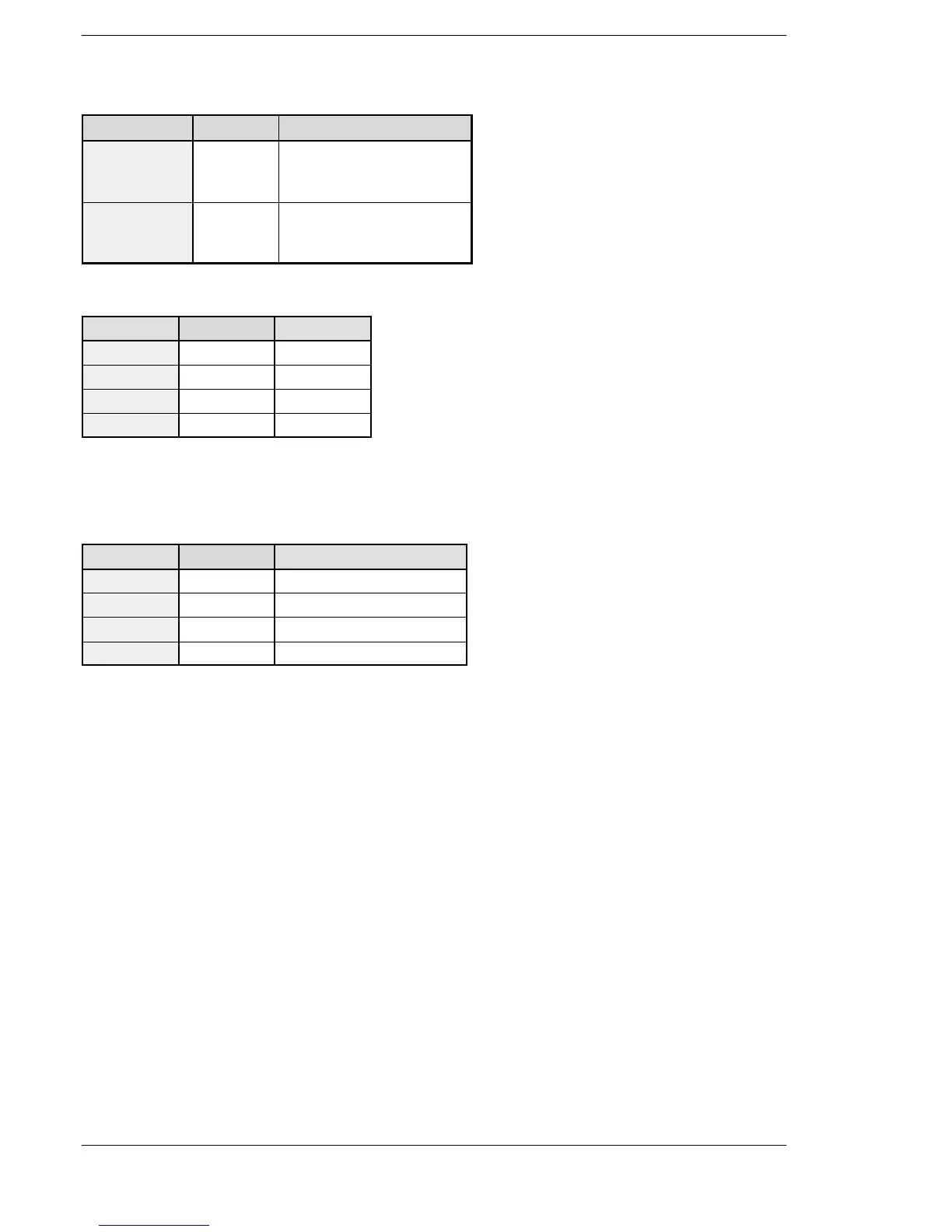
For FP−X Ry type (AFPX−PLS)
Channel no. Output Control flag
ch0
Cassete
mounting part 1
Y100 R911C
ch1
Cassete
mounting part 2
Y200 R911D
For FP−XTr
Channel no. Output Control flag
ch0 Y0 R911C
ch1 Y2 R911D
ch2 Y4 R911E
ch3 Y6 R911F
Note) There is no ch3 for FPX−C14T.
Note) The pulse I/O cassette (AFPX−PLS) cannot be installed on the FP −X Tr type.
Note) Use the ch2 and ch3 at up to 20 kHz.
For FP0R
Channel no. Output Pulse I/O instruction flag
ch0 Y0 R9120
ch1 Y2 R9121
ch2 Y4 R9122
ch3 Y6 R9123
Precautions during programming
During the time that the circular interpolation control flag R904E is on, the pulse output instructions F166 to
F176 cannot be executed.
When using this instruction for FPΣ, the setting for the channels corresponding to system registers no. 400
and no. 401 should be set to “High−speed counter not used”.
When using this instruction for FP−X, set the PWM output by the system register.
If a rewrite is executed during RUN while the system is operating, pulse output stops while the program is
being rewritten.
If the same notation is being used for both the ordinary program and the interrupt program, make sure they
are not both executed at the same time.
If a value over the specified range is written for the duty area while the instruction is being executed, the duty
output will be adjusted to the maximum. And when starting execution of the instruction, an operation error
occurs.
If the control code is changed after the instruction startup, it does not affect the frequency but the resolution of
the duty.
If the frequency is changed to a value outside the specification range after the instruction startup, an
operation error will not occur and the program will run with the duty of 100 resolution.
If the duty is changed to 100% or higher after the instruction startup, an operation error will not occur and the
program will run at the maximum value of the specified resolution.
FPΣ/FP−X/FP0R





 To Next Page