High−level Instructions
3 − 566
Flag conditions
・Error flag (R9007): Turns on and stays on when:
・Error flag (R9008): Turns on for an instant when:
− The area specified using the index modifier exceeds the limit.
− The value of S1 or S2 exceeds the limit of specified range.
How to specify S1
Specify the type of FP−e mode.
Value specified for S1 Type of mode
H0 N mode first screen
H1 N mode second screen
H2 S mode first screen
H3 S mode second screen
How to specify S2, S2+1, S2+2
With S2, S2+1 and S2+2 specify the display method of the screen specified with S1.
By writing the data below, the screen display method is specified in a 3−word range from the area specified
with S2.
For example, when DT10 is specified for S2, DT10 to DT12 becomes the area below.
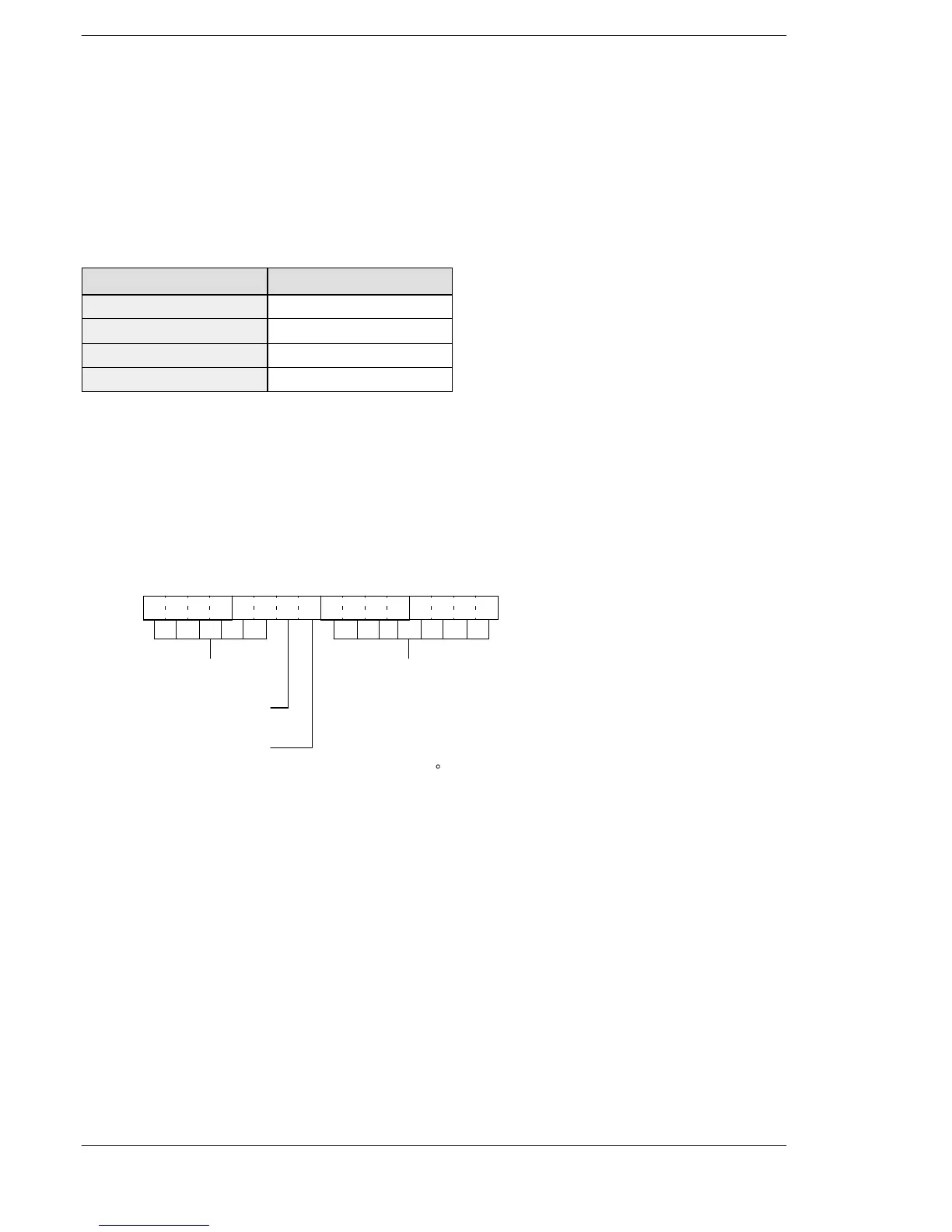
S2: First word
Specifies the method in which all units are displayed.
15
Lower display setting (bit 9)
[0: display, 1: no display]
12 11 8 7 4 3 0
Unit display setting (bits 7 to 0) [0: no display, 1: display]
− bit 0: Unit “PV”
− bit 1: Unit “SV”
− bit 2: Unit “s”
− bit 3: Unit “m”
− bit 4: Unit “h”
− bit 5: Unit “ C”
− bit 6: Unit “F”
− bit 7: Unit “ ”
Undefined (bits 15 to 10)
[Specify 0]
Upper display setting (bit 8)
[0: display, 1: no display]
FP–e





 To Next Page