EasyManua.ls Logo

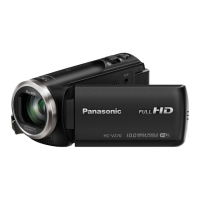
Panasonic HC-V180K - User Manual

Panasonic HC-V180K
34 pages
Print Icon
To Next Page IconTo Next Page
Loading...
Basic Owners Manual
High Definition Video Camera
Model No.
HC-V180
More detailed operating instructions are available in “Owner’s Manual
(PDF format)”. To read it, download it from the website.
https://eww.pavc.panasonic.co.jp/hdw/oi/V180/
Click the desired language.
SQT1126
until
2015/12/8
Please read these instructions carefully
before using this product, and save this
manual for future use.
If you have any questions, visit :
U.S.A. : http://shop.panasonic.com/support
Canada : www.panasonic.ca/english/support
Register online at http://shop.panasonic.com/support (U.S. customers only)
HC-V180PP-SQT1126_mst.book 1 ージ 2015年10月30日 金曜日 午後1時31分

Questions and Answers

  • F
    Felicia WilliamsJul 30, 2025
    Why my Panasonic HC-V180K Camcorder won't turn on or the battery drains fast?
    • M
      Melissa DavisJul 30, 2025
      If your Panasonic Camcorder cannot be turned on, does not stay on long enough, or the battery runs down quickly, try charging the battery again to ensure it is sufficiently charged. Note that in cold environments, the battery's usage time may decrease. Batteries also have a limited lifespan. If the operating time remains too short even after a full charge, the battery may be worn out and require replacement.
  • P
    Patricia RamosAug 6, 2025
    What to do if my Panasonic HC-V180K Camcorder is on but not working?
    • M
      Mr. Timothy Ray IIIAug 6, 2025
      If your Panasonic Camcorder cannot be operated even when it is turned on, or if it is not operating normally, try removing the battery or AC adapter, waiting about 1 minute, and then reconnecting it. Wait another minute before turning the unit back on. Note that performing this operation while the media is being accessed may damage the data on the media. If normal operation is still not restored, detach the power connected, and consult the dealer who you purchased this unit from.
  • T
    timothy83Aug 13, 2025
    What to do if my Panasonic HC-V180K displays “ERROR OCCURRED. PLEASE TURN UNIT OFF, THEN TURN ON AGAIN.”?
    • K
      kholderAug 13, 2025
      If your Panasonic Camcorder displays “ERROR OCCURRED. PLEASE TURN UNIT OFF, THEN TURN ON AGAIN.”, the unit has automatically detected an error. Try restarting the unit by turning it off and on again. If the unit is not turned off and on, it will turn off automatically in about 1 minute. If the error message repeatedly appears even after restarting, it may require repair. Detach the power connected, and consult the dealer who you purchased this unit from. Do not attempt to repair the unit by yourself.
  • B
    Billy HarrisAug 20, 2025
    Why does the color or brightness change on my Panasonic HC-V180K Camcorder, or why are there horizontal bars?
    • R
      Robert WilliamsAug 20, 2025
      Changes in color or brightness, or horizontal bars in the image of your Panasonic Camcorder, are not a malfunction. They may occur when recording under fluorescent, mercury, or sodium lighting. To minimize this, in Motion Picture Recording Mode, use Intelligent Auto Mode/Intelligent Auto Plus Mode or set the shutter speed to 1/60 in areas with a 60 Hz power supply, or 1/100 in 50 Hz areas. This issue does not affect recorded images in Still Picture Recording Mode.

Summary

Safety Instructions

Battery Information and Precautions

General Cautions for Use

Power Supply Information

Inserting;removing the battery

Instructions for installing and removing the camera's battery pack.

Charging the Battery

Connecting to the AC outlet

Details on powering the camera using the AC adapter and an electrical outlet.

Charging via USB connection

Instructions for charging the battery using a USB connection to another device.

Recording to an SD Card

Turning the Unit On;Off

Selecting Operating Modes

Changing Recording Modes

Recording Motion Pictures

Recording Still Pictures

Troubleshooting Common Issues

Panasonic HC-V180K Specifications

General IconGeneral
Optical Zoom50x
Image StabilizationHybrid O.I.S. (Optical Image Stabilizer)
Display2.7-inch LCD
LCD Screen Resolution230, 400 dots
Recording MediaSD/SDHC/SDXC Memory Card
Video Recording FormatAVCHD, MP4
Built-in MemoryNo
Focal Length2.06 - 103 mm
Focus SystemAuto / Manual
HDMI OutputYes (mini HDMI)
Sensor TypeBSI MOS Sensor
Video ResolutionFull HD (1920 x 1080)
Battery TypeLithium-ion
MicrophoneStereo
USB PortYes (USB 2.0)
WeightAbout 211 g (0.465 lbs) without battery and SD card

Related product manuals