Chapter 3 Preparation — Assigning function to the USER buttons
- 50 -
Assigning function to the USER buttons
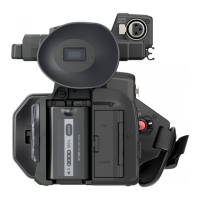
Selected function can be assigned to the USER buttons.
The USER buttons have 5 USER buttons on the unit (<USER1> to <USER5> buttons) and 7 USER button icons displayed on the LCD monitor ([USER6]
to [USER12] button icons).
The <USER1> to <USER5> buttons can be used as the USER buttons when the camera image screen is displayed.
The [USER6] to [USER12] button icons can be used as the USER buttons when the operation icon screen is displayed.
1
Select the function to assign to each in the [CAMERA] menu → [USER SW] → [USER1] to [USER12].
∫ Functions assigned to the USER buttons in the factory setting
Functions assigned to USER buttons
A <USER1> button
B <USER2> button
C <USER3> button
D <USER4> button
E <USER5> button
F [USER6] button icon
G [USER7] button icon
H [USER8] button icon
I [USER9] button icon
J [USER10] button icon
K [USER11] button icon
L [USER12] button icon
USER button/USER button icon Function (USER button icon display)
<USER1> button [LEVEL GAUGE]
<USER2> button [BACKLIGHT]
<USER3> button [O.I.S.]
<USER4> button [AE LEVEL]
<USER5> button [REC CHECK]
[USER6] [AWB] ([AWB])
[USER7] [AREA] ([AREA])
[USER8] [FACE DETECT] ([FACE DETECT])
[USER9] [ZEBRA] ([ZEBRA])
[USER10] [MENU] ([MENU])
[USER11] [COUNTER] ([COUNTER])
[USER12] [RESET] ([RESET])
Item (USER button icon display) Description
[INHIBIT] ([INHIBIT]) Disables assignment of functions.
[AWB] ([AWB]) Assigns the automatic white balance function.
[DRS] ([DRS]) Assigns the dynamic range stretcher function.
[FBC] ([FBC]) Switches enable/disable of the flash band compensation function.
F1:
AWB
AREA
FACE DETECT
ZEBRA
MENU
COUNTER RESET
F2:
FLUO
F3:
SPARK
F4:
STILL
F5:
CINE V
F6:
CINE D














 To Next Page

