• Motion picture/Still picture
playback
1) Change the mode to [].
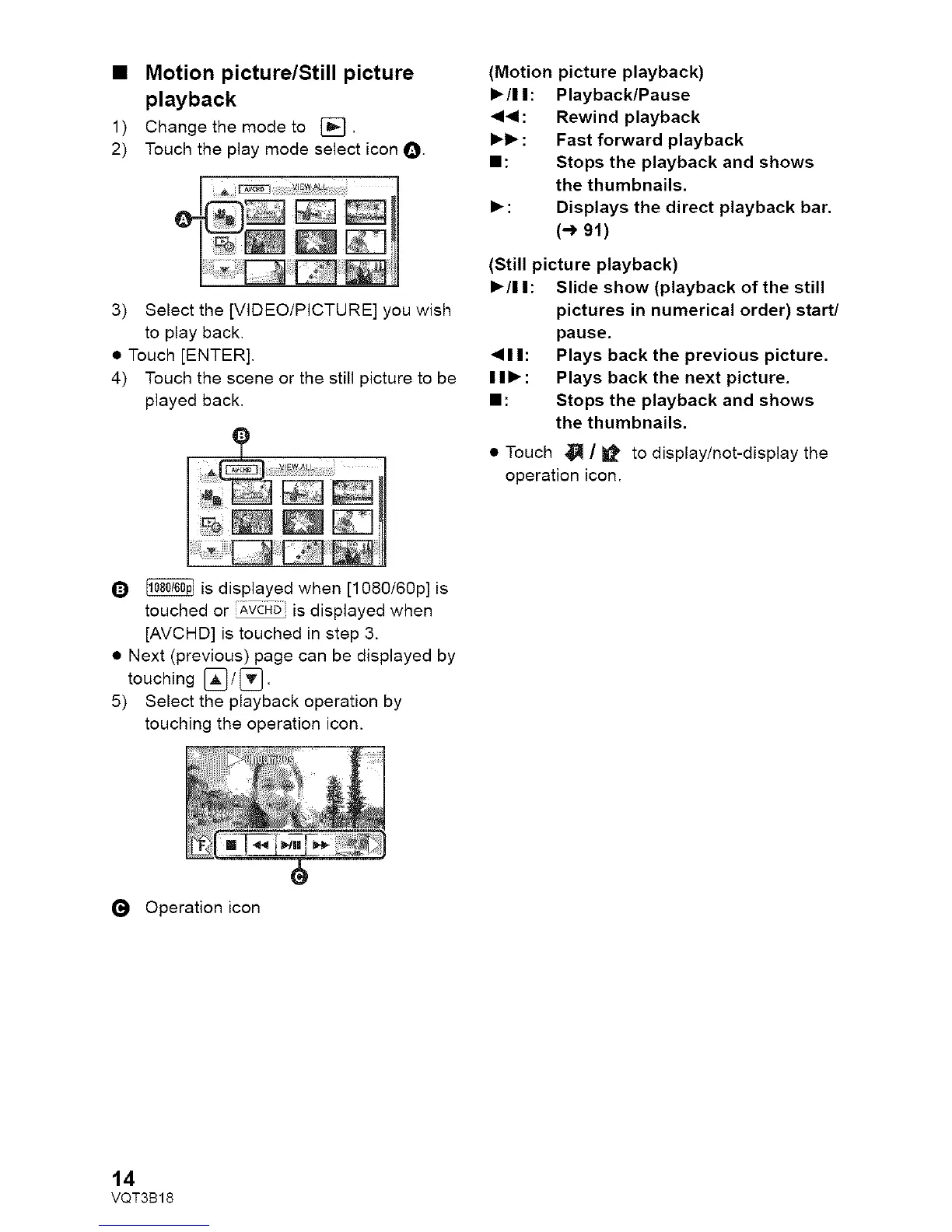
2) Touch the play mode select icon O.
3) Select the [VIDEO/PICTURE] you wish
to play back.
• Touch [ENTER],
4) Touch the scene or the still picture to be
played back,
(Motion picture playback)
• /11: Playback/Pause
,4<1: Rewind playback
• • : Fast forward playback
II: Stops the playback and shows
the thumbnails.
• : Displays the direct playback bar.
(-_ 91)
(Still picture playback)
• /I I: Slide show (playback of the still
pictures in numerical order) start/
pause.
<11: Plays back the previous picture,
I I • : Plays back the next picture.
II: Stops the playback and shows
the thumbnails.
• Touch _ / _ to display/not-display the
operation icon.
Q _ is displayed when [1080/60p] is
touched or _,VCi4Dis displayed when
[AVCHD] is touched in step 3.
• Next (previous) page can be displayed by
touching _] / _].
5) Select the playback operation by
touching the operation icon.
(_ Operation icon
14
VQT3B18















 To Next Page