EasyManua.ls Logo

Panasonic KX-E2000 - Recalling Margin Formats; Adjustable Hot Zone; Setting the Hot Zone

Panasonic KX-E2000
63 pages
Print Icon
To Next Page IconTo Next Page
To Previous Page IconTo Previous Page
Loading...
Recalling Margin
Formats
NEVER position
the
MODE
selector
on STOR
to
recall
margin
formats from memory (only
to store them).
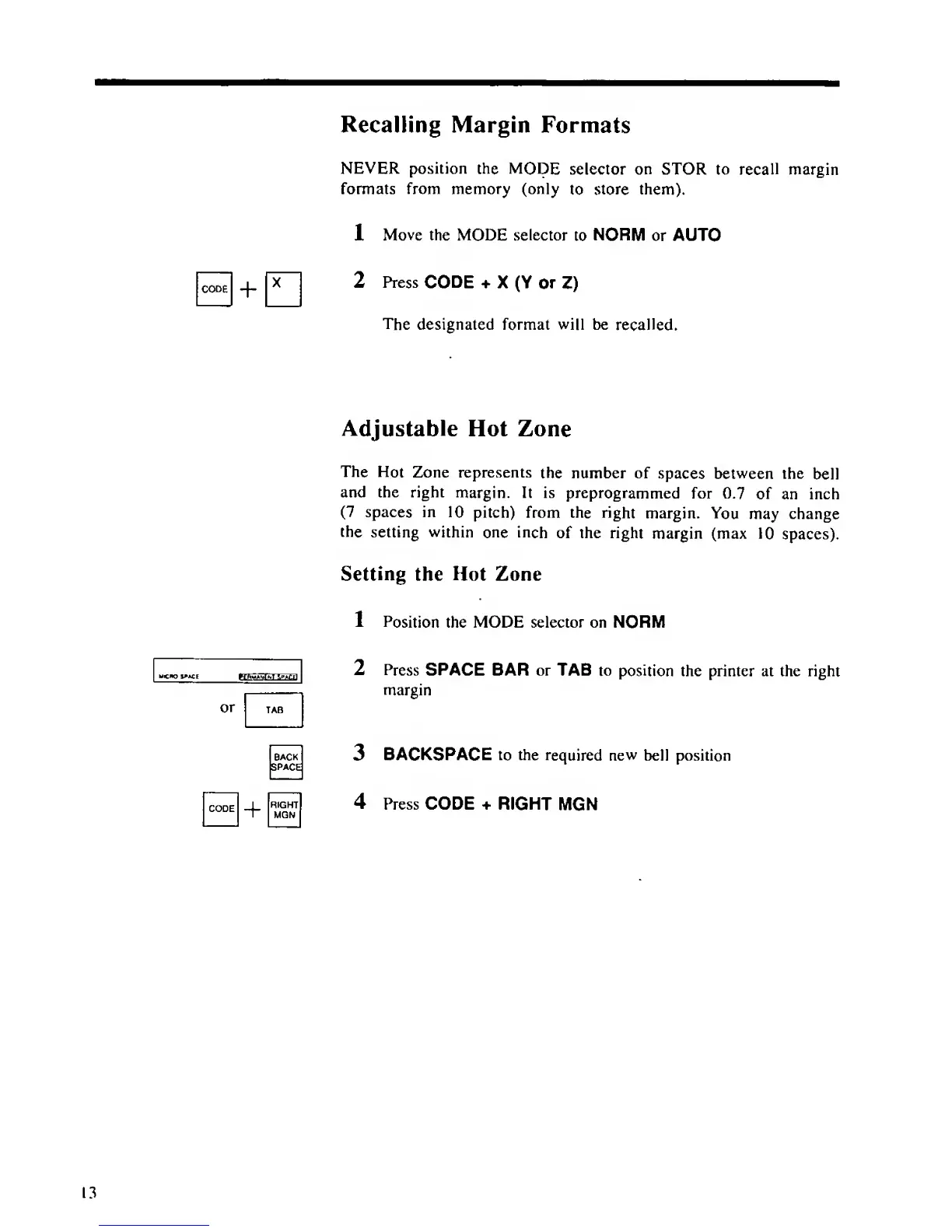
1 Move the MODE selector
to
NORM
or AUTO
2
Press
CODE
+
X (Y
or
Z)
The
designated format will be
recalled.
Adjustable
Hot Zone
The
Hot
Zone represents
the number of
spaces
between
the
bell
and the right
margin. It is
preprogrammed
for
0.7
of an inch
(7
spaces in
10 pitch) from the
right
margin.
You
may change
the
setting
within
one inch
of the right
margin (max
10
spaces).
Setting
the Hot Zone
1 Position
the MODE selector on NORM
or
BACK
SPACE
RIGHT
MQN
2 Press
SPACE BAR or TAB
to position
the printer at the right
margin
3
BACKSPACE
to
the
required new
bell position
4
Press CODE * RIGHT
MGN

Table of Contents

Related product manuals