EasyManua.ls Logo

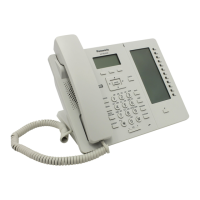
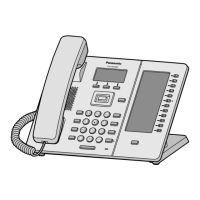
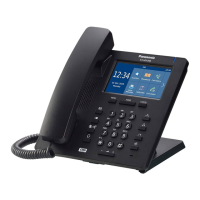
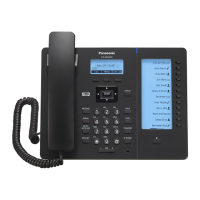
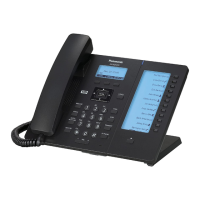
Panasonic KX-HDV230XB - User Manual

Panasonic KX-HDV230XB
84 pages
Print Icon
To Next Page IconTo Next Page
Loading...
Operating Instructions
SIP Phone
KX-HDV230
Model No.
Thank you for purchasing this Panasonic product.
Please read this manual carefully before using this product and save this manual for future
use.
Note
R In this manual, the suffix of each model number is omitted unless necessary.
R The
illustrations such as some keys may differ from the appearance of the actual product.
R Certain products and features described in this document may not be available in your
country or area. Contact your phone system dealer/service provider.
R The contents and design of the software are subject to change without notice.
Document Version: 2016-03

Questions and Answers

  • J
    Jacqueline BurkeSep 8, 2025
    Why can't I make long distance calls on my Panasonic IP Phone?
    • W
      wayneowenSep 8, 2025
      If you cannot make long distance calls on your Panasonic IP Phone, ensure that you have subscribed to your telephone company’s long distance service.
  • R
    Ryan DunnAug 23, 2025
    What to do if my Panasonic KX-HDV230XB Telephone unit does not ring when a call is received?
    • J
      jessicafloresAug 23, 2025
      If your Panasonic Telephone doesn't ring when you receive a call, it's possible the ringer is turned off. To resolve this, press the [+] volume key while a call is being received, or change the ringer volume setting.
  • B
    Bonnie SmithAug 25, 2025
    What to do if the Panasonic KX-HDV230XB unit is not performing properly?
    • W
      williamslarryAug 25, 2025
      If your Panasonic Telephone unit isn't working as expected, start by checking all cable and cord connections to ensure they are properly connected. Also, incorrect connection settings can cause issues. Consult your administrator to confirm your settings are correct. If problems persist, a simple restart of the unit may resolve the issue.
  • R
    Ryan RandallAug 26, 2025
    Why can't the other party hear my voice on the Panasonic KX-HDV230XB Telephone?
    • P
      powellshannonAug 27, 2025
      If the other party can't hear you, first check if the unit is muted. Press the / MUTE/AUTO ANS button to turn off the mute feature. Also, if you're using the speakerphone, ensure that nothing is blocking the microphone. Keep hands and objects away from the unit during calls.
  • K
    Kevin BurnsAug 27, 2025
    How to fix a blank display on my Panasonic IP Phone?
    • P
      Paul WrightAug 27, 2025
      If your Panasonic IP Phone display is blank, it's likely not receiving power. Ensure the device supplying PoE is powered on and the Ethernet cable is properly connected. If you're using an AC adapter, check that it's properly connected and receiving power.
  • C
    cruzamandaSep 22, 2025
    What to do if I cannot cancel the phonebook lock on my Panasonic IP Phone?
    • S
      smccoySep 22, 2025
      If you cannot cancel the phonebook lock on your Panasonic IP Phone, it's likely because you entered the incorrect password. Ensure you enter the correct password.
  • S
    smithjulieSep 16, 2025
    What does it mean when the Message/Ringer lamp is lit on my Panasonic IP Phone?
    • L
      Linda TateSep 16, 2025
      If the Message/Ringer lamp is lit on your Panasonic IP Phone, it indicates you've received a voice message while you were on the phone or away from your desk. Check the voice message.
  • J
    Jordan OrtizSep 18, 2025
    What to do if I cannot hear a dial tone on my Panasonic IP Phone?
    • J
      John ChavezSep 18, 2025
      If you cannot hear a dial tone on your Panasonic IP Phone, ensure that the LAN cable is properly connected.
  • K
    Kim ColeSep 7, 2025
    What to do if my Panasonic IP Phone is not working properly?
    • M
      Mr. Matthew OdomSep 7, 2025
      If your Panasonic IP Phone is not performing properly, start by checking all cable connections. Then, confirm your connection settings with your administrator. If issues persist, restart the unit.
  • M
    Michelle WilliamsSep 4, 2025
    What to do if I cannot cancel the phonebook lock on my Panasonic KX-HDV230XB?
    • M
      Michelle MarquezSep 4, 2025
      If you cannot cancel the phonebook lock, you probably entered an incorrect password. Enter the correct password.

Panasonic KX-HDV230XB Specifications

General IconGeneral
TypeIP Phone
Ethernet Ports2
Power over EthernetYes
Headset JackYes
Caller IDYes
Call WaitingYes
Answering MachineNo
IntercomYes
ExpandableYes
PoEIEEE 802.3af
Audio CodecG.711, G.729
Voice CodecsG.711, G.729
SpeakerphoneYes
Power SourcePoE

Related product manuals