EasyManua.ls Logo

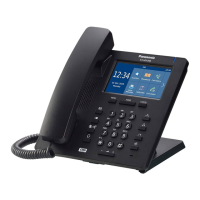
Panasonic KX-HDV330 - User Manual

Panasonic KX-HDV330
144 pages
Print Icon
To Next Page IconTo Next Page
Loading...
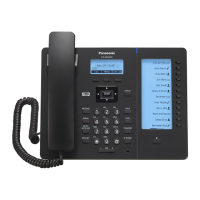
KX-HDV430
Operating Instructions
SIP Phone
Model No.
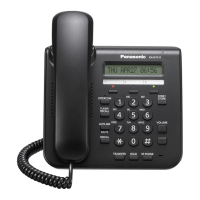
KX-HDV330
KX-HDV430
Thank you for purchasing this Panasonic product.
Please read this manual carefully before using this product and save this manual for future use.
Note
In this manual, the suffix of each model number is omitted unless necessary.
The illustrations such as some keys may differ from the appearance of the actual product.
Certain products and features described in this document may not be available in your country or area.
Contact your phone system dealer/service provider.
The contents and design of the software are subject to change without notice.
Document Version: 2017-08

Table of Contents

Other manuals for Panasonic KX-HDV330

Questions and Answers

  • S
    Stephen PerryAug 15, 2025
    How to fix a blank display on my Panasonic IP Phone?
    • J
      Jennifer SheppardAug 15, 2025
      If your Panasonic IP Phone display is blank, it's likely not receiving power. This phone isn't designed to work during power failures. Check that the device providing PoE is powered on and the Ethernet cable is properly connected. If you're using an AC adapter, verify it's connected and receiving power.
  • T
    Thomas FlowersAug 18, 2025
    What to do if my Panasonic IP Phone doesn't ring?
    • P
      prosarioAug 18, 2025
      If your Panasonic IP Phone is not ringing when you receive a call, the ringer may be turned off. To resolve this, press the [j] volume key while a call is being received, or adjust the ringer volume setting.
  • D
    David ColemanAug 21, 2025
    How to fix Bluetooth headset issues on Panasonic IP Phone?
    • R
      robinsonamandaAug 21, 2025
      If you cannot have a conversation using the Bluetooth headset with your Panasonic IP Phone, ensure the headset is properly registered to the unit. If an EHS headset is connected, remove it from the headset jack. Also, make sure that the headset is properly charged.
  • S
    Steven SimmonsAug 25, 2025
    Why does the sound cut out on my Panasonic IP Phone?
    • J
      Joseph BishopAug 25, 2025
      If the sound cuts out or you hear yourself through the speaker on your Panasonic IP Phone, try speaking closer to the microphone. Also, ensure the unit is not within 2 m (6 ft 7 in) of projectors, air conditioning, fans, or other noise-emitting devices. Close curtains or blinds to prevent echoes, and avoid moving the unit during a call. Ensure nothing is obstructing the microphone. If the other party is using a half-duplex speakerphone, sound may cut out occasionally.
  • K
    kenneth76Aug 27, 2025
    What to do if I can't edit phonebook on Panasonic IP Phone?
    • J
      Julia BakerAug 28, 2025
      If you cannot add or edit entries to the phonebook list on your Panasonic IP Phone, it may be because the phonebook list is full. Delete any unnecessary entries. The maximum number of entries in the phonebook list is 2500.
  • A
    Angela AllenAug 30, 2025
    What does the Message/Ringer lamp indicate on Panasonic IP Phone?
    • T
      Tracy BriggsAug 30, 2025
      If the Message/Ringer lamp is lit on your Panasonic IP Phone, it indicates that you received a voice message while you were on the phone or away from your desk. Check the voice message.
  • C
    Christine ReeseSep 2, 2025
    How to turn on a KX-HDV20 Panasonic IP Phone?
    • E
      Elizabeth KingSep 2, 2025
      To resolve the issue where the KX-HDV20 Panasonic IP Phone will not turn on, connect the KX-HDV330 to an AC power outlet using the optional AC adaptor, as it may be receiving power via Power-over-Ethernet (PoE).
  • N
    Nancy McdonaldSep 5, 2025
    Why can't I hear a dial tone on my Panasonic IP Phone?
    • J
      Jessica MitchellSep 5, 2025
      If you cannot hear a dial tone on your Panasonic IP Phone, confirm that the LAN cable is properly connected.
  • L
    leachjessicaSep 8, 2025
    Why does my Panasonic IP Phone disconnect during calls?
    • S
      Stephanie WatkinsSep 8, 2025
      If you are talking to an outside party and the line is disconnected on your Panasonic IP Phone, your phone system/service may impose a time limit on outside calls.
  • H
    Henry PalmerSep 12, 2025
    What to do if I can't cancel phonebook lock on Panasonic IP Phone?
    • S
      Susan ButlerSep 12, 2025
      If you cannot cancel the phonebook lock on your Panasonic IP Phone, ensure you enter the correct password.

Summary

Section 1 Important Information

Data Security and Disposal

Protect private data, prevent unauthorized access, and follow guidelines for proper disposal of old equipment and batteries.

Section 2 Before Operating the Telephones

Installation and Setup Procedures

Step-by-step guide for installing and setting up the telephone, including stand, connections, and wall mounting.

Section 3 Feature Operations

Making Calls

Explains basic methods for initiating voice and video calls, including dial-by-number and predialing.

Call Transfer, Holding, and Splitting

Guides on transferring calls, placing calls on hold, and splitting conversations between parties.

Video Call Operations (KX-HDV430)

Operations for making and managing video calls, including screen modes and picture quality adjustments.

Network Camera Operations (KX-HDV430)

Registering, viewing, and controlling network cameras for video surveillance.

Communication Camera Operations (KX-HDV430)

Registering, calling, and managing communication cameras for video and voice communication.

Section 4 Customizing the Telephone

Setting and Managing Passwords

How to set up a password for security, access control, and phonebook lock.

Function Keys Configuration

Customizing program keys and DSS keys, and understanding their various functions.

Section 5 Appendix

Specifications

Detailed technical specifications for the KX-HDV330, KX-HDV430, and KX-HDV20 units.

Troubleshooting Guide

Provides solutions for common issues related to general use, calls, sound quality, and Bluetooth headsets.

Error Messages

Lists common error messages, their possible causes, and recommended solutions for the unit.

Panasonic KX-HDV330 Specifications

General IconGeneral
TypeIP Phone
Power over EthernetYes
SpeakerphoneYes
Headset JackYes
BluetoothNo
Speakerphone TypeFull-duplex
Audio CodecG.711, G.722, G.729
Ethernet Ports2 x 10/100/1000 Mbps
Headset Jack TypeRJ9
Voice CodecsG.711, G.722, G.729

Related product manuals