12. Paper Jams
74
12 Paper JamsJams
12.1 Recording paper jam
12.1.1 When the recording paper has
jammed inside of the unit
The display will show the following.
PAPER JAMMED
b
OPEN TOP COVER
CHECK REAR COVER
Caution:
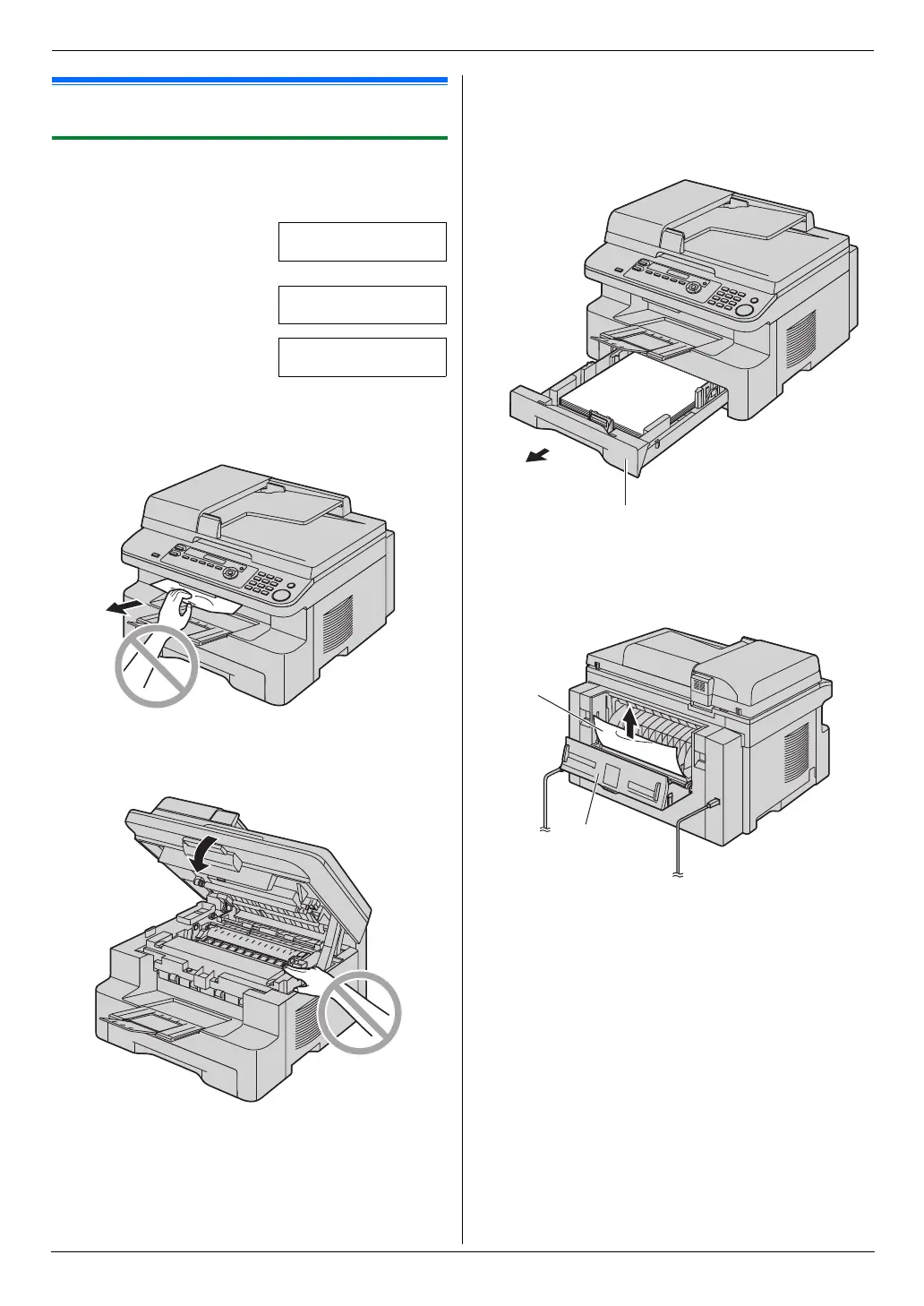
L Do not pull out the jammed paper forcibly before
opening the top cover.
L To prevent injuries, be careful not to put your
hands under the top cover.
Case 1:
When the recording paper has jammed near the
manual input tray:
1. Pull open the paper input tray (1).
2. Open the manual input tray (2) and remove the
jammed paper (3) carefully by pulling it upwards.
Then close the manual input tray.
1
3
2
MB271-781-PFQX2722ZA-OI-en.book Page 74 Tuesday, May 22, 2007 5:20 PM



 To Next Page