12. Paper Jams
77
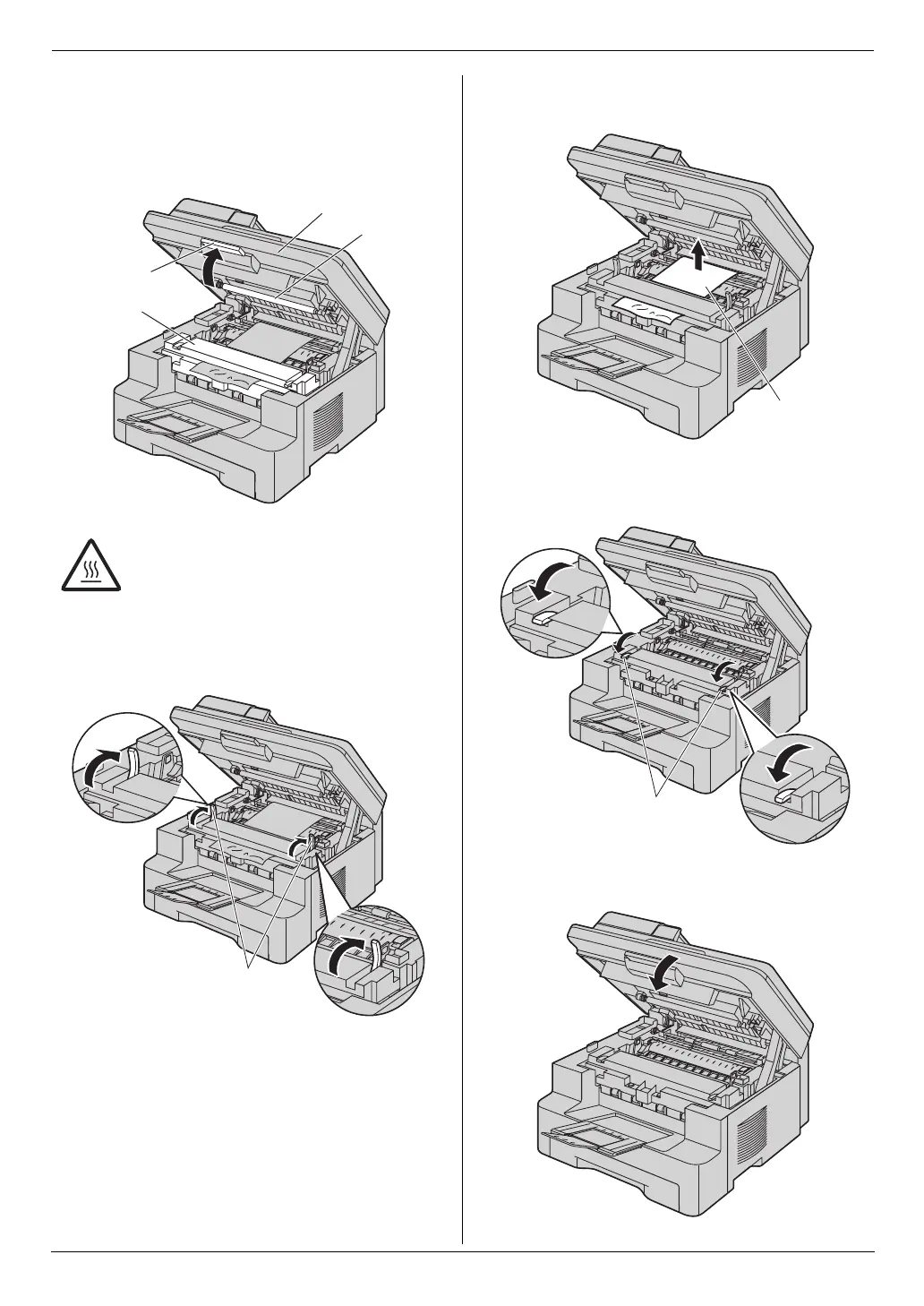
Case 3:
When the recording paper has jammed near the
fuser unit:
1. Lift the top cover release lever (1) and open the top
cover (2).
Note:
L Do not touch the transfer roller (4).
2. Lift both green levers (5) until they stop.
3. Remove the jammed paper (6) carefully by pulling it
upwards.
4. Push back the green levers (7) to the original
position.
5. Close the top cover until locked.
Caution:
The fuser unit (3) gets hot. Do not touch
it.
1
3
2
4
5
6
7
MB271-781-PFQX2722ZA-OI-en.book Page 77 Tuesday, May 22, 2007 5:20 PM



 To Next Page