12. Paper Jams
76
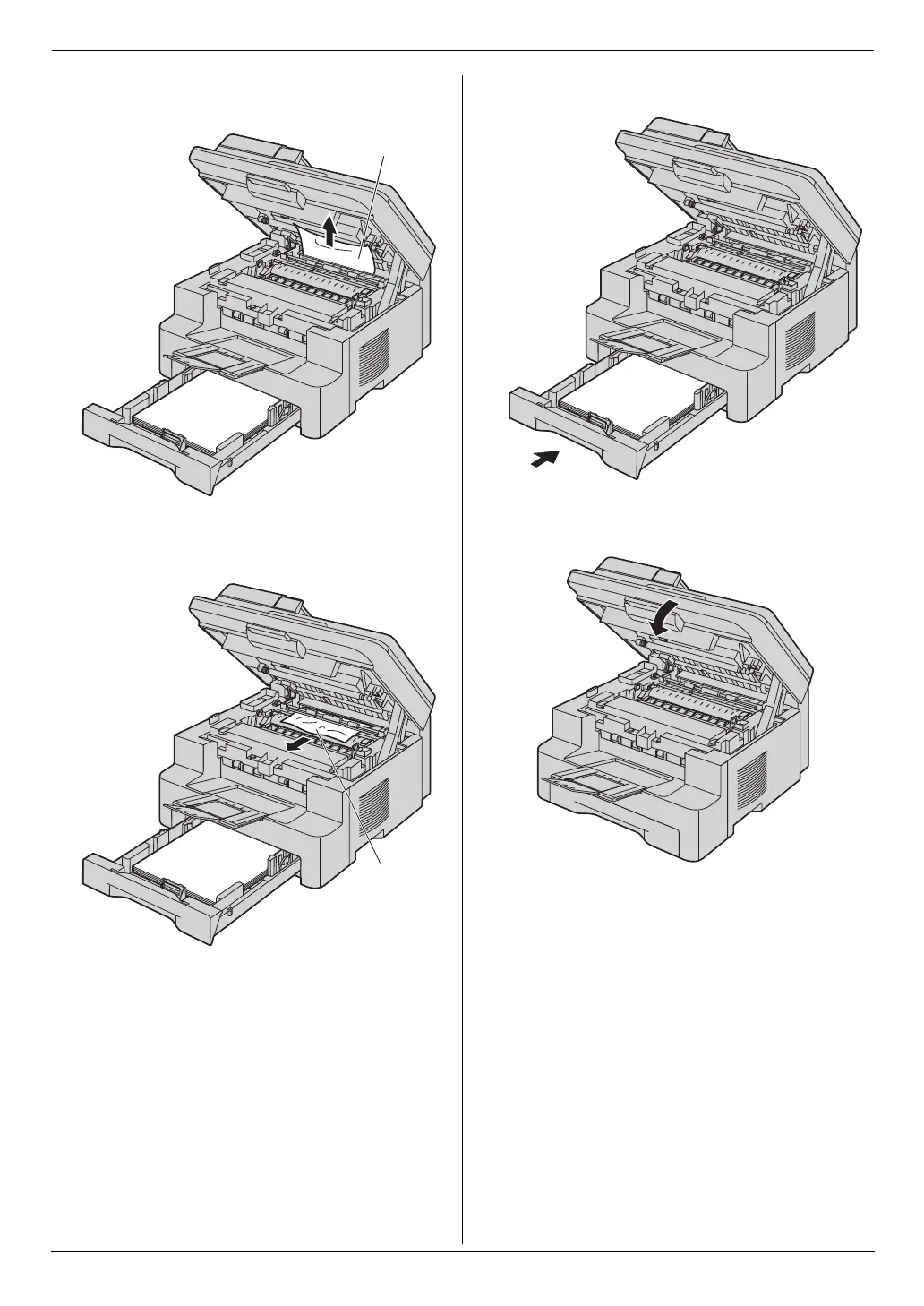
3. Remove the jammed paper (6) carefully by pulling it
upwards.
Remove the jammed paper (7) carefully by pulling it
toward you.
4. Close the paper input tray.
5. Close the top cover until locked.
6
7
MB271-781-PFQX2722ZA-OI-en.book Page 76 Tuesday, May 22, 2007 5:20 PM



 To Next Page