1. Introduction and Installation
8
For assistance, please visit http://www.panasonic.com/help
To place an order by fax
Fax: (800) 237-9080
Include:
– your name, shipping address and telephone number
– credit card type, number, expiration date and your
signature
– part number and quantity
To place an order by telephone
Telephone: (800) 332-5368
(Monday - Friday 9 am to 9 pm, EST.)
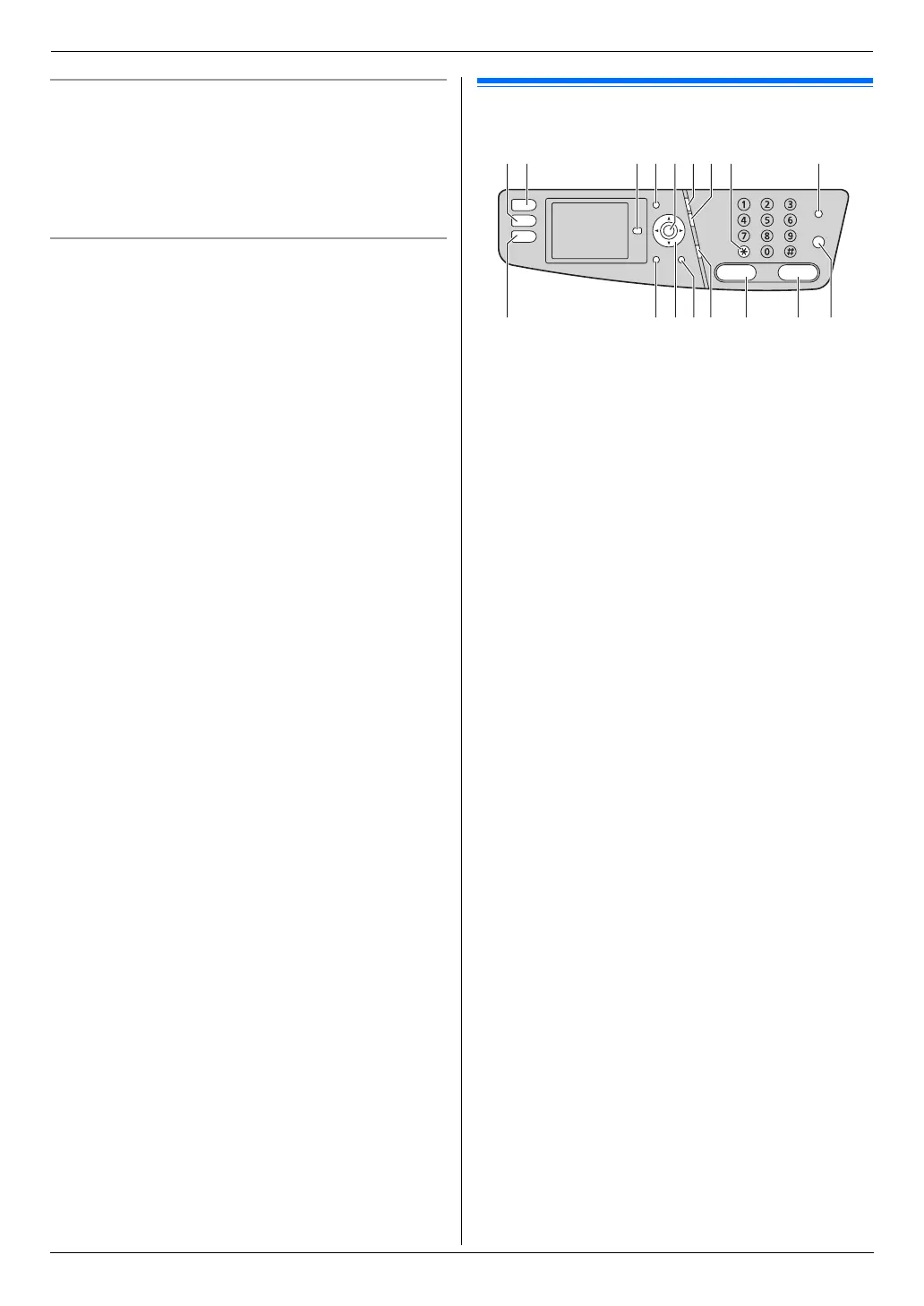
Finding the Controls
1.3 Button descriptions
A {Copy}
L To switch to copy mode (page 20, 37).
B {Scan}
L To switch to scan mode (page 20, 33).
C {Advance}
*1
L To switch to the basic/advance settings.
D {Menu}
L To start or exit programming.
E {Set}
*1
L To store a setting during programming.
F {Redial}{Pause}
L To redial the last number dialed. If the line is busy
when you send a fax, the unit will automatically
redial the number 1 time.
L To insert a pause during dialing.
G {Flash}
L To access special telephone services or for
transferring extension calls.
H {Tone}
L To change from pulse to tone temporarily during
dialing when your line has rotary/pulse service.
I {Fax Auto Answer}
L To turn the auto answer setting ON/OFF (page
47).
J {Fax}
L To switch to fax mode (page 20, 42).
K {Back}
*1
L To return to the previous display.
L To erase a character/number.
L Navigator key
*1
L To select desired settings.
L To adjust the volume (page 22).
L To search for a stored item (page 44).
M {Caller ID}
L To use Caller ID features (page 53).
N {Monitor}
L To initiate dialing.
When you press {Monitor} while receiving a call,
you will be able to hear the other party, but the
other party will not be able to hear you.
A
J LK MN QO P
HB C D IFE G



 To Next Page