Making Calls
17
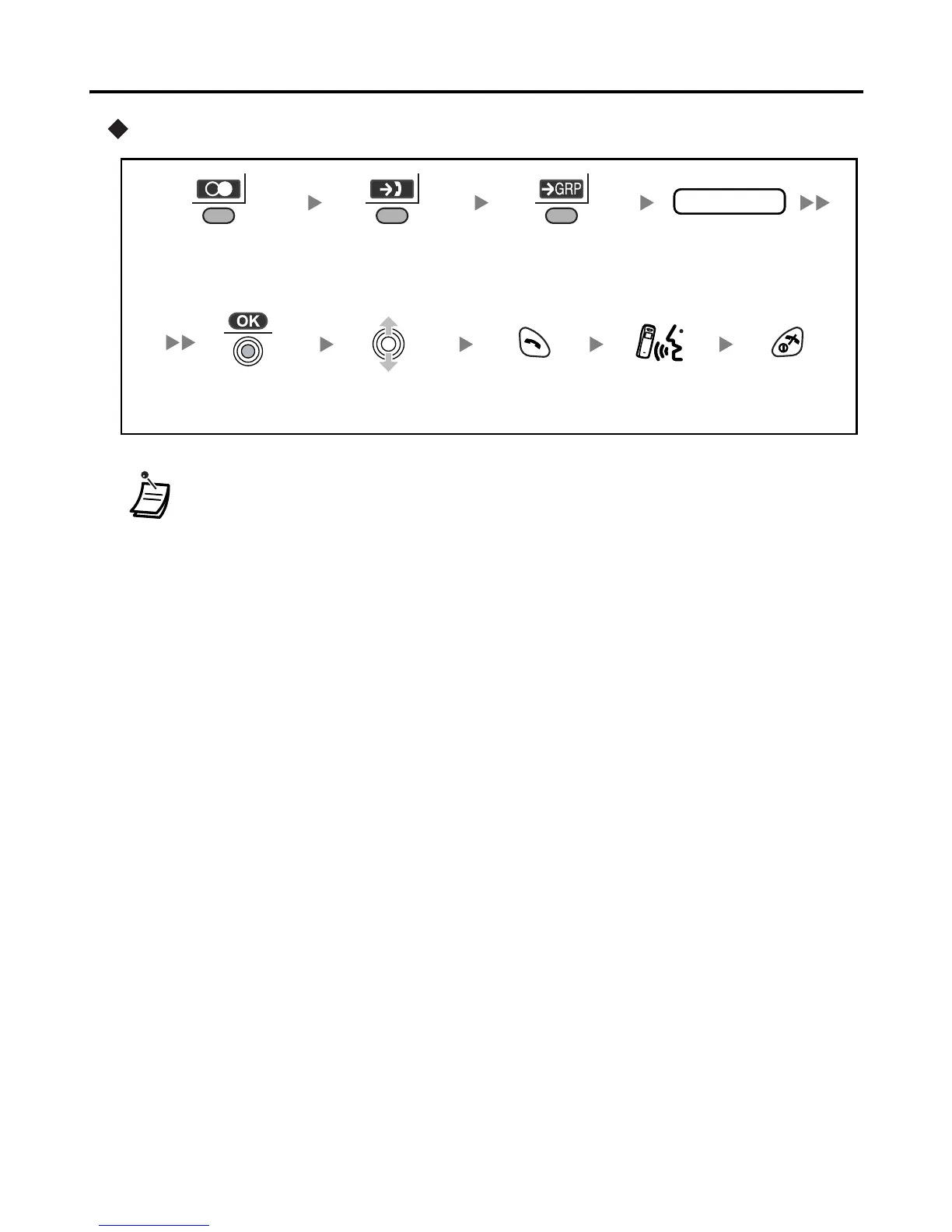
Using the Incoming Call Log Group
• An outside number stored with a name in the Handset Phonebook will be
displayed by number and name in the call log.
• When a call is made using the PBX System Phonebook, the called party’s name
is not stored in the Outgoing Call Log. To log the name as well as the number,
copy the item into the Handset Phonebook before dialling it. (See page 27.)
Enter the desired
incoming call log
group no.
Press
TALK.
Press the Right
Soft Key.
Press
CANCEL.
Press the Right
Soft Key.
Press the Right
Soft Key.
Select the
desired item.
Press the
Joystick.
Talk.
group no.










 To Next Page