Making Calls
19
Hot Key Dial
You can make a call by simply pressing the assigned number as hot key.
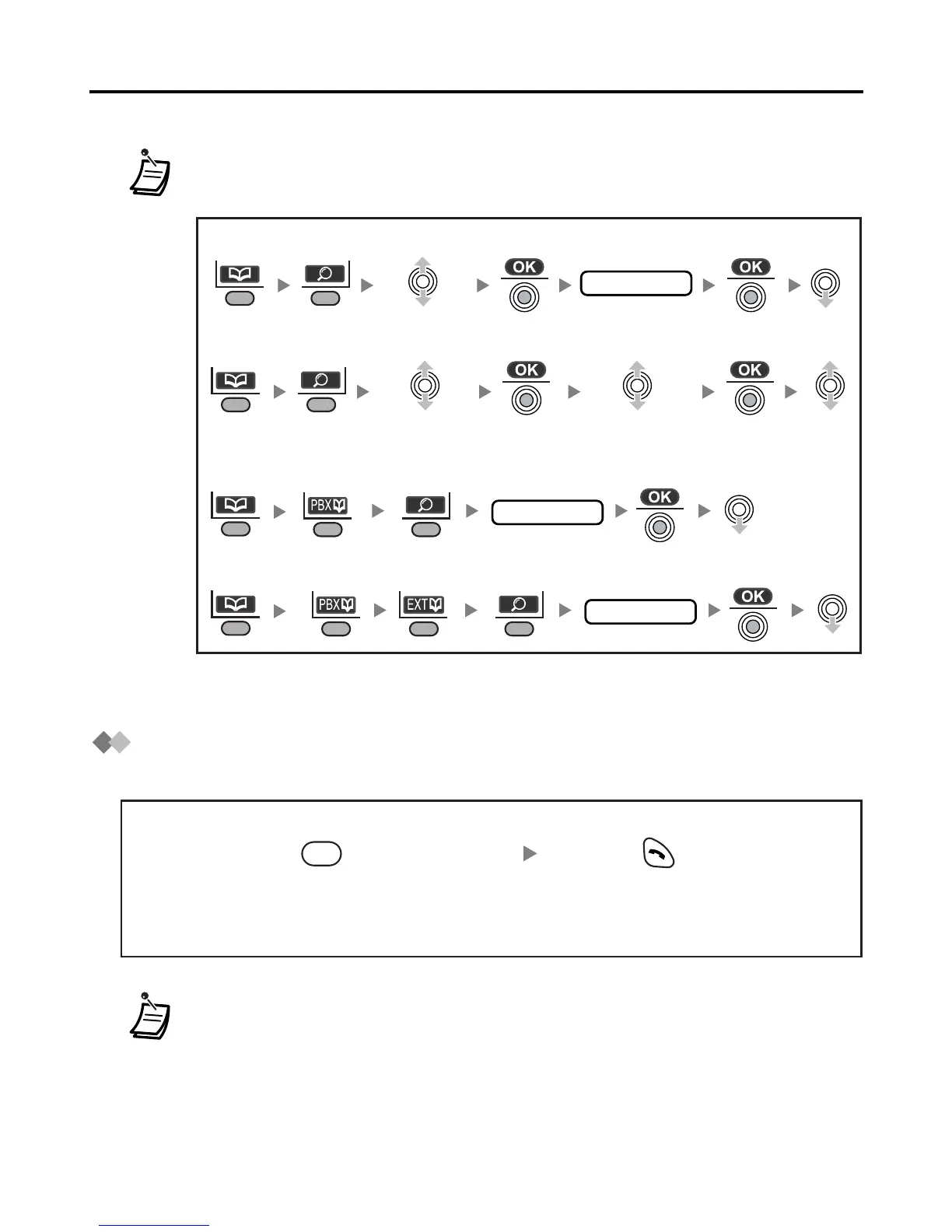
• You can search for an item stored in the Phonebook, as shown below:
• To enter characters, see page 29.
• To assign a phone number as hot key, see page 29.
<Index Search-PBX System Phonebook>
first letter
<Index Search-Handset Phonebook>
first letter
Select
“Index Search”.
<Category Search-Handset Phonebook>
Select “Category”.
<Index Search-PBX Extension Phonebook>
first letter
Select the desired
category number
or All.
Press and hold the dialling button
assigned as a hot key.
Press TALK.
X










 To Next Page