Making Calls
18
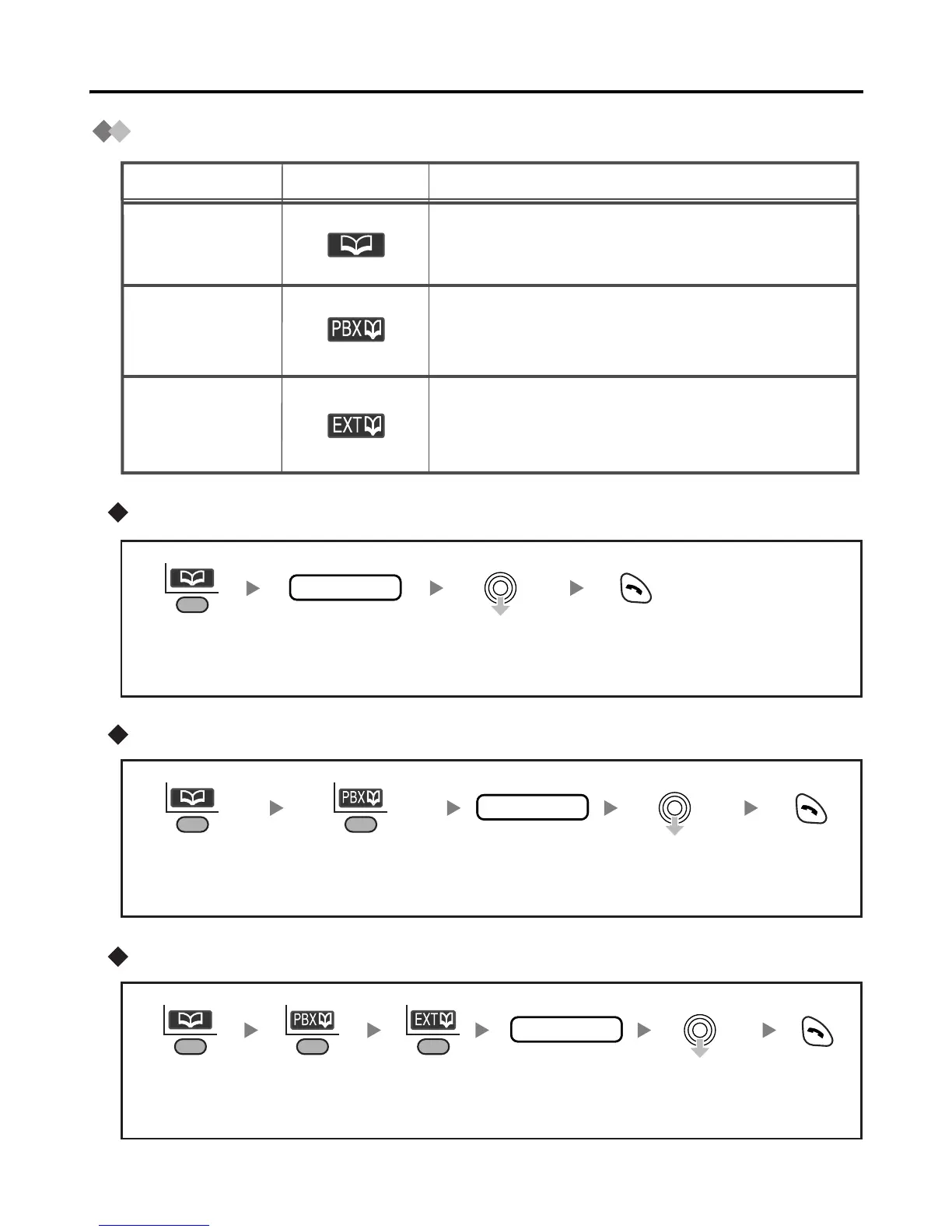
Using the Phonebook
Using the Handset Phonebook
Using the PBX System Phonebook
Using the PBX Extension Phonebook
Description
Feature
Display Icon
Handset
Phonebook
PBX
System
Phonebook
PBX
Extension
Phonebook
You can make a call using the extension
numbers stored in the Business Telephone
System.
You can make a call using the numbers
stored in the Handset Phonebook.
You can make a call using the numbers
stored in the Business Telephone System.
name
Press the
Left Soft Key.
Enter the first
letter of the
desired name.
Select the
desired item.
Press
TALK.
name
Press the
Left Soft Key.
Press the
Left Soft Key.
Enter the first
letter of the
desired name.
Select the
desired item.
Press
TALK.
name
Press the
Left Soft Key.
Press the
Left Soft Key.
Enter the first
letter of the
desired name.
Select the
desired item.
Press
TALK.
Press the
Left Soft Key.










 To Next Page