EasyManua.ls Logo

Panasonic KX-TCA255 - Page 45

Panasonic KX-TCA255
56 pages
Print Icon
To Next Page IconTo Next Page
To Previous Page IconTo Previous Page
Loading...
Programming
45
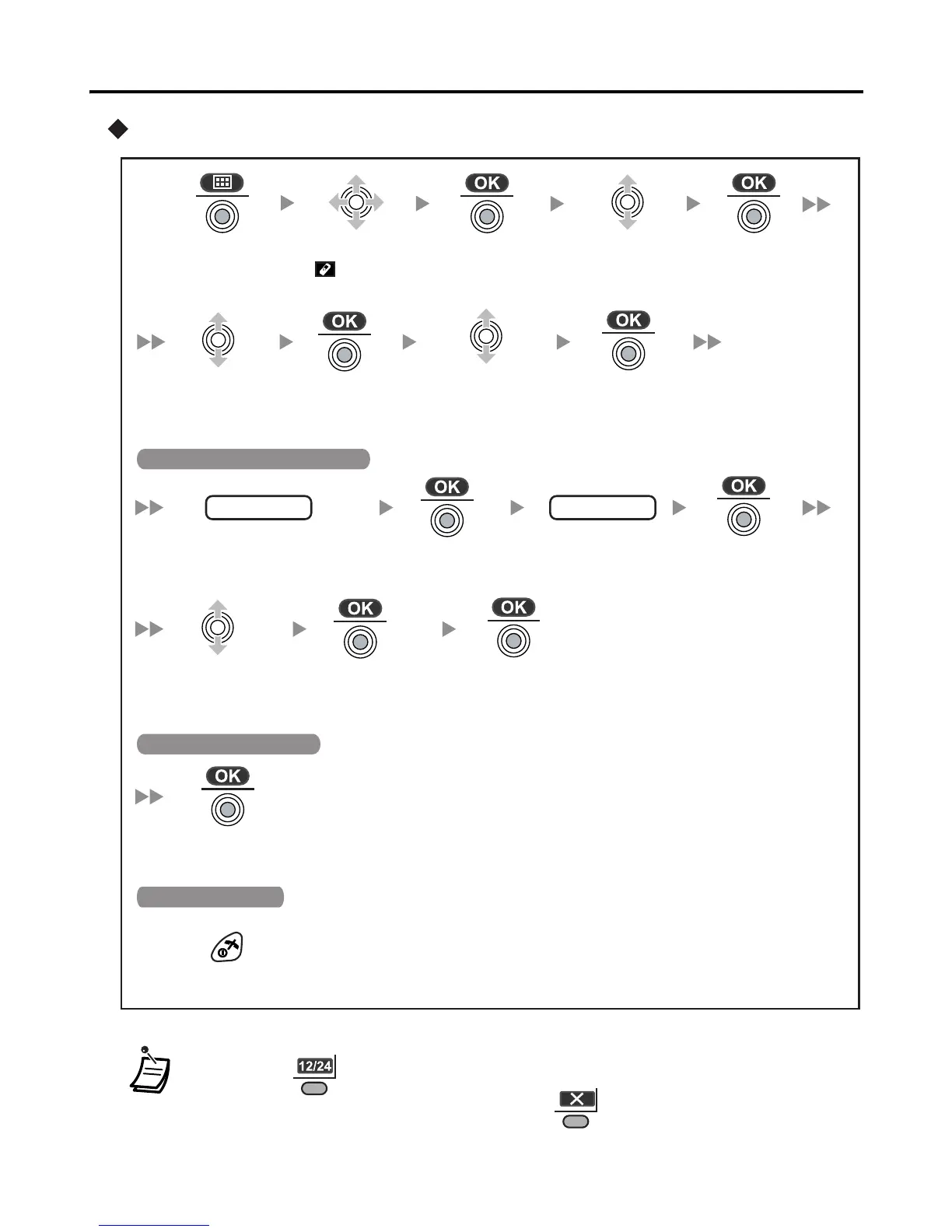
Memo alarm setting
* You can choose either 12-hour format (AM/PM) or 24-hour format by
pressing .
To clear the displayed memo alarm, press and then select “Yes”.
During a conversation, an alarm will not sound until the call is ended.
Press the
Joystick.
Press the
Joystick.
Select
Memo
Alarm”.
Press the
Joystick.
Press the
Joystick.
Select the
Alarm mode
(Off/Once/Daily).
Select
Setting
Handset”.
Select the
alarm number
(1-3).
Press the
Joystick.
date/time*
Press the
Joystick.
Press the
Joystick.
Enter memo.
Once:
Enter date and time.
Daily: Enter time.
When “Once/Daily” is selected
memo
Press the
Joystick.
Press the
Joystick.
Select the
ringer type.
(1-15).
Press the
Joystick.
When “Off” is selected
Press CANCEL.
To stop the alarm

Related product manuals