EasyManua.ls Logo

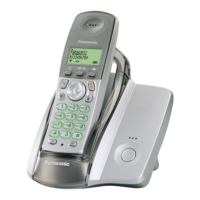
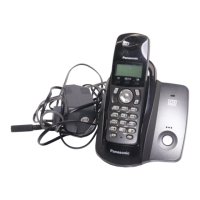
Panasonic KX-TCD240FX - User Manual

Panasonic KX-TCD240FX
72 pages
Print Icon
To Next Page IconTo Next Page
Loading...
This unit is compatible with Caller ID and SMS. To use these
features, you must subscribe to the appropriate service of your
service provider.
Charge the batteries for about 7 hours before initial use.
Please read these operating instructions before using the unit and save them for
future reference.
Operating Instructions
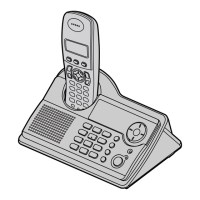
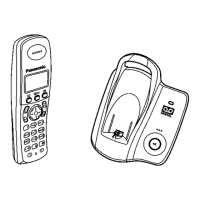
Model No. KX-TCD230FX
Digital Cordless Phone
Model No. KX-TCD240FX
Digital Cordless Answering System
TCD230-240FX(e).book Page 1 Wednesday, June 8, 2005 7:15 PM

Table of Contents

Other manuals for Panasonic KX-TCD240FX

Questions and Answers

  • K
    Katie OchoaSep 9, 2025
    Why I cannot operate the answering system remotely on Panasonic KX-TCD240FX?
    • E
      evanscynthiaSep 9, 2025
      If you're having trouble operating the answering system remotely on your Panasonic Cordless Telephone: * Confirm that you're entering the correct remote access code. If you've forgotten it, store a new one. * Ensure you're pressing each key firmly and not too quickly. * Check that the answering system is turned on. * If you are using a pulse telephone, try again using a touch tone phone.
  • J
    Jacqueline PattersonSep 8, 2025
    Why can't the other party leave a message on my Panasonic KX-TCD240FX Cordless Telephone?
    • S
      stewartchristopherSep 8, 2025
      If other parties are unable to leave a message on your Panasonic Cordless Telephone, it could be due to: * The recording time being set to “Greeting Only”. Select “1 Minute” or “3 Minutes” instead. * The message memory being full. Erase unnecessary messages.
  • A
    Alexander WilsonAug 22, 2025
    Why can't I make or receive calls on my Panasonic KX-TCD240FX Cordless Telephone?
    • R
      Richard JonesAug 22, 2025
      There could be several reasons why you are unable to make or receive calls: * Check if the AC adapter or telephone line cord is properly connected. * If using a splitter, remove it and connect the unit directly to the wall socket to check if the splitter is the problem. * Ensure the dialing mode is set correctly to “Tone” or “Pulse” as needed. * Verify that the call bar feature is turned off. * Check if the key lock feature is enabled and, if so, disable it.
  • D
    dana30Sep 5, 2025
    What to do if my Panasonic Cordless Telephone handset/base unit stops working while being used?
    • K
      Kelly BrownSep 5, 2025
      If your Panasonic Cordless Telephone handset or base unit stops working while being used, disconnect the AC adapter and turn off the handset. Then, reconnect the AC adapter, turn on the handset, and try again.
  • E
    Eric RodriguezSep 4, 2025
    Why does my Panasonic Cordless Telephone handset beep intermittently and/or 7 flashes?
    • B
      Brent CarneySep 4, 2025
      If your Panasonic Cordless Telephone handset beeps intermittently and/or the number 7 flashes, fully charge the batteries.
  • A
    Andrew BarronSep 2, 2025
    What to do if the handset display is blank on my Panasonic Cordless Telephone?
    • J
      Jason CampbellSep 3, 2025
      If the handset display is blank on your Panasonic Cordless Telephone, the handset may not be turned on. Turn the power on.
  • L
    Lucas WadeSep 1, 2025
    Why do I hear a busy tone when pressing {C} on my Panasonic Cordless Telephone?
    • M
      Martin JohnsonSep 1, 2025
      If you hear a busy tone when pressing {C} on your Panasonic Cordless Telephone: * The handset might be too far from the base unit. Move closer and try again. * Another handset or the base unit might be on an outside call. Wait for the other user to complete the call.
  • M
    Mr. Patrick RamirezAug 31, 2025
    What to do if Panasonic KX-TCD240FX batteries should be charging but the battery icon does not change?
    • R
      Rebecca KnightAug 31, 2025
      If your Panasonic Cordless Telephone batteries should be charging, but the battery icon isn't changing: * Clean the charge contacts and try charging again. * Ensure the AC adapter is properly connected.
  • B
    Brianna RyanAug 30, 2025
    Why is there noise during a call on my Panasonic KX-TCD240FX Cordless Telephone?
    • K
      Kimberly SmithAug 30, 2025
      If you are experiencing noise during a call on your Panasonic Cordless Telephone, it is likely due to using the handset or base unit in an area with high electrical interference. Locate the handset and base unit away from interference sources, such as antennas and mobile phones.
  • S
    shawstephanieAug 28, 2025
    How to fix a Panasonic KX-TCD240FX Cordless Telephone that will not turn on?
    • J
      Jennifer VelazquezAug 29, 2025
      If your Panasonic Cordless Telephone handset will not turn on: * Ensure that the batteries are installed correctly. * Fully charge the batteries. * Clean the charge contacts and charge again.

Panasonic KX-TCD240FX Specifications

General IconGeneral
BrandPanasonic
ModelKX-TCD240FX
CategoryCordless Telephone
LanguageEnglish

Related product manuals