EasyManua.ls Logo

Panasonic KX-TG4111C - User Manual

Panasonic KX-TG4111C
52 pages
Print Icon
To Next Page IconTo Next Page
Loading...
Thank you for purchasing a Panasonic product.
Please read these operating instructions before using the unit and save them for
future reference.
This unit is compatible with Call Display. You must subscribe to the appropriate
service offered by your service provider/telephone company.
For assistance, please call 1-800-561-5505 or visit us at www.panasonic.ca
Before initial use, see “Getting Started”
on page 10.
Operating Instructions
Digital Cordless Phone
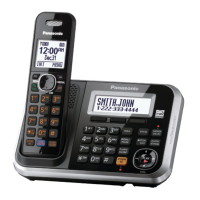
Model shown is KX-TG4111.
Model No. KX-TG4111C
KX-TG4112C
KX-TG4113C
KX-TG4114C
Digital Cordless Answering System
Model No. KX-TG4132C
KX-TG4133C
KX-TG4134C
TG41xxC(e).book Page 1 Wednesday, December 22, 2010 3:59 PM

Questions and Answers

  • J
    Jennifer MasonSep 15, 2025
    What to do if I cannot make a call on my Panasonic Cordless Telephone?
    • M
      Maria WallsSep 16, 2025
      If you cannot make a call on your Panasonic Cordless Telephone, the dialing mode may be set incorrectly; change the setting. Also, the handset might be too far from the base unit; move closer and try again.
  • S
    Stephen HernandezAug 25, 2025
    Why does my Panasonic KX-TG4111C handset not ring?
    • A
      Ashley PetersenAug 25, 2025
      If the handset of your Panasonic Cordless Telephone does not ring, check if the ringer volume is turned off and adjust it. Also, check if night mode is turned on and turn it off.
  • R
    rcarterAug 25, 2025
    How to fix a Panasonic KX-TG4111C Cordless Telephone when the handset does not ring?
    • J
      Jessica GarciaAug 26, 2025
      If your Panasonic Cordless Telephone handset isn't ringing, the ringer volume might be turned off; adjust the ringer volume. Also, check if night mode is turned on and turn it off, if necessary.
  • A
    Ashley CunninghamAug 26, 2025
    What to do if Panasonic KX-TG4111C battery still flashes after charging?
    • R
      Robert WilliamsAug 26, 2025
      If you've fully charged the batteries of your Panasonic Cordless Telephone, but it still flashes, displays – 0, or has a shorter operating time, clean the battery ends and the charge contacts with a dry cloth and charge again. If the problem persists, it may be time to replace the batteries.
  • M
    Matthew SandersSep 16, 2025
    Why is caller information displayed or announced late on my Panasonic KX-TG4111C Cordless Telephone?
    • K
      kimberly82Sep 16, 2025
      If caller information is displayed or announced late on your Panasonic Cordless Telephone, depending on your service provider/telephone company, the unit may display or announce the caller’s information at the 2nd ring or later. Also, try moving closer to the base unit.
  • Z
    Zachary SavageSep 23, 2025
    How to enable long distance calls on my Panasonic Cordless Telephone?
    • V
      Virginia PottsSep 23, 2025
      To make long distance calls with your Panasonic Cordless Telephone, make sure that you have long distance service.
  • O
    Oscar WashingtonSep 8, 2025
    What to do if liquid entered my Panasonic KX-TG4111C Cordless Telephone?
    • S
      Sarah MarshallSep 8, 2025
      If liquid or other form of moisture has entered your Panasonic Cordless Telephone handset/base unit, disconnect the AC adaptor and telephone line cord from the base unit. Remove the batteries from the handset and leave to dry for at least 3 days. After the handset/base unit are completely dry, reconnect the AC adaptor and telephone line cord. Insert the batteries and charge fully before use. If the unit still does not work properly, contact an authorized service centre.
  • R
    Ryan JonesSep 9, 2025
    Why can't I make long distance calls on my Panasonic KX-TG4111C?
    • A
      amycoleSep 9, 2025
      If you cannot make long distance calls on your Panasonic Cordless Telephone, make sure that you have long distance service.
  • C
    calvin15Sep 2, 2025
    Why Panasonic KX-TG4111C does not record new messages?
    • T
      Travis SanchezSep 2, 2025
      If the unit does not record new messages, ensure that the answering system is turned on. Also, the message memory might be full, so erase unnecessary messages. If the recording time is set to “Greeting only”, change the setting. If you subscribe to a Voice Mail service, messages are recorded by your service provider/telephone company, not your telephone. Change the unit’s number of rings setting or contact your service provider/telephone company.
  • N
    nleonardAug 31, 2025
    What to do if I cannot register a handset to a Panasonic Cordless Telephone base unit?
    • A
      Alyssa Foley DVMSep 1, 2025
      If you cannot register a handset to a base unit of your Panasonic Cordless Telephone, the maximum number of handsets (6) is already registered to the base unit. Cancel unused handset registrations from the base unit.

Summary

Introduction

Model Composition

Details the different models in the series and their included parts for base unit and handset.

Important Information

Safety Precautions

Essential safety guidelines covering power connection, installation, operating safeguards, and medical considerations.

Important Safety Instructions

Comprehensive safety precautions to reduce risks of fire, electric shock, and injury to persons.

Getting Started

Setting Up Connections

Step-by-step instructions for connecting the base unit and charger, including DSL filter usage.

Battery Installation and Charging

Instructions for installing, charging, and handling rechargeable Ni-MH batteries.

Initial Settings Configuration

Guides through initial setup of display language and date/time, including direct command codes.

Making and Answering Calls

Making Calls and Using Speakerphone

Guides on initiating calls, using the speakerphone, and adjusting audio volume.

Making;Answering Calls

Shared Phonebook

Programming

Programmable Settings Overview

Introduces how to customize unit features using handset menus or direct codes.

Call Blocking Features

Details on storing unwanted callers, blocking numbers, and managing the call block list.

Special Programming

Registering a Unit

Handset Registration and Deregistration

Procedures for registering new handsets and cancelling existing registrations.

Call Display Service

Using Call Display Service

Overview of Call Display features, including how caller information is displayed and handled.

Call Waiting Deluxe Service

Details on using Call Waiting Deluxe, including activation and service options.

Call Waiting Deluxe Options and Usage

Specific steps for using Call Waiting Deluxe options and managing the caller list.

Answering System

Answering System Overview

Introduction to the answering system features and capabilities.

Answering System Operations

Covers playback controls, calling back, and remote access code setup.

Listening to and Erasing Messages

Instructions for listening to and erasing messages via base unit and handset.

Remote Operation and Access Code

Guides on operating the system remotely and managing the remote access code.

Voice Mail Service

Voice Mail Service Overview and Access Number

Explains the service and how to store/erase the VM access number.

Listening to Voice Mail Messages

Guides on how to access and listen to voice mail messages using the phone unit.

Intercom and Locator

Useful Information

Troubleshooting Error Messages

Lists common error messages and provides solutions for each.

General Troubleshooting Guide

Addresses issues like handset not turning on, no dial tone, and busy signals.

Battery Recharge Troubleshooting

Solutions for handset beeping, low battery indication, and short operating time.

Call Display and Talking Call Display Troubleshooting

Solutions for issues with caller information display, announcements, and time shifts.

Call and Intercom Troubleshooting

Addresses issues like display indicators, noise, no ring, and inability to make calls.

Panasonic KX-TG4111C Specifications

General IconGeneral
BrandPanasonic
ModelKX-TG4111C
CategoryCordless Telephone
LanguageEnglish

Related product manuals