EasyManua.ls Logo

Panasonic KX-TG4391AL - User Manual

Panasonic KX-TG4391AL
52 pages
Print Icon
To Next Page IconTo Next Page
Loading...
This unit is compatible with Caller ID. You must subscribe to the appropriate
service offered by your service provider/telephone company.
Please read these operating instructions before using the unit and save
them for future reference.
Charge the batteries for about 7 hours before initial use.
Operating Instructions
5.8 GHz Digital Cordless
Answering System
Model No. KX-TG4391AL
with 2 Handsets
Model No. KX-TG4392AL
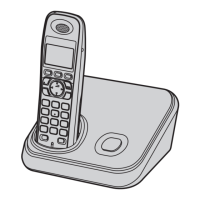
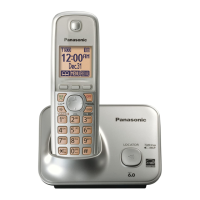
Model shown is KX-TG4381AL.
5.8 GHz Digital Cordless Phone
Model No. KX-TG4381AL
with 2 Handsets
Model No. KX-TG4382AL
with 3 Handsets
Model No. KX-TG4393AL
with 4 Handsets
Model No. KX-TG4394AL
TG43xxAL(e)_OI.book Page 1 Friday, May 23, 2008 3:51 PM

Questions and Answers

  • J
    john46Aug 16, 2025
    What to do if my Panasonic KX-TG4391AL Cordless Telephone does not work?
    • K
      karenbraunAug 16, 2025
      If your Panasonic Cordless Telephone is not working, try the following: Ensure the batteries are correctly installed. Fully charge the batteries. Check all connections. Unplug the base unit’s AC adaptor to reset it, then reconnect. Also, make sure the handset is registered to the base unit.
  • M
    Mikayla MarksAug 19, 2025
    Why I cannot hear a dial tone on my Panasonic Cordless Telephone?
    • K
      Katherine DuncanAug 19, 2025
      If you cannot hear a dial tone on your Panasonic Cordless Telephone, check that the base unit’s AC adaptor and telephone line cord are properly connected. If you're using a splitter, remove it and connect the unit directly to the wall socket. If it works then, check the splitter. Disconnect the base unit and connect the telephone line to a working telephone to determine the source of the problem.
  • D
    dana35Aug 22, 2025
    What to do if my Panasonic KX-TG4391AL Cordless Telephone handset beeps and/or 7 flashes?
    • C
      Crystal KempAug 22, 2025
      If your Panasonic Cordless Telephone handset beeps and/or flashes 7 times, it indicates that the battery charge is low. You should fully charge the batteries.
  • T
    Thomas OrtegaAug 25, 2025
    Why is my Panasonic KX-TG4391AL handset not ringing?
    • J
      Jeffrey PetersonAug 26, 2025
      If your Panasonic Cordless Telephone handset is not ringing, check if the ringer volume is turned off and adjust it accordingly. Also, verify that night mode is not turned on; if it is, turn it off.
  • P
    Patrick GoodAug 28, 2025
    Why is there noise heard, and sound cuts in and out on my Panasonic KX-TG4391AL?
    • T
      traceyortizAug 28, 2025
      If you are experiencing noise or sound cutting in and out on your Panasonic Cordless Telephone, it could be due to electrical interference. Try moving the base unit and handset away from potential sources of interference. Also, try moving closer to the base unit. If you have DSL/ADSL service, consider connecting a filter to the telephone line between the base unit and the telephone line socket.
  • S
    shannonschmidtAug 31, 2025
    Why is my Panasonic KX-TG4391AL base unit not ringing?
    • M
      Michael GoodAug 31, 2025
      If the base unit of your Panasonic Cordless Telephone is not ringing, the ringer volume might be turned off. Adjust the ringer volume on the base unit.
  • C
    Carolyn LopezSep 3, 2025
    Why is the operating time shorter after I fully charged the batteries of my Panasonic Cordless Telephone?
    • P
      Paul HarrisSep 3, 2025
      If the operating time of your Panasonic Cordless Telephone seems shorter after fully charging the batteries, clean the battery ends and the charge contacts with a dry cloth, and then charge again.
  • M
    Michael ClarkSep 5, 2025
    What to do if I cannot make a call on my Panasonic KX-TG4391AL?
    • R
      Rebecca FieldsSep 5, 2025
      If you cannot make a call on your Panasonic Cordless Telephone, first ensure that the handset is not too far from the base unit. If that doesn't work, try setting the dialing mode. If the registration fails, try to deregister the handset.
  • C
    Charles BoothSep 8, 2025
    What to do if liquid has entered my Panasonic KX-TG4391AL handset/base unit?
    • D
      Danny WallerSep 9, 2025
      If liquid or moisture has entered your Panasonic Cordless Telephone handset or base unit, disconnect the AC adaptor and telephone line cord from the base unit. Remove the batteries from the handset and allow it to dry for at least 3 days. Once completely dry, reconnect the AC adaptor and telephone line cord, then insert the batteries and charge fully before use.
  • S
    Spencer AustinSep 12, 2025
    What to do if I fully charged the batteries, but 7 still flashes or 8 is displayed on my Panasonic Cordless Telephone?
    • L
      larry47Sep 12, 2025
      If you have fully charged the batteries on your Panasonic Cordless Telephone, but '7' still flashes or '8' is displayed, clean the charge contacts and charge again. If the problem persists, it may be time to replace the batteries.

Summary

Introduction

Product Information

Details about the Panasonic digital cordless phone models and their features.

Notable Differences Between Models

Compares differences across various Panasonic cordless phone models.

Introduction

Feature Differences

Compares features like Answering system and Intercom across different models.

Introduction

Accessory Information

Lists supplied accessories and their quantities for different models.

Replacement Battery Information

Provides details on compatible battery types and replacement procedures.

Introduction

Safety Precautions and Warnings

Essential safety guidelines for operation, installation, and medical considerations.

Introduction

Cautions and General Notices

Important warnings, relocation advice, and general notices for safe usage.

Introduction

Safety, Performance, and Environment Guidelines

Covers important safety instructions, best performance tips, and environmental considerations.

Introduction

Routine Care and Disposal Notice

Instructions for product cleaning and guidance on data erasure before disposal.

Preparation

Base Unit Controls

Identification and explanation of controls on the base unit for various models.

Preparation

Handset Controls and Navigation

Details handset components, navigator key usage, and soft key functions.

Preparation

Display, Charger, and Connection Setup

Information on handset display items, charger use, and connecting the unit to power and phone lines.

Preparation

Battery Installation and Replacement

Step-by-step guide for installing and replacing handset batteries.

Preparation

Battery Charging and Performance

Instructions for charging batteries, battery level indicators, and battery performance details.

Preparation

Operating Symbols and Initial Setup

Explains manual symbols and guides setting the date and time.

Optional Headset Usage

Information on connecting and switching between optional headset and speakerphone.

Making;Answering Calls

Making Calls and Speakerphone Use

Guides on making calls, using speakerphone, adjusting volume, and redial functions.

Call Answering and Handling Features

Explains how to answer calls, use auto-talk, and the pause function.

Making;Answering Calls

Ringer Volume and Call Hold

Covers adjusting ringer volume, temporary ringer off, and placing calls on hold.

Making;Answering Calls

Advanced Call Management Features

Details Mute, Recall, Handset Clarity Booster, and Call Share functions.

Phonebook

Phonebook Operations and Search

Covers adding, correcting, finding, and calling contacts via the phonebook.

Phonebook

Editing and Erasing Phonebook Entries

Instructions for modifying and deleting contacts from the phonebook.

Chain Dial Feature

Explains how to dial phonebook numbers during an active call.

Programming

Programmable Settings Overview

Introduces programmable settings and menu navigation methods.

Programming

Programming via Direct Commands

Step-by-step guide for programming features using direct command codes.

Programming

Night Mode Settings

Instructions for setting the start and end times for Night Mode.

Alarm Settings

Guide to setting up one-time or daily alarms with various tones.

Programming

Customer Support Information

Displays the internet address for downloading instructions and further product information.

Caller ID Service

Using Caller ID and Call Waiting

Explains Caller ID compatibility, features, and call waiting functions.

Caller ID Service

Caller List Operations and Area Code Storage

Covers viewing, editing, and storing caller information, including area code setup.

Caller ID Service

Editing and Storing Caller Information

Details on editing numbers, erasing caller data, and storing caller info into the phonebook.

Answering System

Answering System Overview and Operation

Introduces the answering system, its memory, and how to turn it on/off and screen calls.

Answering System

Greeting Message Management

Instructions for recording, playing, and erasing greeting messages.

Listening to Messages via Base Unit

Guide to playing back messages using the base unit and its controls.

Answering System

Listening to Messages via Handset

How to access and play messages using the handset, including voice guidance.

Calling Back During Message Playback

Option to call back a caller while listening to their message.

Answering System

Remote Operation Access and Commands

Details on remotely accessing the answering system using codes and commands.

Answering System

Remote Answering System Control and Settings

Covers turning system on remotely, skipping greetings, ring count, and voice mail interaction.

Answering System

Caller Recording Time and Message Alert

Settings for caller recording duration and message indicator alerts.

Voice Mail Service

Voice Mail Service and Access Number Management

Information on voice mail services, storing and erasing access numbers, and listening to messages.

Intercom;Locator

Intercom and Call Transfer Functions

Guides on making intercom calls, answering them, and transferring outside calls.

Intercom;Locator

Conference Calls and Handset Locator

Instructions for establishing conference calls and using the handset locator feature.

Useful Information

Wall Mounting the Base Unit

Step-by-step instructions for wall-mounting the base unit.

Useful Information

Charger Wall Mounting and Belt Clip

Instructions for wall-mounting the charger and attaching the belt clip to the handset.

Useful Information

Error Messages and Solutions

Lists common display messages, their causes, and solutions.

Useful Information

Troubleshooting General Use Issues

Addresses problems like the unit not working, no dial tone, and slow flashing indicators.

Troubleshooting Programmable Settings

Provides solutions for issues encountered during programming, such as the handset ringing.

Useful Information

Battery Recharge Issues

Solutions for battery issues and problems with making/answering calls or intercom.

Making;Answering Calls and Intercom Troubleshooting

Troubleshooting for call making, answering, intercom, and noise interference.

Useful Information

Caller ID Troubleshooting

Addresses issues with Caller ID display, late information, and time shifts.

Answering System Recording Issues

Troubleshooting for the answering system not recording messages due to memory or settings.

Useful Information

Answering System Operation Troubleshooting

Solutions for problems operating the answering system, both locally and remotely.

Useful Information

Handset Registration and Communication Issues

Guides on re-registering handsets and resolving unstable communication between handset and base.

Useful Information

Liquid Damage Caution

Important caution regarding liquid damage and proper drying procedures for the unit.

Useful Information

Installation Instructions to Customer

Details on installing the permitted attachment and connecting it to the telephone line socket.

Useful Information

Service Difficulties and Warnings

Advice on handling service issues and warnings about conversation secrecy during radio operation.

Useful Information

Product Specifications

Technical specifications for the base unit, handset, and charger, including dimensions and power.

Panasonic KX-TG4391AL Specifications

General IconGeneral
BrandPanasonic
ModelKX-TG4391AL
TypeCordless Telephone
Number of Handsets1
Caller IDYes
Standby TimeUp to 7 days
Answering SystemYes
DECT 6.0 TechnologyYes
Power Failure Talk SystemNo
Talking Caller IDYes
Frequency1.9 GHz
Call WaitingYes
Answering MachineYes
ExpandableUp to 6 handsets
DisplayLCD
SpeakerphoneYes (Handset)
Battery Life12 hours talk time, 7 days standby
Battery TypeNi-MH
ColorBlack/Silver

Related product manuals