EasyManua.ls Logo

Panasonic KX-TG465SK - User Manual

Panasonic KX-TG465SK
109 pages
Print Icon
To Next Page IconTo Next Page
Loading...
Operating Instructions
Link-to-Cell Bluetooth Convergence Solution
Model No.
KX-TGE260
KX-TGE262
KX-TGE263
KX-TGE264
KX-TG454SK
KX-TGE270
KX-TGE272
KX-TGE273
KX-TGE274
KX-TGE275
KX-TG465SK
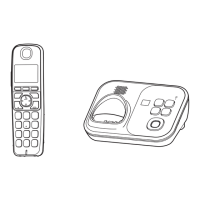
Model shown is KX-TGE260.
Before initial use, see “Getting Started”
on page 11.
Thank you for purchasing a Panasonic product.
Please read these operating instructions before using the unit and save them for
future reference.
Consulte “Guía Rápida Española”, página 79.
For assistance, visit our Web site: http://www.panasonic.com/help for customers
in the U.S.A. or Puerto Rico.
Please register your product: http://www.panasonic.com/prodreg
TGE26x_27x(en)_1216_ver041.pdf 1TGE26x_27x(en)_1216_ver041.pdf 1 2013/12/16 19:32:262013/12/16 19:32:26

Table of Contents

Other manuals for Panasonic KX-TG465SK

Questions and Answers

Summary

Introduction

Model Composition

Details the different models and their components.

Accessory Information

Lists the accessories included with the product.

Expanding Your Phone System

How to expand system with optional handsets and Bluetooth devices.

Bluetooth Devices

Explains compatibility and use of Bluetooth devices.

Trademarks

Lists registered trademarks and their owners.

Important Information

For Your Safety

Crucial safety precautions for product operation.

Battery

Recommendations and warnings for battery usage.

Important Safety Instructions

General safety precautions for product use.

For Best Performance

Tips for optimal base unit placement and performance.

Specifications

Technical details of the phone system.

Getting Started

Connections

Step-by-step guide for connecting the base unit and charger.

Battery Installation;Charging

Instructions for installing and charging handset batteries.

Controls

Identifies and explains handset and base unit buttons and keys.

Display Icons;Indicators

Explains symbols on handset and base unit displays.

Language Settings

How to change display and voice guidance language.

Date and Time

Steps to set the current date and time.

Recording Your Greeting Message

Instructions for recording a custom greeting.

Other Settings

Configuration options like Smart function key and dialing mode.

Setting the Smart Function Key

How to configure and use the Smart function key.

Link to Cell

Link to Cell Feature

Explains how to connect cellular phones for calls.

Pairing a Cellular Phone

Step-by-step guide to pair a cellular phone via Bluetooth.

Link to Cell Settings

Configure call reception and ring modes for cellular lines.

Cellular Line Selection

Determines which cellular line is used for calls.

Changing the Bluetooth PIN

Steps to change the Bluetooth pairing PIN.

Making;Answering Calls Using the Handset

Making Cellular Calls

Dialing and making calls using a paired cellular phone.

Making Landline Calls

Dialing and making calls using the landline.

Answering Calls

Steps to answer incoming calls.

Useful Features During a Call

Explanation of Hold and Mute functions during a call.

Flash for Landline Calls

Using the flash function for PBX features.

Power Back-up Operation for Landline

How the handset powers the base unit during an outage.

Making;Answering Calls Using the Base Unit

Making Cellular Calls

Dialing and making calls using a cellular phone via the base unit.

Making Landline Calls

Dialing and making calls using the landline via the base unit.

Answering Calls

How to answer incoming calls on the base unit.

Useful Features During a Call

Explains Hold and Mute functions on the base unit.

Transferring Calls, Conference Calls

Procedures for call transfers and conferences from the base unit.

Answering a 2 nd Call

Handling a second incoming call on the base unit.

Locator;Intercom

Handset Locator

How to page a misplaced handset.

Cell Locator

How to locate a misplaced cellular phone.

Intercom

How to make intercom calls between units.

Making an Intercom Call

Steps to initiate an intercom call.

Phonebook

Adding Phonebook Entries

Instructions for adding new contacts to the phonebook.

Finding and Calling from a Phonebook Entry

Procedures for searching and calling contacts.

Editing Entries

How to modify existing phonebook entries.

Erasing Entries

Instructions for deleting phonebook entries.

Speed Dial

How to assign numbers to speed dial keys.

Programming

Menu List

How to navigate features using menus or direct codes.

Bluetooth Settings

Configuration for Link to Cell, Phonebook transfer, and Headset.

Key Detector Setting

Configuration for adding, registering, and deregistering key detectors.

Call Block

Settings for blocking unwanted numbers.

Alarm

How to set and configure alarms.

Silent Mode

How to set silent mode periods and bypass groups.

Registering a Unit

Instructions for adding or removing handsets.

Caller ID Service

Using Caller ID Service

How to subscribe and use Caller ID features.

Talking Caller ID

Feature to announce caller information audibly.

Caller List

Viewing received calls and calling back.

Editing a Caller’s Phone Number

How to edit phone numbers in the caller list.

Caller ID Number Auto Edit Feature

How the unit automatically edits numbers.

Using Bluetooth Devices

Copying Phonebook from a Cellular Phone

How to transfer contacts from a phone.

Text Message (SMS) Alert

How the handset notifies of text messages.

Pairing a Headset to the Base Unit

Step-by-step guide to pair a Bluetooth headset.

Answering System for Landline

Answering System for Landline

Overview of the answering system's capabilities.

Turning the Answering System On;Off

How to activate or deactivate the answering system.

Listening to Messages

How to play new or all messages using base unit or handset.

Remote Operation

Accessing the answering system from outside.

Answering System Settings

Configuring call screening, ring count, and recording time.

Selecting “Greeting Only”

Setting the unit to only play greetings, not record messages.

Useful Information

Voice Mail Service for Landline

Explains the landline voice mail service provided by the carrier.

Listening to Voice Mail Messages

How to check for new voice mail messages.

Wall Mounting

Instructions for mounting the unit on a wall.

Error Messages

Lists common error messages and their solutions.

Troubleshooting

General troubleshooting for handset and unit operation issues.

FCC and Other Information

Regulatory compliance and FCC information.

Guía Rápida Española

Conexiones

Basic connection setup for the unit and charger in Spanish.

Instalación y Carga de la Batería

Battery installation and charging instructions in Spanish.

Enlace a Celular

Connecting a cellular phone via Bluetooth in Spanish.

Cómo Emparejar un Teléfono Celular con Bluetooth

Pairing a cell phone via Bluetooth in Spanish.

Operaciones Básicas

Basic call operations for handset and base unit in Spanish.

Preguntas Frecuentes

Answers to common user queries in Spanish.

Appendix

Customer Services

Contact information for product support and assistance.

Warranty (For United States and Puerto Rico)

Details on the limited warranty coverage and service.

Index

Index

Alphabetical listing of topics and page references.

Quick Guide

Connections

Basic setup for connecting the base unit and charger.

Battery Installation;Battery Charging

Initial setup for handset battery and charging.

Operating Tips

Guidance on using soft keys and the navigator key.

Link to Cell

Overview of connecting cellular phones via Bluetooth.

Frequently Asked Questions

Answers to common user queries.

Double the Range of Your Panasonic DECT Cordless Phone!

Double Distance

Explains the function of the range extender.

Key Detector

Find Your Lost Items!

Introduces the key detector for finding misplaced items.

Attach the Key Detector to Easily Lost Items

Instructions on how to attach the detector.

Easier Searching for Lost Items

Detects up to 650 feet (200 m)

Describes the detection range of the key detector.

You Can Both See and Hear How Close You Are to Your Lost Item

Explains how the detector indicates proximity.

Link up to 4 Key Detectors

Details the ability to link multiple detectors.

Summary

Introduction

Model Composition

Details the different models and their components.

Accessory Information

Lists the accessories included with the product.

Expanding Your Phone System

How to expand system with optional handsets and Bluetooth devices.

Bluetooth Devices

Explains compatibility and use of Bluetooth devices.

Trademarks

Lists registered trademarks and their owners.

Important Information

For Your Safety

Crucial safety precautions for product operation.

Battery

Recommendations and warnings for battery usage.

Important Safety Instructions

General safety precautions for product use.

For Best Performance

Tips for optimal base unit placement and performance.

Specifications

Technical details of the phone system.

Getting Started

Connections

Step-by-step guide for connecting the base unit and charger.

Battery Installation;Charging

Instructions for installing and charging handset batteries.

Controls

Identifies and explains handset and base unit buttons and keys.

Display Icons;Indicators

Explains symbols on handset and base unit displays.

Language Settings

How to change display and voice guidance language.

Date and Time

Steps to set the current date and time.

Recording Your Greeting Message

Instructions for recording a custom greeting.

Other Settings

Configuration options like Smart function key and dialing mode.

Setting the Smart Function Key

How to configure and use the Smart function key.

Link to Cell

Link to Cell Feature

Explains how to connect cellular phones for calls.

Pairing a Cellular Phone

Step-by-step guide to pair a cellular phone via Bluetooth.

Link to Cell Settings

Configure call reception and ring modes for cellular lines.

Cellular Line Selection

Determines which cellular line is used for calls.

Changing the Bluetooth PIN

Steps to change the Bluetooth pairing PIN.

Making;Answering Calls Using the Handset

Making Cellular Calls

Dialing and making calls using a paired cellular phone.

Making Landline Calls

Dialing and making calls using the landline.

Answering Calls

Steps to answer incoming calls.

Useful Features During a Call

Explanation of Hold and Mute functions during a call.

Flash for Landline Calls

Using the flash function for PBX features.

Power Back-up Operation for Landline

How the handset powers the base unit during an outage.

Making;Answering Calls Using the Base Unit

Making Cellular Calls

Dialing and making calls using a cellular phone via the base unit.

Making Landline Calls

Dialing and making calls using the landline via the base unit.

Answering Calls

How to answer incoming calls on the base unit.

Useful Features During a Call

Explains Hold and Mute functions on the base unit.

Transferring Calls, Conference Calls

Procedures for call transfers and conferences from the base unit.

Answering a 2 nd Call

Handling a second incoming call on the base unit.

Locator;Intercom

Handset Locator

How to page a misplaced handset.

Cell Locator

How to locate a misplaced cellular phone.

Intercom

How to make intercom calls between units.

Making an Intercom Call

Steps to initiate an intercom call.

Phonebook

Adding Phonebook Entries

Instructions for adding new contacts to the phonebook.

Finding and Calling from a Phonebook Entry

Procedures for searching and calling contacts.

Editing Entries

How to modify existing phonebook entries.

Erasing Entries

Instructions for deleting phonebook entries.

Speed Dial

How to assign numbers to speed dial keys.

Programming

Menu List

How to navigate features using menus or direct codes.

Bluetooth Settings

Configuration for Link to Cell, Phonebook transfer, and Headset.

Key Detector Setting

Configuration for adding, registering, and deregistering key detectors.

Call Block

Settings for blocking unwanted numbers.

Alarm

How to set and configure alarms.

Silent Mode

How to set silent mode periods and bypass groups.

Registering a Unit

Instructions for adding or removing handsets.

Caller ID Service

Using Caller ID Service

How to subscribe and use Caller ID features.

Talking Caller ID

Feature to announce caller information audibly.

Caller List

Viewing received calls and calling back.

Editing a Caller’s Phone Number

How to edit phone numbers in the caller list.

Caller ID Number Auto Edit Feature

How the unit automatically edits numbers.

Using Bluetooth Devices

Copying Phonebook from a Cellular Phone

How to transfer contacts from a phone.

Text Message (SMS) Alert

How the handset notifies of text messages.

Pairing a Headset to the Base Unit

Step-by-step guide to pair a Bluetooth headset.

Answering System for Landline

Answering System for Landline

Overview of the answering system's capabilities.

Turning the Answering System On;Off

How to activate or deactivate the answering system.

Listening to Messages

How to play new or all messages using base unit or handset.

Remote Operation

Accessing the answering system from outside.

Answering System Settings

Configuring call screening, ring count, and recording time.

Selecting “Greeting Only”

Setting the unit to only play greetings, not record messages.

Useful Information

Voice Mail Service for Landline

Explains the landline voice mail service provided by the carrier.

Listening to Voice Mail Messages

How to check for new voice mail messages.

Wall Mounting

Instructions for mounting the unit on a wall.

Error Messages

Lists common error messages and their solutions.

Troubleshooting

General troubleshooting for handset and unit operation issues.

FCC and Other Information

Regulatory compliance and FCC information.

Guía Rápida Española

Conexiones

Basic connection setup for the unit and charger in Spanish.

Instalación y Carga de la Batería

Battery installation and charging instructions in Spanish.

Enlace a Celular

Connecting a cellular phone via Bluetooth in Spanish.

Cómo Emparejar un Teléfono Celular con Bluetooth

Pairing a cell phone via Bluetooth in Spanish.

Operaciones Básicas

Basic call operations for handset and base unit in Spanish.

Preguntas Frecuentes

Answers to common user queries in Spanish.

Appendix

Customer Services

Contact information for product support and assistance.

Warranty (For United States and Puerto Rico)

Details on the limited warranty coverage and service.

Index

Index

Alphabetical listing of topics and page references.

Quick Guide

Connections

Basic setup for connecting the base unit and charger.

Battery Installation;Battery Charging

Initial setup for handset battery and charging.

Operating Tips

Guidance on using soft keys and the navigator key.

Link to Cell

Overview of connecting cellular phones via Bluetooth.

Frequently Asked Questions

Answers to common user queries.

Double the Range of Your Panasonic DECT Cordless Phone!

Double Distance

Explains the function of the range extender.

Key Detector

Find Your Lost Items!

Introduces the key detector for finding misplaced items.

Attach the Key Detector to Easily Lost Items

Instructions on how to attach the detector.

Easier Searching for Lost Items

Detects up to 650 feet (200 m)

Describes the detection range of the key detector.

You Can Both See and Hear How Close You Are to Your Lost Item

Explains how the detector indicates proximity.

Link up to 4 Key Detectors

Details the ability to link multiple detectors.

Panasonic KX-TG465SK Specifications

General IconGeneral
BrandPanasonic
ModelKX-TG465SK
CategoryCordless Telephone
LanguageEnglish

Related product manuals