EasyManua.ls Logo

Panasonic KX-TG5631S - User Manual

Panasonic KX-TG5631S
70 pages
Print Icon
To Next Page IconTo Next Page
Loading...
This unit is compatible with Caller ID. To use this feature, you must subscribe to
the appropriate service offered by your service provider.
Please read these Operating Instructions before using the unit and save for
future reference.
For assistance, visit our website:
http://www.panasonic.com/phonehelp for customers in the U.S.A. or Puerto
Rico.
Charge the handset battery for 7 hours before initial use.
Operating Instructions
5.8 GHz Digital Cordless
Answering System
Model No.
KX-TG5631
Model No. KX-TG5651
5.8 GHz Expandable Digital Cordless
Answering System with Two Handsets
Model No.
KX-TG5632
Model No. KX-TG5652
5.8 GHz Expandable Digital Cordless
Answering System with Three Handsets
Model No.
KX-TG5633
5.8 GHz Digital Cordless
Answering System with Three Handsets
Model No.
KX-TG5653
5.8 GHz Digital Cordless
Answering System with Four Handsets
Model No.
KX-TG5634
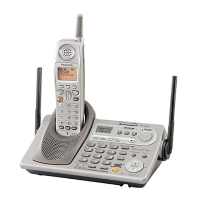
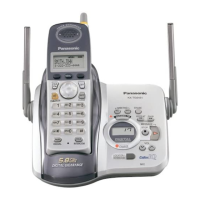
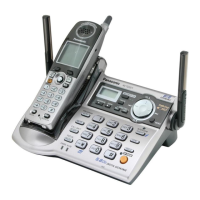
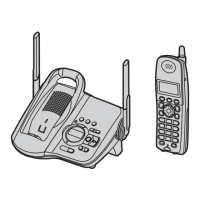
Model shown is KX-TG5631.
TG563X_565X.book Page 1 Friday, February 3, 2006 4:59 PM

Other manuals for Panasonic KX-TG5631S

Questions and Answers

  • L
    Laura CrosbySep 23, 2025
    Why 2nd caller info is not displayed on Panasonic KX-TG5631S?
    • T
      Travis ColemanSep 23, 2025
      In order to use Caller ID, Call Waiting, or Call Waiting Caller ID (CWID) on your Panasonic Answering Machine, you must first contact your telephone company and subscribe to the desired service. After subscribing, you may need to contact your telephone company again to activate this specific service, even if you already subscribed to both Caller ID and Call Waiting with Caller ID services (CWID).
  • C
    Christopher FreyAug 25, 2025
    Why I cannot remotely access Panasonic Answering Machine messages?
    • O
      olsonstephanieAug 25, 2025
      If you cannot listen to messages from a remote location on your Panasonic Answering Machine, ensure that you are using a touch tone phone. Also, verify that you are entering the remote code correctly. Finally, the answering system may be off; in this case, turn it on.
  • D
    Daniel ThomasAug 25, 2025
    Why is the handset display blank on my Panasonic KX-TG5631S Answering Machine?
    • M
      Michael MartinAug 26, 2025
      If the handset display on your Panasonic Answering Machine is blank, first confirm that the battery is properly installed. If it is properly installed, fully charge the battery.
  • M
    Megan RamirezAug 26, 2025
    Why I cannot make a call with my Panasonic KX-TG5631S Answering Machine?
    • R
      rushsamanthaAug 27, 2025
      If you cannot make a call on your Panasonic Answering Machine, it may be because the dialing mode is set incorrectly; try changing the setting. Alternatively, the base unit or another handset might be in use, so try again later.
  • S
    Stephen GordonAug 27, 2025
    How to fix Panasonic KX-TG5631S handset when it does not ring?
    • K
      kdawsonAug 27, 2025
      If the handset of your Panasonic Answering Machine does not ring, the ringer volume might be turned off. Try adjusting the ringer volume.
  • B
    Benjamin RodgersSep 14, 2025
    Why I cannot page the handset on my Panasonic KX-TG5631S?
    • M
      Melinda MyersSep 14, 2025
      If you cannot page the handset on your Panasonic Answering Machine, it may be because the called handset is too far from the base unit or the called handset is in use. Try again later.
  • J
    James DanielsSep 12, 2025
    Why I cannot make long distance calls on my Panasonic KX-TG5631S Answering Machine?
    • M
      Melissa MaldonadoSep 12, 2025
      If you cannot make long distance calls with your Panasonic Answering Machine, ensure that you have long distance service.
  • M
    Monica SchmidtSep 13, 2025
    Why can't I redial on my Panasonic Answering Machine?
    • L
      Lynn MonroeSep 13, 2025
      If you cannot redial by pressing {REDIAL} on your Panasonic Answering Machine, it may be because the last number dialed was more than 48 digits long; in this case, dial the number manually.
  • T
    Todd LewisSep 4, 2025
    Why Panasonic KX-TG5631S Answering Machine does not announce caller ID?
    • M
      Melinda RoySep 4, 2025
      If your Panasonic Answering Machine handset or base unit does not announce the displayed caller names, the ringer volume might be turned off; adjust it. Also, the Talking Caller ID feature may be turned off; turn it on. If the ring count for the answering system is set to “2” or “Toll saver”, select a different setting. Additionally, if the base unit and another handset are having an intercom call, your handset will not announce caller information.
  • L
    Louis WilliamsSep 2, 2025
    How to fix static or sound cutting out on Panasonic Answering Machine?
    • L
      laurenpriceSep 2, 2025
      If you hear static or the sound cuts in and out on your Panasonic Answering Machine, it could be due to interference from other electrical units. To resolve this: 1. Move the handset and the base unit away from other electrical appliances. 2. Move closer to the base unit. 3. Raise the base unit antennas. 4. Turn on the clarity booster feature. Also, if your unit is connected to a telephone line with DSL service, consider connecting a noise filter between the base unit and the telephone line jack.

Summary

Important Safety Instructions

General Safety Precautions

Outlines essential safety measures to reduce risks of fire, electric shock, and injury.

Specific Safety Warnings

Details cautions for installation, battery handling, and product usage to prevent hazards.

For Best Performance

Base Unit Location and Noise Avoidance

Recommends optimal placement for the base unit to ensure clear communication and avoid interference.

Preparation

Setting Up the Base Unit

Guides on connecting the AC adaptor and telephone line cord to the base unit.

Setting Up the Handset

Details the process for connecting the charger and installing/replacing the handset battery.

Battery Charge and Level

Explains initial battery charging, battery level indicators, and performance.

Making and Answering Calls

Making Calls

Details how to make calls using the handset, speakerphone, and redial list.

Answering Calls

Explains how to answer calls, including the Any Key Talk feature.

Useful Features During a Call

Covers features like Hold, Mute, Flash, and Call Waiting.

Phonebook Management

Adding Phonebook Entries

Guides on how to add names and phone numbers to the handset phonebook.

Caller ID Service

Using Caller ID Features

Explains how to utilize Caller ID for identifying incoming calls and viewing call history.

Caller ID Specific Features

Details features like Private Name Display and Talking Caller ID.

Caller List Management

Guides on viewing, editing, and managing the caller list.

Programming Settings

Programmable Features Menu

Lists customizable features accessible through the handset's menu system.

Initial Settings Configuration

Covers initial setup options like answering system, language, and line settings.

Programming via Direct Commands

Explains how to program features using direct command codes.

Answering System Operation

Answering System Basics

Explains how to turn the answering system on/off, its memory capacity, and basic functions.

Listening to Messages (Base Unit)

Details how to listen to new and all messages via the base unit.

Erasing Messages

Guides on erasing individual or all messages from the answering system.

Listening to Messages (Handset)

Details how to listen to new and all messages via the handset.

Remote Operation

Guides on accessing and controlling the answering system remotely using a touch-tone phone.

Answering System Settings

Configuration options for remote code and ring count for the answering system.

Multi-unit Operation

Troubleshooting and Error Messages

Error Message Explanations

Lists common error messages and their corresponding causes and solutions.

General Troubleshooting

Provides solutions for common problems like the unit not working or no dial tone.

Troubleshooting Specific Functions

Addresses issues related to programming settings and battery recharge.

Troubleshooting Calls and Intercom

Addresses issues with static, ringer problems, calling, and intercom functionality.

Troubleshooting Phonebook and Caller ID

Resolves issues with phonebook copying and Caller ID display or announcements.

Troubleshooting Answering System

Addresses problems with remote operation, message recording, and message indicators.

Warranty Information

openLCR Service Activation

openLCR Caller IQ Feature

Panasonic KX-TG5631S Specifications

General IconGeneral
BrandPanasonic
ModelKX-TG5631S
Number of Handsets1
Answering SystemDigital
Recording Time18 minutes
Caller IDYes
DisplayLCD
SpeakerphoneYes
Call WaitingYes
Phonebook Capacity50 entries
Expandable Handsets6
TypeCordless Phone with Answering Machine

Related product manuals