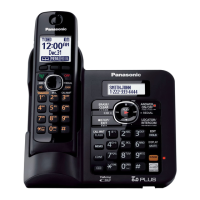
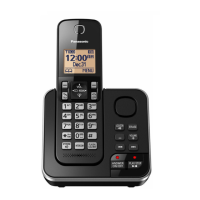
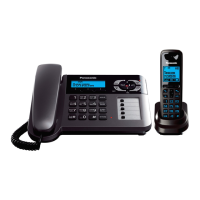
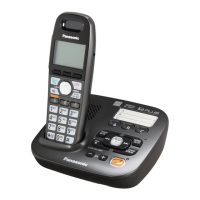
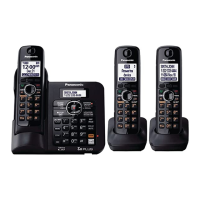
This document provides operating instructions for the Panasonic Digital Cordless Answering System, models KX-TG6642C, KX-TG6643C, and KX-TG6655C. These models are DECT 6.0 compatible and include a digital answering system. The KX-TG6655C model is supplied with a range extender (KX-TGA405C) to expand the phone system's coverage. The system is compatible with Call Display, requiring a subscription to the appropriate service from a service provider or telephone company.
Function Description
The Panasonic Digital Cordless Answering System offers a comprehensive set of features for home or small office communication. Its core function is to provide cordless telephone service with an integrated answering system. Key functionalities include making and answering calls, a shared phonebook, programming various settings, Call Display service, and intercom/locator features. The answering system allows users to record and play back messages, manage greetings, and access messages remotely. The system also supports power back-up operation, enabling temporary call making and receiving during a power outage if a charged handset is placed on the base unit.
Important Technical Specifications
- Standard: DECT 6.0 (Digital Enhanced Cordless Telecommunications 6.0)
- Frequency Range: 1.92 GHz to 1.93 GHz
- RF Transmission Power: 115 mW (max.)
- Power Source: 120 V AC, 60 Hz
- Power Consumption:
- Base unit: Standby: Approx. 0.9 W, Maximum: Approx. 3.8 W
- Charger: Standby: Approx. 0.1 W, Maximum: Approx. 2.0 W
- Operating Conditions: 0 °C – 40 °C (32 °F – 104 °F), 20 % – 80 % relative air humidity (dry)
- Battery Type: Nickel metal hydride (Ni-MH) AAA (R03) size. The system uses 2 x AAA batteries for each handset.
- Battery Performance (supplied batteries):
- In continuous use: 13 hours max.
- Not in use (standby): 11 days max.
- Answering System Recording Capacity: Approximately 16 minutes total, with a maximum of 64 messages.
Usage Features
Getting Started:
- Connections: The base unit requires connection to a 120 V AC, 60 Hz power outlet using the supplied Panasonic AC adaptor PNLV226. It also connects to a single-line telephone jack (RJ11C). A DSL/ADSL filter (not supplied) is necessary if you have DSL/ADSL service.
- Battery Installation: Only Ni-MH AAA (R03) batteries should be used, with correct polarity. Alkaline/Manganese/Ni-Cd batteries are not supported.
- Battery Charging: Handsets should be charged for approximately 7 hours. The charge indicator displays "Charging" until fully charged, then goes off, and "Fully charged" is displayed.
- Intelligent Eco Mode: This feature automatically reduces handset power consumption by suppressing handset transmission power when the handset is close to the base unit. It is activated when "ECO" is displayed on the handset and can be turned off.
- Display Language: Users can select "English" or "Français" as the display language. The default setting is "English".
- Voice Guidance Language: Similar to display language, "English" or "Français" can be chosen for the answering system's voice guidance. The default is "English".
- Dialing Mode: The system supports "Tone" or "Pulse" dialing. The default is "Tone".
- Date and Time: Setting the current hour, minute, month, date, and year is crucial for accurate Call Display and answering system functions.
Making/Answering Calls:
- Using the Handset: Lift the handset, dial the number, and press [TALK]. For speakerphone use, press [SP-PHONE] instead of lifting the handset.
- Redial: The last 5 numbers dialed are stored in the redial list (up to 48 digits max.).
- Adjusting Volume: Speaker and receiver volume can be adjusted during a call.
- Pause: A pause (3.5 seconds) can be inserted in a dialing sequence for PBX/long distance services.
- Answering Calls: When the ringer indicator flashes, press [TALK] or [SP-PHONE] to answer.
- Hold: This feature puts an outside call on hold.
- Flash: Allows access to special telephone company services (e.g., call waiting, 3-way calling) or PBX extensions.
- Call Share: Enables multiple handsets to join an existing outside call (up to 4 parties total, including 1 outside party and 3 extensions).
- Privacy Mode: Prevents other users from joining conversations on outside calls.
- Power Back-up Operation: During a power failure, a charged handset placed on the base unit allows temporary call making and receiving. The range of the base unit is limited during power failure.
Shared Phonebook:
- Storage: Stores up to 50 names and phone numbers (16 characters for names, 24 digits for numbers).
- Group Ringer Tones: Call Display subscribers can assign group ringer tones.
- Adding Entries: Entries can be added via the handset.
- Searching: Entries can be searched by scrolling or by entering the first character.
- Editing/Erasing Entries: Allows modification or deletion of individual or all entries.
- Chain Dial: Enables dialing a stored phonebook number followed by additional digits (e.g., calling card access number, bank account PIN).
Programming:
- Programmable Settings: Various settings can be customized via the handset or base unit using menus or direct command codes.
- Ringer Settings: Adjust ringer volume (0-6) and select ringer tone (1-5) or melody (1-5) for handsets.
- Night Mode: Sets a period during which the handset will not ring for outside calls.
- Talking Caller ID: Announces caller information in English or French.
- Handset Name: Assigns a custom name to each handset.
- Call Block: Blocks unwanted numbers (up to 30 numbers) or calls without a phone number.
- Message Alert: The message indicator on the handset flashes slowly when new messages are recorded.
- LCD Contrast: Adjusts the display contrast (1-6).
- Key Tone: Turns key press tones on or off.
- Auto Talk: Automatically answers calls when the handset is lifted from the charger.
- Set Tel Line: Configures dial mode (pulse/tone) and flash time.
- Privacy Mode: Can be set to "On" or "Off".
- Registration/Deregistration: Registers additional handsets (up to 6 total) or deregisters existing ones.
- Change Language: Sets the display and voice prompt language for handsets.
- Customer Support: Provides a direct command code for customer support web address.
Call Display Service:
- Subscription Required: Requires subscription to Call Display service from a service provider/telephone company.
- Caller Information Display: Displays caller's name and phone number.
- Caller List: Stores information for the last 50 callers.
- Talking Caller ID: Announces caller information.
- Ringer ID: Assigns different ringer tones to specific groups of callers.
- Call Waiting Deluxe: Manages calls when another call is waiting.
- Viewing Caller List: Allows users to view, edit, and store caller information in the phonebook.
- Erasing Caller Information: Deletes individual or all caller entries.
Answering System:
- Turning On/Off: The answering system can be turned on or off via the handset or base unit.
- Call Screening: Allows users to listen to incoming messages as they are being recorded.
- Memory Capacity: Up to 16 minutes of recording time, with a maximum of 64 messages.
- Greeting Message: Users can record their own greeting message (up to 2 minutes) or use a pre-recorded one.
- Listening to Messages: Messages can be played back from the base unit or handset.
- Operating System During Playback: Functions include adjusting volume, repeating/skipping messages, stopping playback, and erasing messages.
- Remote Access: Allows users to access and operate the answering system remotely using a touch-tone phone and a 3-digit remote access code.
- Ring Count: Configures the number of rings (2-7 rings or "Toll saver") before the answering system answers.
- Recording Time: Sets the maximum recording time for messages (1 min, 3 min, or "Greeting only").
- Message Alert: The message indicator on the handset flashes when new messages are recorded.
- Caller's Recording Time: Sets the maximum recording time for callers (3 minutes).
Intercom/Locator:
- Intercom Calls: Allows communication between handsets and the base unit.
- Handset Locator: Pages a desired handset from the base unit.
- Transferring Calls: Enables transferring outside calls between handsets or setting up a 3-party conference call.
Maintenance Features
- Routine Care: Wipe the outer surface of the product with a soft moist cloth. Do not use benzine, thinner, or any abrasive powder.
- Battery Care:
- Use only Ni-MH rechargeable batteries.
- Do not mix old and new batteries or batteries of different types.
- Do not dispose of batteries in a fire.
- If the battery is low, the handset will not work sufficiently during power back-up mode.
- Cleaning Contacts: Clean the charge contacts of the handset, base unit, and charger with a soft and dry cloth once a month to ensure proper charging.
- AC Adaptor/Power Cord: Regularly remove any dust from the AC adaptor/power plug and clean it to prevent fire or electric shock.
- Telephone Line Cord: Ensure the telephone line cord is not damaged or frayed.
- Environmental Conditions: Keep the product away from electrical noise generating devices, direct sunlight, and excessive heat or moisture.
Important Safety Instructions:
- Do not disassemble the product.
- Do not spill liquids on the product.
- Do not use the product in health care facilities if any regulations in the area restrict it.
- Unplug the product from power outlets before cleaning.
- Do not use the product near water.
- Do not install during a lightning storm.
- Do not use to report a gas leak.
- Dispose of used batteries according to instructions.
This Panasonic Digital Cordless Answering System is designed to be a reliable and feature-rich communication tool, offering flexibility and convenience with its cordless design and integrated answering capabilities.

 Need help?
 General



 To Next Page