EasyManua.ls Logo

Panasonic KX-TG6631 - User Manual

Panasonic KX-TG6631
72 pages
Print Icon
To Next Page IconTo Next Page
Loading...
Operating Instructions
Digital Cordless Answering System
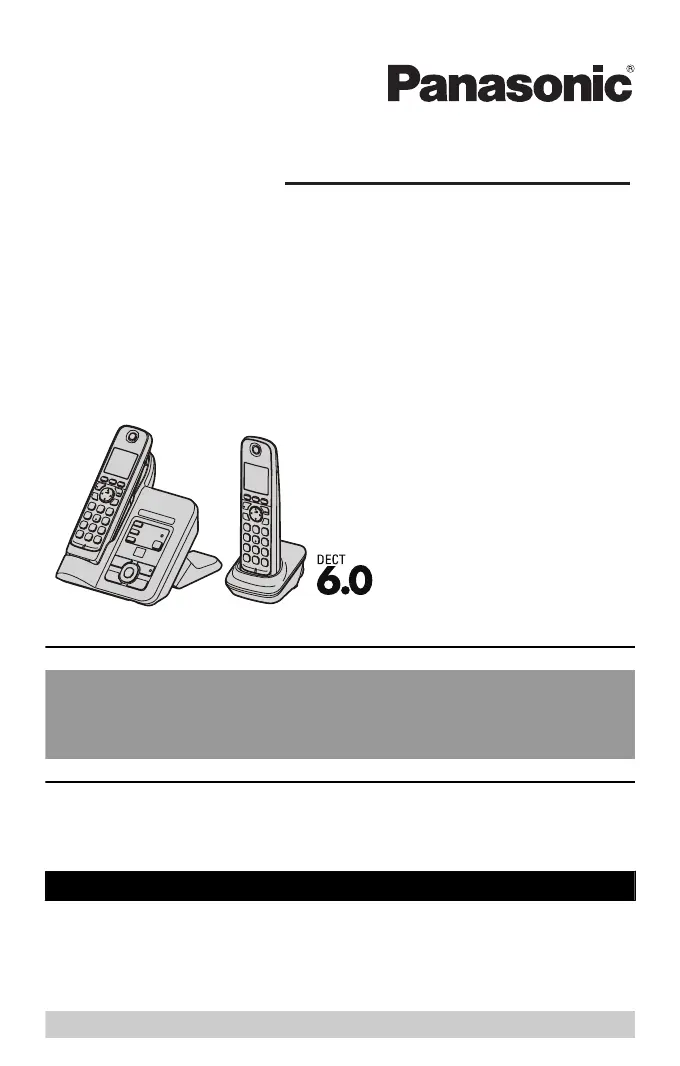
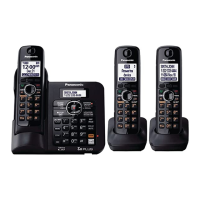
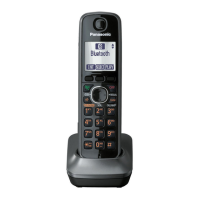
Model shown is KX-TG6632.
Model No. KX-TG6631
KX-TG6632
KX-TG6633
KX-TG6634
KX-TG6643
KX-TG6644
KX-TG6645
Before initial use, see“Getting
Started”onpage 9.
Thank you for purchasing a Panasonic product.
Please read these operating instructions before using the unit and save
them for future reference.
Consulte “Guía Rápida Española”, página 60.
This unit is compatible with Caller ID. You must subscribe to the appropriate
service offered by your service provider/telephone company.
For assistance, visit our Web site:http://www.panasonic.com/helpfor
customers in the U.S.A. or Puerto Rico.
Please register your product: http://www.panasonic.com/prodreg

Questions and Answers

  • K
    Karen RiveraSep 23, 2025
    What to do if moisture entered my Panasonic KX-TG6631 Answering Machine?
    • S
      Steven BrownSep 23, 2025
      If liquid or other form of moisture has entered the handset/base unit, disconnect the AC adapter and telephone line cord from the base unit. Remove the batteries from the handset and leave to dry for at least 3 days. After the handset/base unit are completely dry, reconnect the AC adapter and telephone line cord. Insert the batteries and charge fully before use.
  • S
    Sandra LambAug 23, 2025
    Why Panasonic Answering Machine handset does not turn on?
    • K
      Kayla ClarkAug 25, 2025
      If the handset does not turn on even after installing charged batteries, place the handset on the base unit or charger to turn it on.
  • D
    dwilliamsAug 25, 2025
    Why Panasonic KX-TG6631 handset does not ring?
    • B
      Brett SwansonAug 26, 2025
      If the handset does not ring, the ringer volume might be turned off, so adjust the ringer volume. Alternatively, silent mode could be turned on, so turn it off.
  • T
    Thomas GonzalezAug 27, 2025
    Why Panasonic Answering Machine base unit does not ring?
    • D
      dianabaileyAug 27, 2025
      If the base unit does not ring, the ringer volume is likely turned off. Adjust the ringer volume.
  • S
    samanthaholdenAug 27, 2025
    Why I cannot make a call on my Panasonic Answering Machine?
    • S
      Stephen MillerAug 27, 2025
      If you cannot make a call on your Panasonic Answering Machine, the dialing mode may be set incorrectly; change the setting. Also, the handset may be too far from the base unit; move closer and try again.
  • T
    Taylor SilvaSep 16, 2025
    Why has the time shifted on my Panasonic KX-TG6631?
    • M
      Mary LeeSep 16, 2025
      If the time on the unit has shifted, incorrect time information from incoming Caller ID may be changing the time. Set the time adjustment to “Manual” (off).
  • L
    Larry WrightSep 13, 2025
    Why are caller list phone numbers not edited automatically on my Panasonic KX-TG6631 Answering Machine?
    • S
      Sean BradleySep 13, 2025
      If the caller list/incoming phone numbers are not edited automatically, the Caller ID number auto edit feature may be turned off. Turn it on and try again. You may also need to call back the edited number to activate the auto edit feature.
  • Z
    Zachary LinSep 14, 2025
    Why can't I dial an edited number from the caller list on my Panasonic Answering Machine?
    • N
      Nancy TranSep 15, 2025
      If you cannot dial the phone number edited in the caller list, the phone number you dialed might have been edited incorrectly. Edit the phone number with another pattern.
  • M
    Matthew AlvarezSep 5, 2025
    What does it mean when the indicator on my Panasonic Answering Machine handset flashes slowly?
    • R
      robertbaxterSep 5, 2025
      If the indicator on the handset of your Panasonic Answering Machine flashes slowly, it means new messages or new voice mail messages have been recorded. Listen to the new messages or voice mail messages.
  • S
    Susan WilsonSep 3, 2025
    What to do if my Panasonic KX-TG6631 Answering Machine does not work?
    • A
      aliciadeleonSep 3, 2025
      If your Panasonic answering machine is not working, try the following: * Ensure the batteries are installed correctly. * Fully charge the batteries. * Check all connections. * Unplug the base unit’s AC adapter to reset it, then reconnect and try again. * Register the handset to the base unit if it hasn't been registered.

Panasonic KX-TG6631 Specifications

General IconGeneral
BrandPanasonic
ModelKX-TG6631
CategoryAnswering Machine
LanguageEnglish

Related product manuals