EasyManua.ls Logo

Panasonic KX-TGA710 - User Manual

Panasonic KX-TGA710
32 pages
Print Icon
To Next Page IconTo Next Page
Loading...
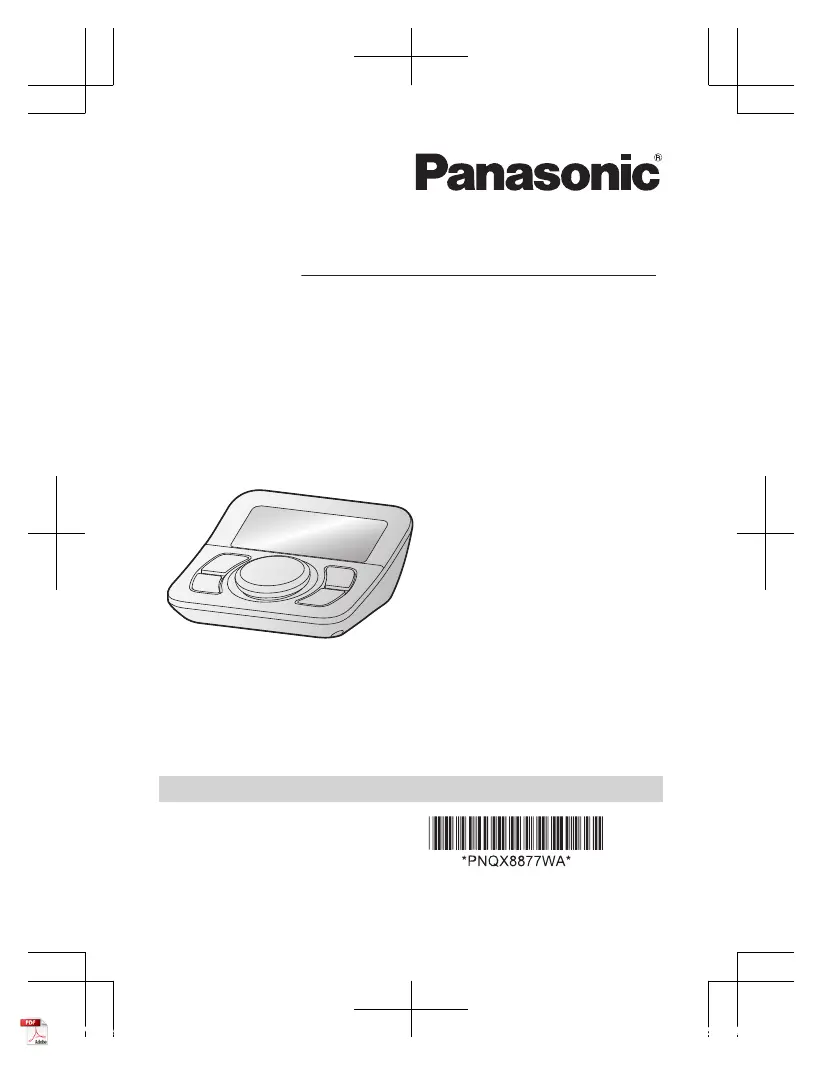
Operating Instructions
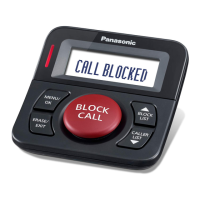
Call Block Button
Model No.
KX-TGA710
KX-TGA760
KX-TG3101
Thank you for purchasing a Panasonic product.
Please read these operating instructions before using the unit and save
them for future reference.
For assistance, visit our Web site: http://shop.panasonic.com/
support for customers in the U.S.A.
Please register your product: http://shop.panasonic.com/support
Printed in Malaysia
PNQX8877WA PP1218MU3061
KX-TGA7xx_(en-en)_0623_ver301.pdf 1 6/23/2021 6:48:18 PM

Questions and Answers

Summary

Introduction

Accessory Information

Lists supplied accessories with part numbers and quantities.

Graphical Symbols for Equipment

Explains various symbols used on the equipment and their meanings.

Other Information

Notes on design changes and illustration variations.

Important Information

For Your Safety

Provides crucial safety warnings for preventing injury or property loss.

Installation and Safeguards

Instructions and guidelines for safe installation and operation of the product.

Installation and Location Precautions

Precautions for installing the telephone wiring and locating the unit safely.

Key Safety Instructions

Basic safety precautions to reduce risk of fire, electric shock, and injury.

Routine Care and Maintenance

Instructions for cleaning and maintaining the product's outer surface.

Product Disposal and Privacy

Recommendations for protecting privacy by erasing data before disposal.

For Best Performance

Environmental Considerations

Recommendations for optimal product performance by managing the environment.

Specifications

Getting Started

Setting Up the Unit

Step-by-step instructions for connecting the unit and accessories.

Setup Notes and Connections

Important notes regarding AC adapter connection and orientation.

Language Setting

Instructions to select the display and announcement language (English or Español).

Controls Overview

Display Icons and Indicator

Basic Operation

Caller ID Service Requirements

Explains the requirement for a Caller ID service and how features work.

Talking Caller ID Feature

How to use the feature that announces caller information verbally.

Caller List Management

Instructions on how to view and erase call history entries.

Call Blocking Functionality

Explains how the unit blocks calls using pre-programmed or user-stored numbers.

Add Numbers to Call Block List

Steps to add a number from the caller list to the block list.

Configure Call Block Modes

Options to configure call blocking modes like "Unknown" and "International".

Manage Call Block Numbers

How to view, unblock, or erase numbers from the call block list.

Erase All Call Blocked Numbers

Instructions to clear all entries from the call block list.

Allow List Management

How to allow specific callers by adding their numbers to the allow list.

Add Allowed Numbers from Caller List

Steps to add numbers from the caller list to the allow list.

Add Allowed Numbers Manually

How to manually add phone numbers to the allow list.

View and Erase Allow List Entries

How to view or erase individual entries from the allow list.

Erase All Allow List Entries

Instructions to clear all entries from the allow list.

Useful Information

Error Messages and Solutions

Lists common display messages and their corresponding cause/solution.

Troubleshooting General Use

Provides solutions for common problems like the unit not working or display issues.

Caller ID;Talking Caller ID Issues

Troubleshoots issues related to caller information not displaying or being announced.

Liquid Damage Handling

Instructions for handling liquid damage and avoiding further harm.

FCC and Other Information

Details FCC compliance, registration, and network connection requirements.

FCC Compliance and Interference

Explains FCC compliance, interference, and user responsibilities for modifications.

Appendix

Customer Services Information

Information on how to access support, accessories, and other services.

Limited Warranty Coverage (USA)

Details the Panasonic Products Limited Warranty coverage and terms for the US.

Warranty Limits and Exclusions

Specifies what is covered and excluded by the limited warranty terms.

Summary

Introduction

Accessory Information

Lists supplied accessories with part numbers and quantities.

Graphical Symbols for Equipment

Explains various symbols used on the equipment and their meanings.

Other Information

Notes on design changes and illustration variations.

Important Information

For Your Safety

Provides crucial safety warnings for preventing injury or property loss.

Installation and Safeguards

Instructions and guidelines for safe installation and operation of the product.

Installation and Location Precautions

Precautions for installing the telephone wiring and locating the unit safely.

Key Safety Instructions

Basic safety precautions to reduce risk of fire, electric shock, and injury.

Routine Care and Maintenance

Instructions for cleaning and maintaining the product's outer surface.

Product Disposal and Privacy

Recommendations for protecting privacy by erasing data before disposal.

For Best Performance

Environmental Considerations

Recommendations for optimal product performance by managing the environment.

Specifications

Getting Started

Setting Up the Unit

Step-by-step instructions for connecting the unit and accessories.

Setup Notes and Connections

Important notes regarding AC adapter connection and orientation.

Language Setting

Instructions to select the display and announcement language (English or Español).

Controls Overview

Display Icons and Indicator

Basic Operation

Caller ID Service Requirements

Explains the requirement for a Caller ID service and how features work.

Talking Caller ID Feature

How to use the feature that announces caller information verbally.

Caller List Management

Instructions on how to view and erase call history entries.

Call Blocking Functionality

Explains how the unit blocks calls using pre-programmed or user-stored numbers.

Add Numbers to Call Block List

Steps to add a number from the caller list to the block list.

Configure Call Block Modes

Options to configure call blocking modes like "Unknown" and "International".

Manage Call Block Numbers

How to view, unblock, or erase numbers from the call block list.

Erase All Call Blocked Numbers

Instructions to clear all entries from the call block list.

Allow List Management

How to allow specific callers by adding their numbers to the allow list.

Add Allowed Numbers from Caller List

Steps to add numbers from the caller list to the allow list.

Add Allowed Numbers Manually

How to manually add phone numbers to the allow list.

View and Erase Allow List Entries

How to view or erase individual entries from the allow list.

Erase All Allow List Entries

Instructions to clear all entries from the allow list.

Useful Information

Error Messages and Solutions

Lists common display messages and their corresponding cause/solution.

Troubleshooting General Use

Provides solutions for common problems like the unit not working or display issues.

Caller ID;Talking Caller ID Issues

Troubleshoots issues related to caller information not displaying or being announced.

Liquid Damage Handling

Instructions for handling liquid damage and avoiding further harm.

FCC and Other Information

Details FCC compliance, registration, and network connection requirements.

FCC Compliance and Interference

Explains FCC compliance, interference, and user responsibilities for modifications.

Appendix

Customer Services Information

Information on how to access support, accessories, and other services.

Limited Warranty Coverage (USA)

Details the Panasonic Products Limited Warranty coverage and terms for the US.

Warranty Limits and Exclusions

Specifies what is covered and excluded by the limited warranty terms.

Panasonic KX-TGA710 Specifications

General IconGeneral
TypeCordless Phone Handset
TechnologyDECT 6.0
DisplayLCD
Caller IDYes
Call WaitingYes
IntercomYes
Battery TypeNi-MH
Phonebook Memory50 entries
RangeUp to 150 feet indoors
Number of Handsets Supported6

Related product manuals