EasyManua.ls Logo

Panasonic KX-TGB212FX - User Manual

Panasonic KX-TGB212FX
32 pages
Print Icon
To Next Page IconTo Next Page
Loading...
Thank you for purchasing a Panasonic product.
Please read these operating instructions before using the unit and save them for
future reference.
This unit is compatible with Caller ID. You must subscribe to the appropriate service
offered by your service provider/telephone company.
(For Czech and Slovakia)
This cordless telephone is possible to use according to General licence No.:
VO-R/8/08.2005-23 (for Czech), VPR-7/2001 (for Slovakia).
Before initial use, see “Getting Started”
on page 9.
Operating Instructions
Model No.
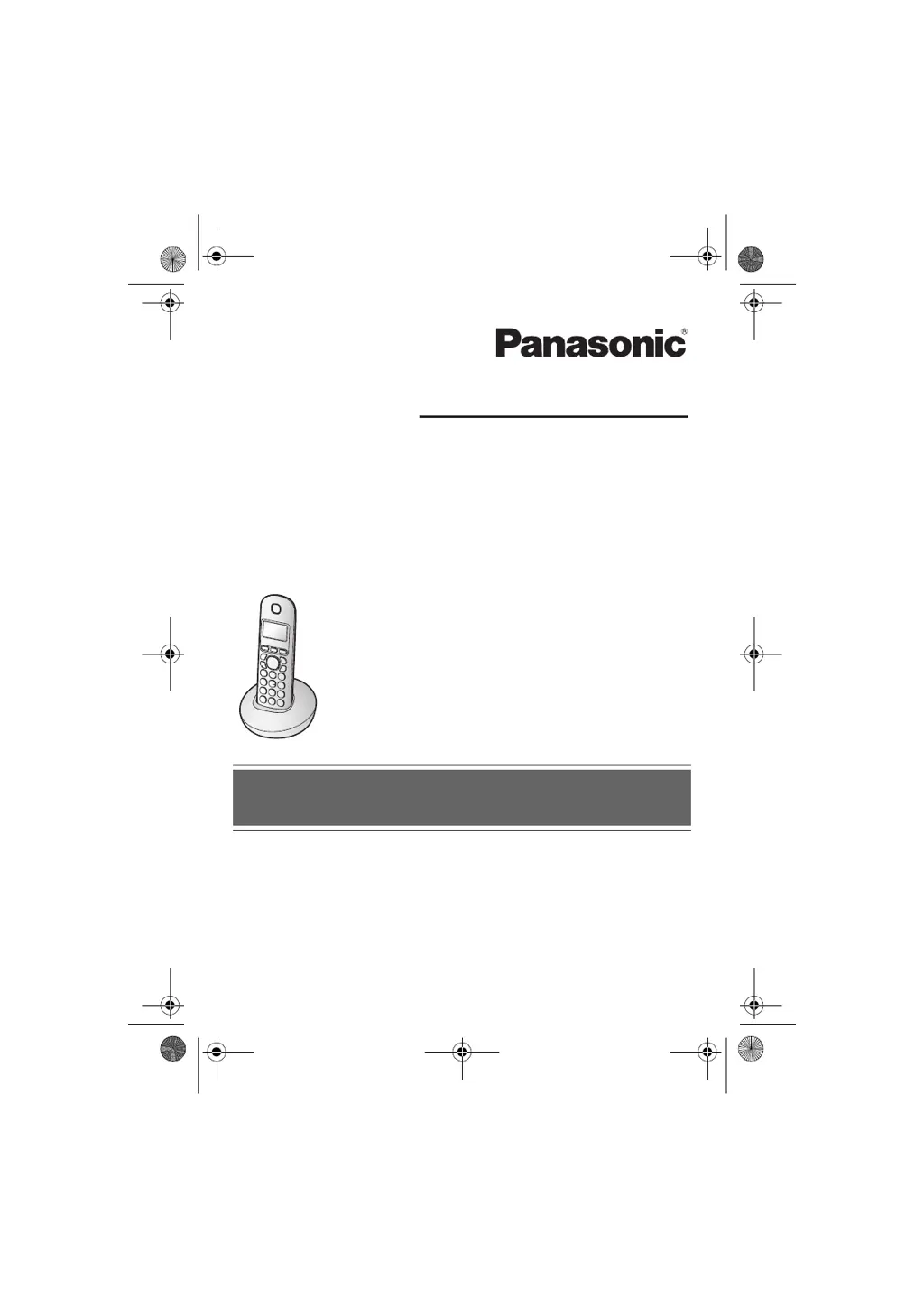
KX-TGB210FX
KX-TGB212FX
Digital Cordless Phone
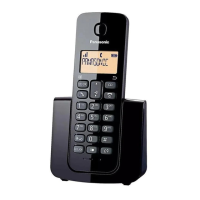
Model shown is KX-TGB210.
TGB21xFX(en).book Page 1 Friday, March 21, 2014 4:22 PM

Questions and Answers

  • P
    Patricia LopezAug 20, 2025
    Why can't I hear a dial tone on my Panasonic KX-TGB212FX?
    • K
      Kyle WilliamsAug 20, 2025
      If you cannot hear a dial tone on your Panasonic Cordless Telephone, ensure that you are using the supplied telephone line cord, as your old one may have a different wiring configuration. Also, check that the base unit’s AC adaptor and telephone line cord are properly connected.
  • M
    Melissa SmithAug 22, 2025
    What to do if my Panasonic KX-TGB212FX is not working?
    • T
      Tammy RiveraAug 22, 2025
      If your Panasonic Cordless Telephone is not working, make sure the batteries are installed correctly and fully charged. Check all the connections. Unplug the base unit’s AC adaptor to reset the unit, turn off the handset, reconnect the adaptor, turn on the handset, and try again. You can also remove and reinstall the batteries from the handset. Ensure the handset has been registered to the base unit.
  • T
    Tyler WoodsAug 25, 2025
    Why is my Panasonic Cordless Telephone battery not charging or draining quickly?
    • J
      Jason DurhamAug 25, 2025
      If the battery level on your Panasonic Cordless Telephone does not increase after a full charge, or the operating time seems shorter, clean the battery ends and the charge contacts with a dry cloth and charge again. It may also be time to replace the batteries.
  • K
    Kristen AcostaAug 26, 2025
    How to fix a Panasonic KX-TGB212FX Cordless Telephone that doesn't ring?
    • J
      John OconnellAug 27, 2025
      If the handset of your Panasonic Cordless Telephone does not ring, adjust the ringer volume.
  • A
    Alan MartinAug 28, 2025
    How to fix the time if it has shifted on my Panasonic Cordless Telephone?
    • R
      Robert ShermanAug 28, 2025
      If the time on your Panasonic Cordless Telephone has shifted, set the time adjustment to “Manual” (off).
  • D
    djohnsonAug 30, 2025
    Why is there noise or sound cutting in and out on my Panasonic KX-TGB212FX Cordless Telephone?
    • A
      Amy MataAug 30, 2025
      If you are experiencing noise or the sound cuts in and out while using your Panasonic Cordless Telephone, it could be due to electrical interference. Try repositioning the base unit and using the handset away from sources of interference. If you have DSL/ADSL service, consider connecting a DSL/ADSL filter between the base unit and the telephone line jack. You can also try to unplug the base unit’s AC adaptor to reset the unit and turn off the handset, then reconnect the adaptor, turn on the handset and try again. Moving closer to the base unit may also improve the sound quality.
  • C
    Christopher WilliamsSep 1, 2025
    Why is the display blank on my Panasonic KX-TGB212FX handset?
    • M
      Michael ShermanSep 1, 2025
      If your Panasonic Cordless Telephone handset display is blank, turn the power on.
  • M
    marytaylorSep 3, 2025
    Why does my Panasonic Cordless Telephone handset beep and/or display 8?
    • C
      Christine RogersSep 3, 2025
      If your Panasonic Cordless Telephone handset beeps and/or displays '8', fully charge the batteries.
  • T
    Tina CarpenterSep 5, 2025
    What to do if my Panasonic KX-TGB212FX Cordless Telephone handset does not turn on?
    • Q
      qhumphreySep 5, 2025
      If the handset of your Panasonic Cordless Telephone does not turn on even after installing charged batteries, place the handset on the base unit or charger. This should turn on the handset.
  • J
    Jennifer GreeneSep 7, 2025
    What does it mean when 'w' is flashing on my Panasonic Cordless Telephone?
    • A
      Ashley CamposSep 7, 2025
      If 'w' is flashing on your Panasonic Cordless Telephone, the handset is too far from the base unit, so move closer. Also, ensure the base unit’s AC adaptor is properly connected. If the issue persists, the handset may not be registered to the base unit; in this case, register it.

Panasonic KX-TGB212FX Specifications

General IconGeneral
TypeCordless Telephone
Frequency1.9 GHz
Number of Handsets1
Talk TimeUp to 10 hours
Standby TimeUp to 200 hours
Phonebook Capacity50 entries
Caller IDYes
Weight (Handset)120 g
DECTYes
GAP compatibleYes
Call WaitingYes
Handset SpeakerphoneNo
Answering MachineNo
DisplayLCD
IntercomYes
Power SourceRechargeable NiMH battery
RangeUp to 50m indoor, 300m outdoor
Ringtones10

Related product manuals