EasyManua.ls Logo

Panasonic KX-TGB210E - User Manual

Panasonic KX-TGB210E
32 pages
Print Icon
To Next Page IconTo Next Page
Loading...
Thank you for purchasing a Panasonic product.
Please read these operating instructions before using the unit and save them for
future reference.
This unit is compatible with Caller ID. You must subscribe to the appropriate service
offered by your service provider/telephone company.
Before initial use, see “Getting Started”
on page 10.
Please access our online customer survey:
http://panasonic.net/pcc/tel/q
Operating Instructions
Model No. KX-TGB210E
KX-TGB212E
KX-TGB213E
KX-TGB214E
Digital Cordless Phone
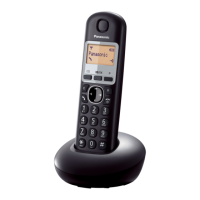
Model shown is KX-TGB210.
TGB21xE(en).book Page 1 Wednesday, April 9, 2014 11:53 AM

Other manuals for Panasonic KX-TGB210E

Questions and Answers

Summary

Panasonic Digital Cordless Phone Operating Instructions

Model Identification

Lists the supported model numbers for the digital cordless phone.

Initial Setup Guidance

Guides users to the 'Getting Started' section for initial setup procedures.

Product Composition and Accessories

Model Lineup

Details the different model numbers in the product series and their base unit/handset configurations.

Supplied Accessories

Lists and quantifies the accessories included with the product package.

Product Support, Sales, and Regulatory Information

Replacement Accessories

Provides information on ordering replacement accessories like batteries.

Customer Support and Sales

Offers contact details for customer support, sales, and online ordering.

General Information and Declaration

Covers general operational information and regulatory compliance statements.

Warranty Information and Purchase Record

Warranty Record Details

Provides space to record essential purchase details for warranty purposes.

Receipt Attachment Reminder

Advises users to attach their purchase receipt for future reference.

Critical Safety Instructions and Precautions

Power Connection Safety

Details safety guidelines for connecting the power adaptor and using outlets.

Installation Safety Guidelines

Provides safety advice regarding installation location and environmental factors.

Operating Safeguards

Outlines precautions for safe operation, including cleaning and product handling.

Medical Device Safety

Addresses RF energy exposure concerns for users with medical devices.

Product Usage, Battery Safety, and Best Performance

Battery Safety and Handling

Details safety precautions for handling and using rechargeable batteries.

Base Unit Location for Performance

Provides guidance on selecting the best location for the base unit for optimal performance.

Environmental Considerations

Advises on environmental factors that can affect product performance and longevity.

Product Care, Disposal, and Regulatory Information

Routine Care Instructions

Provides instructions on how to clean and maintain the product's exterior.

Product Disposal and Transfer Notice

Advises on erasing personal data before disposing of or transferring the product.

Equipment and Battery Disposal

Explains how to properly collect, treat, recover, and recycle old equipment and batteries.

Technical Specifications and Important Notes

Technical Specifications

Details the technical specifications including standard, frequency range, power, and operating conditions.

Battery Symbol and Removal Notes

Explains battery symbols and directs users to battery removal procedures.

Getting Started: Setup and Battery Installation

Connecting the Base Unit

Guides through the physical connections for the base unit, including AC adaptor and telephone line.

Battery Installation Procedure

Details the correct procedure for installing rechargeable batteries into the handset.

Initial Battery Charging

Informs users about the initial battery charging time required for the handset.

Setup Notes, Power Failure, and Battery Performance

Connection and Power Failure Notes

Provides important notes on AC adaptor connection and what to do during a power failure.

Battery Installation and Charging Notes

Offers additional guidance on battery installation and charging procedures.

Battery Performance Expectations

Explains the expected operating times for the handset batteries under different usage conditions.

Handset and Base Unit Controls and Display

Handset Controls Overview

Identifies and describes the functions of buttons and controls on the handset.

Base Unit Controls Overview

Identifies and describes the functions of buttons and controls on the base unit.

Handset Display Items

Explains the various icons and indicators shown on the handset display.

Power Management, Initial Settings, and Date;Time

Power On;Off Procedures

Provides instructions on how to turn the handset and base unit on and off.

Initial Setup Configurations

Guides users through initial setup configurations such as display language.

Setting Date and Time

Details the procedure for setting the correct date and time on the unit.

Making Calls, Redialing, and Answering

Making Calls Directly

Explains the basic steps for making a phone call by dialing the number.

Using the Redial List

Details how to view and call numbers from the redial list.

Answering Incoming Calls

Provides instructions on how to answer an incoming call.

Pause Functionality for Dialing

Explains the use of the pause function for dialing access numbers or PINs.

Call Features: Volume, Mute, Recall, and Call Waiting

Adjusting Ringer Volume

Details how to adjust the handset's ringer volume, both during and before calls.

Mute Functionality During Calls

Explains how to use the mute function during a call.

Recall;Flash Function Usage

Describes the recall/flash function for accessing PBX features or telephone services.

Call Waiting and Caller ID

Explains how to use call waiting and view Caller ID information for incoming calls.

Phonebook Management: Adding, Editing, and Calling Entries

Adding Phonebook Entries

Guides on how to add new names and phone numbers to the phonebook.

Finding and Calling from Phonebook

Details how to search for and make calls to entries stored in the phonebook.

Editing and Erasing Entries

Explains procedures for editing existing entries and erasing single or all entries.

Chain Dial Feature

Describes the chain dial feature for dialing stored numbers without manual input.

Programmable Settings Overview

Programming via Display Menus

Explains the general method for navigating the display menus to program settings.

Ringer Setup Options

Details how to program the ringer volume and select ringtones.

Setting Time and Alarm Functions

Covers programming the unit's time, date, and alarm functions.

Phonebook and Caller List Settings

Lists options for managing the phonebook and caller list entries.

Setup Options, Recall, Privacy, and Intercom Settings

General Setup Options

Details various setup options including display language, contrast, and auto talk.

Recall;Flash and Privacy Mode Settings

Explains settings for recall/flash time and privacy mode for calls.

PIN and Intercom Configuration

Covers changing the unit's PIN and configuring intercom features.

Setting Up and Customizing the Alarm

Alarm Setup Procedure

Provides a step-by-step guide to set up the alarm, including time, repeat, and tone.

Alarm Operation Notes

Explains how the alarm sounds, how to stop it, and its behavior in standby mode.

Using Caller ID and Viewing Caller Lists

Caller ID Service Requirements

Explains the need to subscribe to a Caller ID service to use its features.

Caller ID Features and Display

Details how caller information is displayed, including 'Out of Area' and 'Private' messages.

Viewing the Caller List

Guides users on how to view the list of incoming calls and their details.

Editing Caller Number Before Callback

Explains how to edit a caller's phone number before initiating a callback.

Managing Caller Information

Erasing Caller Information

Provides instructions for erasing individual or all entries from the caller list.

Storing Caller Information to Phonebook

Details how to save caller information directly into the phonebook.

Voice Mail Service Features

Voice Mail Service Explanation

Explains what voice mail service is and how it interacts with the telephone.

New Message Indication

Describes the indicator for new voice messages and how to clear it.

Intercom, Handset Locator, and Call Transfer

Intercom Call Procedures

Details how to make and answer intercom calls between handsets.

Handset Locator Function

Explains how to use the base unit to page and locate a misplaced handset.

Transferring and Conference Calls

Guides on transferring outside calls and establishing conference calls between handsets.

Character Entry and Input Modes

Character Entry Basics

Explains how to use the dial keys to enter characters and numbers, including cursor movement.

Available Character Entry Modes

Describes the available character entry modes and how to switch between them.

Advanced Character Sets

Extended Character Tables

Presents tables for extended character sets, including accented letters.

Cyrillic Character Table

Provides the character table for Cyrillic script input.

Error Messages and General Troubleshooting

Error Messages and Solutions

Lists common error messages and their corresponding causes and solutions.

General Use Troubleshooting

Addresses common problems such as the handset not turning on or the unit not working.

Troubleshooting Programmable Settings, Battery, and Calls

Programmable Settings Troubleshooting

Provides solutions for issues related to programmable settings, such as incorrect display language.

Battery Recharge Troubleshooting

Addresses problems related to battery charging and performance.

Call and Intercom Troubleshooting

Covers troubleshooting for call making, receiving, intercom, and noise issues.

Troubleshooting Caller ID and Liquid Damage

Caller ID Display Issues

Offers solutions for problems with displaying caller information, including slow display or no display.

Liquid Damage Handling Procedures

Provides instructions and cautions for handling units that have been exposed to liquid.

Handset and PIN Management

Registering a Handset to the Base Unit

Details the procedure for registering a new handset to the base unit.

Deregistering a Handset

Explains how to cancel a handset's registration from the base unit.

Changing the Base Unit PIN

Provides instructions on how to change the base unit's personal identification number (PIN).

Product Guarantee Information

Guarantee Terms and Conditions

Outlines the terms and conditions of the product guarantee, including coverage and exclusions.

Warranty Period and Record Keeping

Specifies the guarantee period and reiterates the importance of keeping the receipt.

Troubleshooting and Customer Support

Product Not Working Properly Checks

Lists essential checks to perform if the product is not functioning correctly.

Customer Helpline and Website

Provides contact details for the Panasonic DECT Helpline and website for further assistance.

Summary

Panasonic Digital Cordless Phone Operating Instructions

Model Identification

Lists the supported model numbers for the digital cordless phone.

Initial Setup Guidance

Guides users to the 'Getting Started' section for initial setup procedures.

Product Composition and Accessories

Model Lineup

Details the different model numbers in the product series and their base unit/handset configurations.

Supplied Accessories

Lists and quantifies the accessories included with the product package.

Product Support, Sales, and Regulatory Information

Replacement Accessories

Provides information on ordering replacement accessories like batteries.

Customer Support and Sales

Offers contact details for customer support, sales, and online ordering.

General Information and Declaration

Covers general operational information and regulatory compliance statements.

Warranty Information and Purchase Record

Warranty Record Details

Provides space to record essential purchase details for warranty purposes.

Receipt Attachment Reminder

Advises users to attach their purchase receipt for future reference.

Critical Safety Instructions and Precautions

Power Connection Safety

Details safety guidelines for connecting the power adaptor and using outlets.

Installation Safety Guidelines

Provides safety advice regarding installation location and environmental factors.

Operating Safeguards

Outlines precautions for safe operation, including cleaning and product handling.

Medical Device Safety

Addresses RF energy exposure concerns for users with medical devices.

Product Usage, Battery Safety, and Best Performance

Battery Safety and Handling

Details safety precautions for handling and using rechargeable batteries.

Base Unit Location for Performance

Provides guidance on selecting the best location for the base unit for optimal performance.

Environmental Considerations

Advises on environmental factors that can affect product performance and longevity.

Product Care, Disposal, and Regulatory Information

Routine Care Instructions

Provides instructions on how to clean and maintain the product's exterior.

Product Disposal and Transfer Notice

Advises on erasing personal data before disposing of or transferring the product.

Equipment and Battery Disposal

Explains how to properly collect, treat, recover, and recycle old equipment and batteries.

Technical Specifications and Important Notes

Technical Specifications

Details the technical specifications including standard, frequency range, power, and operating conditions.

Battery Symbol and Removal Notes

Explains battery symbols and directs users to battery removal procedures.

Getting Started: Setup and Battery Installation

Connecting the Base Unit

Guides through the physical connections for the base unit, including AC adaptor and telephone line.

Battery Installation Procedure

Details the correct procedure for installing rechargeable batteries into the handset.

Initial Battery Charging

Informs users about the initial battery charging time required for the handset.

Setup Notes, Power Failure, and Battery Performance

Connection and Power Failure Notes

Provides important notes on AC adaptor connection and what to do during a power failure.

Battery Installation and Charging Notes

Offers additional guidance on battery installation and charging procedures.

Battery Performance Expectations

Explains the expected operating times for the handset batteries under different usage conditions.

Handset and Base Unit Controls and Display

Handset Controls Overview

Identifies and describes the functions of buttons and controls on the handset.

Base Unit Controls Overview

Identifies and describes the functions of buttons and controls on the base unit.

Handset Display Items

Explains the various icons and indicators shown on the handset display.

Power Management, Initial Settings, and Date;Time

Power On;Off Procedures

Provides instructions on how to turn the handset and base unit on and off.

Initial Setup Configurations

Guides users through initial setup configurations such as display language.

Setting Date and Time

Details the procedure for setting the correct date and time on the unit.

Making Calls, Redialing, and Answering

Making Calls Directly

Explains the basic steps for making a phone call by dialing the number.

Using the Redial List

Details how to view and call numbers from the redial list.

Answering Incoming Calls

Provides instructions on how to answer an incoming call.

Pause Functionality for Dialing

Explains the use of the pause function for dialing access numbers or PINs.

Call Features: Volume, Mute, Recall, and Call Waiting

Adjusting Ringer Volume

Details how to adjust the handset's ringer volume, both during and before calls.

Mute Functionality During Calls

Explains how to use the mute function during a call.

Recall;Flash Function Usage

Describes the recall/flash function for accessing PBX features or telephone services.

Call Waiting and Caller ID

Explains how to use call waiting and view Caller ID information for incoming calls.

Phonebook Management: Adding, Editing, and Calling Entries

Adding Phonebook Entries

Guides on how to add new names and phone numbers to the phonebook.

Finding and Calling from Phonebook

Details how to search for and make calls to entries stored in the phonebook.

Editing and Erasing Entries

Explains procedures for editing existing entries and erasing single or all entries.

Chain Dial Feature

Describes the chain dial feature for dialing stored numbers without manual input.

Programmable Settings Overview

Programming via Display Menus

Explains the general method for navigating the display menus to program settings.

Ringer Setup Options

Details how to program the ringer volume and select ringtones.

Setting Time and Alarm Functions

Covers programming the unit's time, date, and alarm functions.

Phonebook and Caller List Settings

Lists options for managing the phonebook and caller list entries.

Setup Options, Recall, Privacy, and Intercom Settings

General Setup Options

Details various setup options including display language, contrast, and auto talk.

Recall;Flash and Privacy Mode Settings

Explains settings for recall/flash time and privacy mode for calls.

PIN and Intercom Configuration

Covers changing the unit's PIN and configuring intercom features.

Setting Up and Customizing the Alarm

Alarm Setup Procedure

Provides a step-by-step guide to set up the alarm, including time, repeat, and tone.

Alarm Operation Notes

Explains how the alarm sounds, how to stop it, and its behavior in standby mode.

Using Caller ID and Viewing Caller Lists

Caller ID Service Requirements

Explains the need to subscribe to a Caller ID service to use its features.

Caller ID Features and Display

Details how caller information is displayed, including 'Out of Area' and 'Private' messages.

Viewing the Caller List

Guides users on how to view the list of incoming calls and their details.

Editing Caller Number Before Callback

Explains how to edit a caller's phone number before initiating a callback.

Managing Caller Information

Erasing Caller Information

Provides instructions for erasing individual or all entries from the caller list.

Storing Caller Information to Phonebook

Details how to save caller information directly into the phonebook.

Voice Mail Service Features

Voice Mail Service Explanation

Explains what voice mail service is and how it interacts with the telephone.

New Message Indication

Describes the indicator for new voice messages and how to clear it.

Intercom, Handset Locator, and Call Transfer

Intercom Call Procedures

Details how to make and answer intercom calls between handsets.

Handset Locator Function

Explains how to use the base unit to page and locate a misplaced handset.

Transferring and Conference Calls

Guides on transferring outside calls and establishing conference calls between handsets.

Character Entry and Input Modes

Character Entry Basics

Explains how to use the dial keys to enter characters and numbers, including cursor movement.

Available Character Entry Modes

Describes the available character entry modes and how to switch between them.

Advanced Character Sets

Extended Character Tables

Presents tables for extended character sets, including accented letters.

Cyrillic Character Table

Provides the character table for Cyrillic script input.

Error Messages and General Troubleshooting

Error Messages and Solutions

Lists common error messages and their corresponding causes and solutions.

General Use Troubleshooting

Addresses common problems such as the handset not turning on or the unit not working.

Troubleshooting Programmable Settings, Battery, and Calls

Programmable Settings Troubleshooting

Provides solutions for issues related to programmable settings, such as incorrect display language.

Battery Recharge Troubleshooting

Addresses problems related to battery charging and performance.

Call and Intercom Troubleshooting

Covers troubleshooting for call making, receiving, intercom, and noise issues.

Troubleshooting Caller ID and Liquid Damage

Caller ID Display Issues

Offers solutions for problems with displaying caller information, including slow display or no display.

Liquid Damage Handling Procedures

Provides instructions and cautions for handling units that have been exposed to liquid.

Handset and PIN Management

Registering a Handset to the Base Unit

Details the procedure for registering a new handset to the base unit.

Deregistering a Handset

Explains how to cancel a handset's registration from the base unit.

Changing the Base Unit PIN

Provides instructions on how to change the base unit's personal identification number (PIN).

Product Guarantee Information

Guarantee Terms and Conditions

Outlines the terms and conditions of the product guarantee, including coverage and exclusions.

Warranty Period and Record Keeping

Specifies the guarantee period and reiterates the importance of keeping the receipt.

Troubleshooting and Customer Support

Product Not Working Properly Checks

Lists essential checks to perform if the product is not functioning correctly.

Customer Helpline and Website

Provides contact details for the Panasonic DECT Helpline and website for further assistance.

Panasonic KX-TGB210E Specifications

General IconGeneral
BrandPanasonic
ModelKX-TGB210E
CategoryCordless Telephone
LanguageEnglish

Related product manuals