
 Need help?
Do you have a question about the Panasonic KX-TGB810 and is the answer not in the manual?
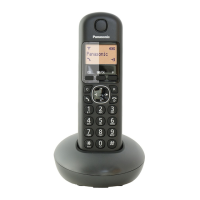
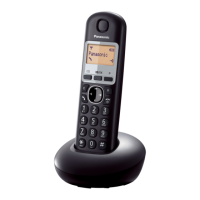
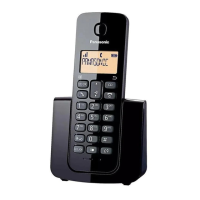
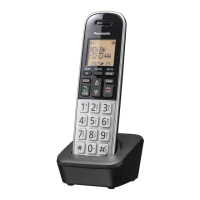
Details the components of the KX-TGB810/KX-TGB812 models, including base unit and handset parts.
Lists supplied accessories with part numbers and quantities for each model.
Notes on design, specifications, and illustration variations.
Explains symbols used on the equipment and their meanings.
Essential safety precautions to prevent severe injury and loss of life/property.
Guidelines for safe installation and placement of the telephone unit.
Recommendations for battery usage, charging, and handling precautions.
Basic safety precautions for reducing risk of fire, electric shock, and injury.
Tips for optimal operation, including base unit placement and avoiding noise.
Recommendations for operating the unit in suitable environmental conditions.
Instructions for cleaning, maintenance, and general notes.
Advice on privacy, product design, and regional use.
Technical details including frequency range, power, and operating conditions.
Connecting the base unit, charger, and telephone line.
Steps for inserting handset batteries and important notes.
Guidance on charging, replacement batteries, and charging notes.
Important notes for AC adapter connections and operation during power outages.
Battery level, performance, and how to navigate menus.
Setting date/time and configuring other preferences.
Identifies and explains the buttons and features on the handset.
Identifies and explains controls on the base unit.
Overview and meaning of icons shown on the handset display.
A visual representation of the phone's menu structure and options.
Steps for initiating, receiving, ending calls, and adjusting volume.
Using features like mute during a call.
Using Flash, call waiting, temporary tone dialing.
Features for internal calls, transferring, and conference calls.
Managing 3-way calls and using the redial list.
Using the base unit to find a misplaced handset.
Storing, viewing, dialing, and editing phonebook entries.
Guidance on using keypad letters and special characters for names.
Removing entries, clearing the list, and chain dialing.
Assigning and storing numbers for speed dial keys.
How to use speed dial keys to make calls.
Requirements, features, missed calls, area code, and call list type.
Viewing, dialing, saving, editing, and deleting caller entries.
Adding numbers to the call block list.
Blocking unwanted, anonymous calls and managing the block list.
Adjusting flash time and dial mode.
Setting auto clock, date, time, and alarm functions.
Adjusting ringer volume, melodies, and key tones.
Switching the docking beep sound on or off.
Managing battery tones, handset names, language, auto answer/hang-up.
Resetting the phone to its original factory settings.
Lists default settings after a factory reset.
Using voicemail service and mounting the unit on a wall.
Solutions for common issues like no dial tone or display.
Troubleshooting handset ringing and noise interference.
Step-by-step guide to register a new handset to the base unit.
Removing a handset and handling liquid damage procedures.
Compliance with FCC rules and regulations for telephone equipment.
FCC compliance, RFI, and guidelines for emergency number programming.
Details on RF exposure limits and safe operating distances.
Information on where to find accessories, parts, and support.
Details of the product's limited warranty coverage and terms.
Instructions for submitting repair requests and shipping units.
Specific limitations and exclusions that are not covered by the warranty.
Alphabetical listing of topics and their corresponding page numbers.
 General
| Type | Cordless Telephone |
|---|---|
| Number of Handsets | 1 |
| Display | LCD |
| Phonebook Capacity | 50 |
| Ringtones | 10 |
| Standby Time | 200 hours |
| Frequency | 1.9 GHz |
| GAP compatible | Yes |
| Answering Machine | No |
| Caller ID | Yes |
| Call Waiting | Yes |
| Speakerphone | Yes |
| Intercom | Yes |
| Color | Black |
| DECT Standard | DECT |
| Range | Up to 50 meters indoors |






 To Next Page