
 Need help?
Do you have a question about the Panasonic KX-TGC210C and is the answer not in the manual?
Information and models for the Digital Cordless Phone.
Information and models for the Answering System.
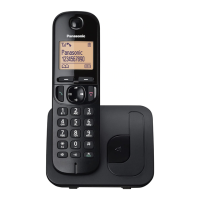
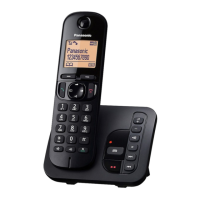
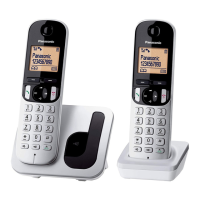
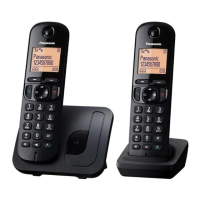
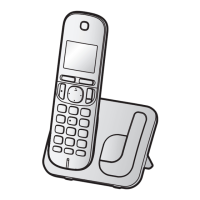
Details of phone models and their components.
List of supplied accessories with quantities.
Information on ordering extra accessories.
Options for adding more handsets.
Crucial safety precautions to prevent injury or damage.
Guidelines for safe and proper installation.
Proper use, care, and disposal of batteries.
Essential safety guidelines for product use.
Advice on placement, environment, and product maintenance.
Guidance on data privacy before disposal.
Information on energy efficiency and hearing aid compatibility.
Technical details and operating parameters of the phone.
Step-by-step guide for connecting the base unit and charger.
Instructions for inserting rechargeable batteries correctly.
Charging procedures, notes, and intelligent eco mode.
Important connection advice and power outage preparedness.
Explanation of buttons and functions on the handset.
Identification of parts and features on the base unit.
Interpreting display symbols and configuring languages.
Setting the language for voice prompts.
Setting date, time, and selecting dialing mode.
Instructions for recording a custom greeting.
Initiating calls, using speaker, and adjusting volume.
Using redial list and procedures for answering calls.
Explains features like Hold, Mute, Flash, Call Waiting.
How to share calls and set up conferences.
How to make and answer intercom calls between handsets.
Procedures for managing phonebook contacts and redial lists.
Saving caller details into the phonebook.
Customizing groups and using chain dial feature.
Procedures for modifying or deleting entries.
Assigning numbers to speed dial keys for quick dialing.
Methods to access features via menus or command codes.
Overview of menu structure and direct command codes.
Adjusting various operational settings like ring count and recording time.
Configuring voice mail access and intercom features.
Setting date, time, alarm, and other initial configurations.
Setting date, time, alarm, and blocking unwanted calls.
Configuring speed dial, voice mail, and display preferences.
Configuring line, flash, call waiting deluxe, and privacy.
Registering handsets and changing display language.
Accessing online support information.
Setting and configuring alarm and night mode features.
Blocking callers, calls without numbers, and managing lists.
Configuring the initial ring behavior for blocked calls.
Assigning custom names to handsets for intercom calls.
Adding or removing handsets from the base unit.
How to view caller information on incoming calls.
Managing second calls with Call Waiting Deluxe.
Viewing, editing, and erasing call history.
Options for handling incoming calls with Call Waiting Deluxe.
Clearing the entire call history log.
Activating or deactivating the answering system.
Using pre-recorded or custom greeting messages.
Restoring and listening to greeting messages.
Accessing and managing recorded voice messages.
Operating remotely, setting codes, and using voice prompts.
Setting rings before answer and managing provider's voicemail.
Setting caller recording duration and greeting-only mode.
Information on provider's voicemail and storing access numbers.
Managing notifications for new voicemail.
Guidance for securely mounting the charger.
Troubleshooting common error messages displayed by the unit.
Resolving issues with power, menus, and battery.
Resolving issues with calls, battery, and intercom.
Resolving problems with caller ID display and timing.
Solutions for answering system and voicemail notification issues.
Procedures for dealing with moisture damage to the unit.
Regulatory compliance and RF exposure guidelines.
Details of the limited warranty and exchange program.
 General
| Type | Cordless Telephone |
|---|---|
| Number of Handsets | 1 |
| Frequency | 1.9 GHz |
| DECT | Yes |
| Caller ID | Yes |
| Speakerphone | Yes |
| Call Waiting | Yes |
| Wall Mountable | Yes |
| Intercom | Yes |
| Answering Machine | No |
| Power Source | AC Adapter |
| Range | Up to 50m indoor, 300m outdoor |
| Display | 1.6-inch LCD |
| Phonebook Capacity | 50 names and numbers |
| Expandable Handsets | Up to 6 handsets |
| Battery Type | NiMH |


 To Next Page