EasyManua.ls Logo

Panasonic KX-TGC223NZ - User Manual

Panasonic KX-TGC223NZ
44 pages
Print Icon
To Next Page IconTo Next Page
Loading...
Operating Instructions
Digital Cordless Phone
Model No.
KX-TGC210NZ
KX-TGC212NZ
Digital Cordless Answering System
Model No.
KX-TGC220NZ
KX-TGC222NZ
KX-TGC223NZ
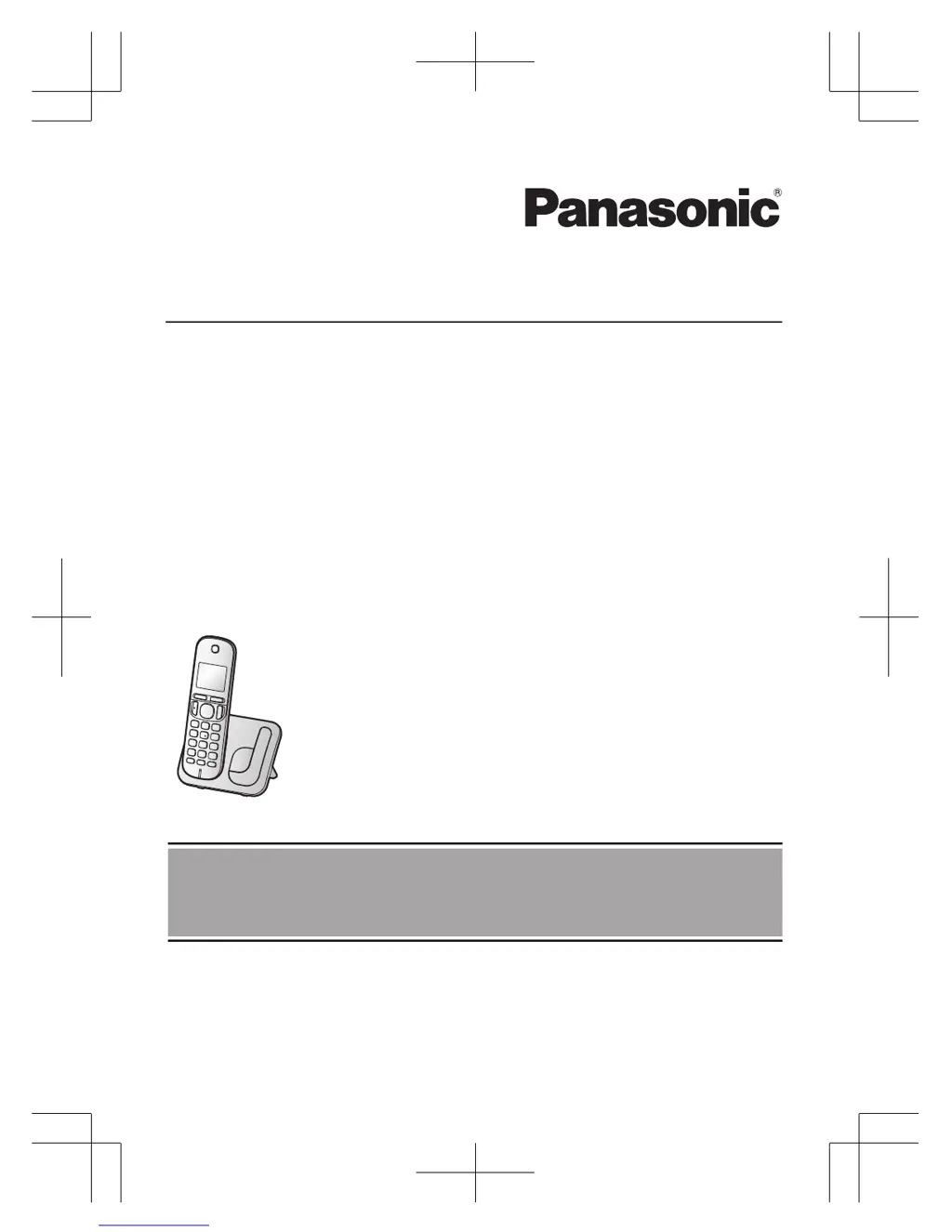
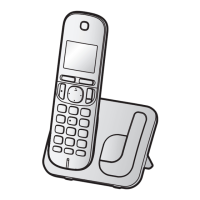
Model shown is KX-TGC210.
Before initial use, see “Getting Started”
on page 9.
Thank you for purchasing a Panasonic product.
Please read these operating instructions before using the unit and save them for
future reference.
TGC21x_22xNZ_OI_(en-en)_0513_ver.002.pdf 1 2014/05/13 12:05:45

Other manuals for Panasonic KX-TGC223NZ

Questions and Answers

  • J
    Joseph PhillipsSep 23, 2025
    What to do if liquid entered my Panasonic KX-TGC223NZ Cordless Telephone?
    • C
      catherine72Sep 23, 2025
      If liquid or other form of moisture has entered the handset/base unit of your Panasonic Cordless Telephone, disconnect the AC adaptor and telephone line cord from the base unit. Remove the batteries from the handset and leave to dry for at least 3 days. After the handset/base unit are completely dry, reconnect the AC adaptor and telephone line cord. Insert the batteries and charge fully before use. If the unit does not work properly, contact an authorised service centre.
  • B
    Belinda MaldonadoAug 23, 2025
    What to do if my Panasonic KX-TGC223NZ unit does not work?
    • R
      reyeseduardoAug 23, 2025
      If your Panasonic Cordless Telephone is not working, please check the following: * Ensure the batteries are installed correctly. * Fully charge the batteries. * Check all connections. * Unplug the base unit’s AC adaptor to reset the unit and turn off the handset. Reconnect the adaptor, turn on the handset, and try again. * Ensure the handset has been registered to the base unit. If not, register the handset.
  • T
    Taylor JonesAug 25, 2025
    Why Panasonic Cordless Telephone handset does not ring?
    • C
      Christina ReedAug 25, 2025
      If the handset of your Panasonic Cordless Telephone does not ring, the ringer volume might be turned off. Adjust the ringer volume.
  • D
    david07Aug 26, 2025
    Why Panasonic Cordless Telephone base unit does not ring?
    • N
      nancyromeroAug 27, 2025
      If the base unit of your Panasonic Cordless Telephone does not ring, the ringer volume might be turned off. Adjust the ringer volume.
  • J
    joseph68Aug 27, 2025
    Why I cannot make a call on my Panasonic KX-TGC223NZ Cordless Telephone?
    • J
      Jon ButlerAug 27, 2025
      If you cannot make a call on your Panasonic Cordless Telephone, consider the following: * If you are using a BT double adaptor, remove it and connect the unit directly to the phone wall socket. If it then works, check or replace the adaptor. * You may have dialled a call restricted number. * The key lock feature might be turned on; turn it off. * The unit is not designed to be used with rotary/pulse dialling services.
  • J
    Judy KimSep 18, 2025
    Why the name stored in the phonebook is not fully displayed on my Panasonic Cordless Telephone?
    • J
      jorge93Sep 18, 2025
      If the name stored in the phonebook of your Panasonic Cordless Telephone is not fully displayed while an outside call is being received, edit the phonebook entry name to fit in 1 line of text.
  • M
    Melissa StoneSep 15, 2025
    Why I cannot operate the answering system remotely on my Panasonic Cordless Telephone?
    • M
      marynelsonSep 15, 2025
      If you cannot operate the answering system of your Panasonic Cordless Telephone remotely, it could be due to the following reasons: * The remote access code is not set; set the remote access code. * You are entering the wrong remote access code. If you have forgotten it, check your current code in the remote access code setting. * The answering system is turned off; turn it on.
  • M
    Marissa BarrettSep 16, 2025
    Why I cannot register a handset to a base unit on my Panasonic Cordless Telephone?
    • K
      Karen LynchSep 16, 2025
      If you cannot register a handset to a base unit on your Panasonic Cordless Telephone, you may have entered the wrong PIN. If you forget your PIN, contact an authorised service centre.
  • B
    bradfordstaceySep 6, 2025
    Why Panasonic KX-TGC223NZ does not emit the specified number of rings?
    • A
      Allison CarterSep 6, 2025
      If the unit of your Panasonic Cordless Telephone does not emit the specified number of rings, it may be because if the first ring is turned off, the number of rings decreases by 1 from the specified number of rings.
  • L
    Lauren ClarkSep 3, 2025
    Why caller information is slow to display on my Panasonic KX-TGC223NZ?
    • V
      vwilsonSep 4, 2025
      If caller information is slow to display on your Panasonic Cordless Telephone, the unit may display the caller’s information at the 2nd ring or later, depending on your service provider/telephone company. Set the first ring to “Off”. You can also try moving closer to the base unit.

Summary

Important Information

For Your Safety

Crucial safety guidelines to prevent injury and property loss.

Important Safety Instructions

Basic safety precautions to reduce risk of fire, shock, and injury.

Getting Started

Turning Power On;Off

Instructions on how to power the unit on and off.

Controls

Handset Controls

Identification of buttons and features on the handset.

Base Unit Controls

Identification of buttons and features on the base unit.

Making;Answering Calls

Making Calls

Step-by-step guide to dial phone numbers.

Answering Calls

Instructions on how to receive incoming calls.

Phonebook

Programming

Nuisance Call Block

Managing blocked numbers and call screening settings.

Caller ID Service

Using Caller ID Service

Requirements and display information for Caller ID.

Answering System

Error Messages

Troubleshooting

Liquid Damage

Handset Registration

Warranty

Panasonic KX-TGC223NZ Specifications

General IconGeneral
BrandPanasonic
ModelKX-TGC223NZ
CategoryCordless Telephone
LanguageEnglish

Related product manuals