EasyManua.ls Logo

Panasonic KX-TGC212 - User Manual

Panasonic KX-TGC212
56 pages
Print Icon
To Next Page IconTo Next Page
Loading...
Operating Instructions
Digital Cordless Phone
Model No.
KX-TGC210
KX-TGC212
KX-TGC213
Digital Cordless Answering System
Model No.
KX-TGC220
KX-TGC222
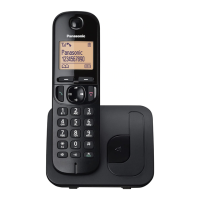
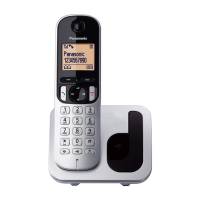
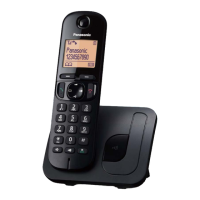
R Model shown is KX-TGC210.
Before initial use, see “Getting Started”
on page 9.
Thank you for purchasing a Panasonic product.
Please read these operating instructions before using the unit and save them for
future reference.
Consulte “Guía Rápida Española”, página 45.
For assistance, visit our Web site: http://www.panasonic.com/help for customers
in the U.S.A. or Puerto Rico.
Please register your product: http://www.panasonic.com/prodreg
TGC2xx(en_en)_1209_ver030.pdf 1 2013/12/09 11:46:09
Question and Answer IconNeed help?

Do you have a question about the Panasonic KX-TGC212 and is the answer not in the manual?

Summary

Introduction

Model Composition

Details the components and models included in the product package.

Accessory Information

Lists the supplied accessories and their quantities for different models.

Expanding Your Phone System

Information on adding optional handsets to expand the phone system.

Important Information

Safety and Installation

Crucial safety warnings and guidance on safe installation and location.

Battery and Performance

Recommendations for batteries and tips for best performance.

Specifications

Technical details and operating parameters of the product.

Getting Started

Setup and Connections

Step-by-step guide for connecting the base unit and charger.

Battery Charging and Notes

Instructions for charging batteries and important setup notes.

Controls and Display

Identifies handset and base unit controls and explains display icons.

Language and Time Settings

Instructions for changing display/voice languages and setting date/time.

Dialing Mode

How to select between Tone and Pulse dialing modes.

Making and Answering Calls

Call Operations

Instructions for making calls, using speakerphone, and answering calls.

Call Features

Details useful call features like Hold, Mute, and Call Share.

Intercom Calls

Instructions for making and answering intercom calls between handsets.

Phonebook and Speed Dial

Phonebook Management

Adding, editing, and erasing phonebook entries and groups.

Speed Dial Setup

How to assign numbers to speed dial keys for quick dialing.

Programming Features

Menu Navigation and Codes

Explains menu structure and direct command codes for programming.

System Settings

Covers settings like Ring count, Recording time, and Date/Time.

Call Blocking and Caller ID

Features for blocking calls and editing Caller ID information.

Registration and Language

How to register handsets and change system languages.

Alarm and Silent Mode

Detailed setup for the alarm and silent mode features.

Other Programming

Covers handset naming and unit registration.

Caller ID Service

Using Caller ID Features

Information on subscribing to and using Caller ID services.

Caller List Management

Viewing, editing, and erasing numbers in the caller list.

Erasing Caller Information

How to delete specific or all caller information.

Answering System

Answering System Setup

Introduction, memory capacity, and turning the system on/off.

Message Playback and Erasure

Instructions for listening to and erasing recorded messages.

Remote Operation

How to manage the answering system remotely.

Answering System Settings

Configuration options including Call Screening and Ring count.

Voice Mail Service

Explanation of voice mail services and unit integration.

Useful Information

Error Messages and Troubleshooting

Common error messages, troubleshooting tips, and liquid damage.

FCC Compliance and RF Exposure

Regulatory information, FCC rules, and RF exposure warnings.

Guía Rápida Española

Conexiones y Batería

Spanish instructions for connecting the unit and installing batteries.

Operaciones Básicas

Basic operations in Spanish: calls, phonebook, answering system.

Preguntas Frecuentes

Spanish common questions and troubleshooting tips.

Appendix

Customer Services and Warranty

Contact information, accessory purchases, and warranty details.

Index

Summary

Introduction

Model Composition

Details the components and models included in the product package.

Accessory Information

Lists the supplied accessories and their quantities for different models.

Expanding Your Phone System

Information on adding optional handsets to expand the phone system.

Important Information

Safety and Installation

Crucial safety warnings and guidance on safe installation and location.

Battery and Performance

Recommendations for batteries and tips for best performance.

Specifications

Technical details and operating parameters of the product.

Getting Started

Setup and Connections

Step-by-step guide for connecting the base unit and charger.

Battery Charging and Notes

Instructions for charging batteries and important setup notes.

Controls and Display

Identifies handset and base unit controls and explains display icons.

Language and Time Settings

Instructions for changing display/voice languages and setting date/time.

Dialing Mode

How to select between Tone and Pulse dialing modes.

Making and Answering Calls

Call Operations

Instructions for making calls, using speakerphone, and answering calls.

Call Features

Details useful call features like Hold, Mute, and Call Share.

Intercom Calls

Instructions for making and answering intercom calls between handsets.

Phonebook and Speed Dial

Phonebook Management

Adding, editing, and erasing phonebook entries and groups.

Speed Dial Setup

How to assign numbers to speed dial keys for quick dialing.

Programming Features

Menu Navigation and Codes

Explains menu structure and direct command codes for programming.

System Settings

Covers settings like Ring count, Recording time, and Date/Time.

Call Blocking and Caller ID

Features for blocking calls and editing Caller ID information.

Registration and Language

How to register handsets and change system languages.

Alarm and Silent Mode

Detailed setup for the alarm and silent mode features.

Other Programming

Covers handset naming and unit registration.

Caller ID Service

Using Caller ID Features

Information on subscribing to and using Caller ID services.

Caller List Management

Viewing, editing, and erasing numbers in the caller list.

Erasing Caller Information

How to delete specific or all caller information.

Answering System

Answering System Setup

Introduction, memory capacity, and turning the system on/off.

Message Playback and Erasure

Instructions for listening to and erasing recorded messages.

Remote Operation

How to manage the answering system remotely.

Answering System Settings

Configuration options including Call Screening and Ring count.

Voice Mail Service

Explanation of voice mail services and unit integration.

Useful Information

Error Messages and Troubleshooting

Common error messages, troubleshooting tips, and liquid damage.

FCC Compliance and RF Exposure

Regulatory information, FCC rules, and RF exposure warnings.

Guía Rápida Española

Conexiones y Batería

Spanish instructions for connecting the unit and installing batteries.

Operaciones Básicas

Basic operations in Spanish: calls, phonebook, answering system.

Preguntas Frecuentes

Spanish common questions and troubleshooting tips.

Appendix

Customer Services and Warranty

Contact information, accessory purchases, and warranty details.

Index

Panasonic KX-TGC212 Specifications

General IconGeneral
TypeDECT telephone
IntercomYes
Ringer typePolyphonic
Answering machineNo
Number of handsets included2
Phonebook capacity50 entries
Languages supportENG, FRE
Call log entries50
Redial list capacity5
Backlight colorAmber
Display diagonal1.6 \
Display resolution103 x 65 pixels
Display number of colorsMonochrome
Mounting typeDesk/Wall
Product colorBlack
Battery typeAAA
Standby time144 h
Battery technologyNickel-Metal Hydride (NiMH)
Battery recharge time7 h
Weight and Dimensions IconWeight and Dimensions
Base weight100 g
Handset weight130 g
Base dimensions107 x 96 x 77 mm
Handset dimensions (WxDxH)47 x 30 x 164 mm

Related product manuals