EasyManua.ls Logo

Panasonic KX-TGC253C - User Manual

Panasonic KX-TGC253C
48 pages
Print Icon
To Next Page IconTo Next Page
Loading...
Operating Instructions
Digital Cordless Phone
Model No.
KX-TGC210C
KX-TGC212C
KX-TGC213C
KX-TGC214C
Digital Cordless Answering System
Model No.
KX-TGC222C
KX-TGC223C
KX-TGC253C
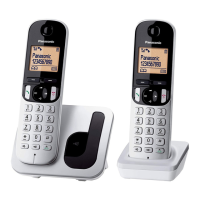
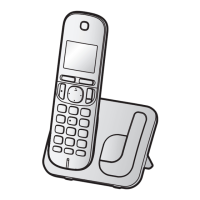
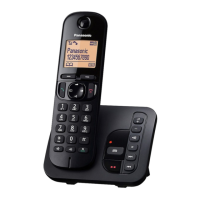
R Model shown is KX-TGC210.
Before initial use, see “Getting Started”
on page 9.
Thank you for purchasing a Panasonic product.
Please read these operating instructions before using the unit and save them for
future reference.
For assistance, please visit our Support page:
www.panasonic.ca/english/support
TGC2xxC_(en_en)_0413_ver120.pdf 1 2015/04/13 11:54:42
Question and Answer IconNeed help?

Do you have a question about the Panasonic KX-TGC253C and is the answer not in the manual?

Summary

Product Introduction and Setup

Product Models

Lists models for the Digital Cordless Phone and Answering System.

Accessory Information

Lists supplied accessories with quantities for each model.

Initial Setup and Connections

Step-by-step guide for connecting the base unit and charger.

Battery Charging and Eco Mode

Charging handset batteries and using the intelligent eco mode for power saving.

Safety, Operation, and Core Features

Safety Precautions

Critical safety guidelines for operation, installation, and safeguards.

Controls and Display Icons

Identifies handset controls, base unit features, and display icons.

Making and Answering Calls

Steps for initiating, receiving, and ending phone calls.

Call Features During Conversation

Features like Hold, Mute, Flash, Call Waiting, and Call Sharing.

Advanced Features and Customization

Phonebook Management

Adding, editing, and erasing phonebook entries and groups.

Speed Dial Setup and Usage

Assigning, editing, and using speed dial numbers.

Menu Navigation and Command Codes

Explains how to access features via menus or direct command codes.

Call Blocking Configuration

How to block unwanted calls and manage blocked numbers.

Call Display Service Usage

How to view caller information, missed calls, and phonebook name display.

Answering System, Troubleshooting, and Support

Answering System Operation

Overview of answering system, recording greetings, and listening to messages.

Remote Answering System Control

How to remotely operate the answering system and manage access codes.

Answering System Settings

Setting ring count, call screening, and managing Voice Mail service interaction.

Error Message Guide

Lists common error messages and their causes/solutions.

Troubleshooting General Issues

Solutions for common problems with handset, unit, and calls.

Summary

Product Introduction and Setup

Product Models

Lists models for the Digital Cordless Phone and Answering System.

Accessory Information

Lists supplied accessories with quantities for each model.

Initial Setup and Connections

Step-by-step guide for connecting the base unit and charger.

Battery Charging and Eco Mode

Charging handset batteries and using the intelligent eco mode for power saving.

Safety, Operation, and Core Features

Safety Precautions

Critical safety guidelines for operation, installation, and safeguards.

Controls and Display Icons

Identifies handset controls, base unit features, and display icons.

Making and Answering Calls

Steps for initiating, receiving, and ending phone calls.

Call Features During Conversation

Features like Hold, Mute, Flash, Call Waiting, and Call Sharing.

Advanced Features and Customization

Phonebook Management

Adding, editing, and erasing phonebook entries and groups.

Speed Dial Setup and Usage

Assigning, editing, and using speed dial numbers.

Menu Navigation and Command Codes

Explains how to access features via menus or direct command codes.

Call Blocking Configuration

How to block unwanted calls and manage blocked numbers.

Call Display Service Usage

How to view caller information, missed calls, and phonebook name display.

Answering System, Troubleshooting, and Support

Answering System Operation

Overview of answering system, recording greetings, and listening to messages.

Remote Answering System Control

How to remotely operate the answering system and manage access codes.

Answering System Settings

Setting ring count, call screening, and managing Voice Mail service interaction.

Error Message Guide

Lists common error messages and their causes/solutions.

Troubleshooting General Issues

Solutions for common problems with handset, unit, and calls.

Panasonic KX-TGC253C Specifications

General IconGeneral
TypeCordless Telephone
Frequency1.9 GHz
Answering SystemYes
SpeakerphoneYes
Caller IDYes
Call WaitingYes
Display TypeLCD
Talk TimeUp to 10 hours
RangeUp to 1000 feet
IntercomYes
Power SourceAC Adapter
Expandable HandsetsYes, up to 6
Phonebook Capacity50
Battery TypeNiMH

Related product manuals