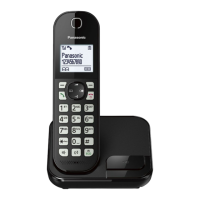
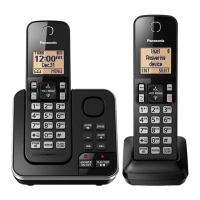
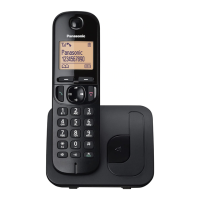
This document describes the Panasonic Digital Cordless Phone and Digital Cordless Answering System, specifically models in the KX-TGC410, KX-TGC412, KX-TGC413, KX-TGC420, and KX-TGC422 series. The manual provides comprehensive instructions for operating, maintaining, and troubleshooting these devices.
Function Description
The Panasonic Digital Cordless Phone and Answering System offers a range of communication features for home or office use. Its primary functions include making and receiving calls, an integrated answering system, a phonebook for storing contacts, and various programmable settings to customize the user experience. The answering system allows users to record their own greeting messages, listen to new and saved messages, and manage messages remotely. The device supports Caller ID service, enabling users to view caller information and manage call lists. Intercom functionality allows communication between multiple handsets. The phone also includes a power backup operation, ensuring basic call functionality during power outages.
Important Technical Specifications
The device operates on a frequency range of 1.88 GHz to 1.90 GHz. The RF transmission power is approximately 10 mW (average power per channel) and 250 mW (max.). The power source for the base unit is 100-240 V AC, 50/60 Hz. The power consumption for the base unit is approximately 0.5 W in standby mode and 2.5 W maximum. The charger consumes approximately 0.1 W in standby mode and 1.5 W maximum. The operating conditions specify a temperature range of 0 °C to 40 °C and a humidity range of 20 % to 80 % relative humidity (dry). The handset uses Nickel metal hydride (Ni-MH) rechargeable batteries, specifically 2 x AAA (R03) size for each handset, with a minimum amperage of 550 mAh. The total recording capacity for the answering system is approximately 18 minutes, allowing for a maximum of 64 messages to be recorded. The range of the handset under maximum conditions is 50 meters indoors and 300 meters outdoors, though actual range may vary depending on environmental factors. The device is a Class II equipment, providing protection against electric shock through double insulation or reinforced insulation.
Usage Features
The phone system is designed for ease of use, with a clear display and intuitive controls.
- Setting Up: The initial setup involves connecting the AC adaptor to the base unit and charger, fastening the cord, and connecting the telephone line cord. For DSL/ADSL service, a DSL/ADSL filter (not supplied) may be required. Battery installation involves inserting rechargeable Ni-MH batteries into the handset, ensuring correct polarity.
- Battery Charging: Handsets require about 7 hours for a full charge. The display indicates battery level (High, Medium, Low, Needs charging) and charging status ("Charging" or "Fully charged").
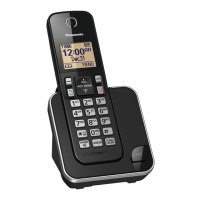
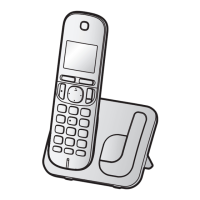
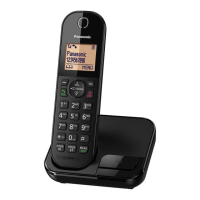
- Controls: The handset features a soft key for selecting displayed options, a navigator key for scrolling through lists and items, and dedicated keys for talk, speakerphone, dial keypad, microphone, receiver, display, and on/off/power. The base unit also has charge contacts and a misplaced handset locator.
- Display Icons: Various icons on the display indicate status such as range status, out of base unit range, secure call, paging, intercom mode, and speakerphone on.
- Language Setting: Users can select their desired display language.
- Date and Time: The current date, month, year, hour, and minute can be set.
- Greeting Message: Users can record a custom greeting message for the answering system.
- Other Settings: The "Eco mode" setting reduces the base unit transmission power by up to 90% in standby mode. Dialing mode can be set to "Tone" or "Pulse".
- Making/Answering Calls: Calls can be made by lifting the handset and dialing the number, or by using the speakerphone. The receiver or speaker volume can be adjusted during a call. The last 10 phone numbers dialed are stored in the redial list.
- Answering System: The answering system can be turned on/off from the base unit or handset. Users can listen to new and saved messages, erase messages, and manage settings remotely using a touch-tone phone and a remote access code. Call screening allows users to listen to incoming messages before answering.
- Phonebook: The phonebook can store 20 or 120 names and phone numbers, depending on the model. Entries can be added, edited, erased, and categorized. Speed dial keys can be assigned for quick dialing.
- Caller ID Service: The device supports Caller ID features, displaying caller information for the last 50 callers. Users can view, edit, and erase caller information from the call list.
- Intercom: Intercom calls can be made between handsets.
- Key Lock: The handset keypad can be locked to prevent accidental dialing.
- Alarm: An alarm function allows users to set up to 5 times at 5-minute intervals, with options for once, daily, weekly, or each alarm time.
- Nuisance Call Block: This feature blocks unwanted callers by storing single phone numbers or ranges of numbers.
- Increasing the Range: The range of the base unit can be increased by using a DECT repeater (KX-A405/KX-A406).
Maintenance Features
Proper maintenance ensures the longevity and optimal performance of the device.
- Battery Care: Use only rechargeable Ni-MH batteries. Do not mix old and new batteries, or different types of batteries. Do not open or mutilate batteries. If the electrolyte comes into contact with eyes or skin, rinse immediately and seek medical attention. Charge the batteries fully before initial use and regularly.
- Cleaning: Wipe the outer surface of the product with a soft, moist cloth. Do not use benzene, thinner, or any abrasive powder.
- Placement: Avoid placing the device near water, in direct sunlight, or in areas with high humidity, dust, or excessive vibration. Ensure proper ventilation.
- Troubleshooting: The manual includes a comprehensive troubleshooting section to address common issues such as no power, no link, error messages, display problems, and battery charging issues.
- Registration: If a handset becomes unregistered, it can be re-registered to the base unit.
- Disposal: Dispose of used batteries according to local regulations. If the product is to be discarded, remove the batteries and follow local guidelines for electronic waste.

 Need help?
 General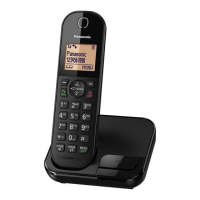


 To Next Page