
 Need help?
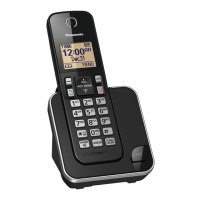
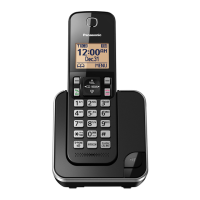
Do you have a question about the Panasonic KX-TGC350 and is the answer not in the manual?
Directs users to the 'Getting Started' section on page 8 for initial setup.
Warnings and precautions for connecting the power source.
Guidelines for safe operation, cleaning, and handling.
Information regarding RF energy and medical devices like pacemakers.
Safety advice for installing the phone in various locations.
Instructions for using, handling, and charging batteries safely.
Basic safety precautions when using the product.
Recommendations for keeping the product in good condition.
Step-by-step instructions for connecting the AC adaptor and line cord.
Guide to installing batteries and charging the unit.
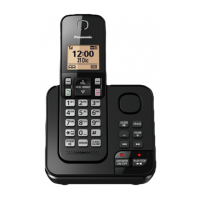
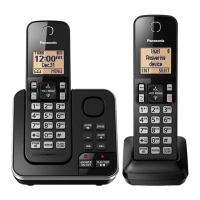
Identifies buttons and functions on the handset.
Instructions for dialing numbers, adjusting volume, and ending calls.
How to answer calls, auto talk, and temporary ringer off.
Using hold, mute, flash, and call waiting features.
Handling multiple calls and displaying caller ID information.
Making intercom calls and setting up conference calls.
Steps to add names, numbers, and assign groups.
Assigning phone numbers to speed dial keys.
Explains how to navigate menus and use direct command codes.
Configuring alarm times and tones for each handset.
Setting periods for the handset to not ring for outside calls.
Blocking calls based on stored numbers or no number.
Adding phone numbers to the call block list.
Steps to re-register a handset to the base unit.
Overview of Caller ID compatibility and features.
Functionality, recording capacity, and indicator lights.
Configuring call screening and number of rings.
Lists common error messages and their causes/solutions.
Addresses issues like handset not turning on or unit not working.
Troubleshooting noise, dropped calls, and intercom issues.
Troubleshooting issues with recording messages.
Instructions for dealing with moisture damage and cautions.
Quick troubleshooting steps and website for product issues.
 General
| Type | Cordless Telephone |
|---|---|
| DECT 6.0 Technology | Yes |
| Frequency | 1.9 GHz |
| Number of Handsets Included | 1 |
| Expandable Up To | 6 Handsets |
| Talk Time | Up to 10 hours |
| Caller ID | Yes |
| Call Waiting | Yes |
| Call Block | Yes |
| Silent Mode | Yes |
| Ringer ID | Yes |
| Keypad Lock | Yes |
| Phonebook Entries | 50 |
| Speakerphone | Yes |
| Intercom | Yes |
| Range | Up to 1000 feet |
| Display | Backlit LCD |


 To Next Page