EasyManua.ls Logo

Panasonic KX-TGC310E - User Manual

Panasonic KX-TGC310E
44 pages
Print Icon
To Next Page IconTo Next Page
Loading...
Operating Instructions
Digital Cordless Phone
Model No.
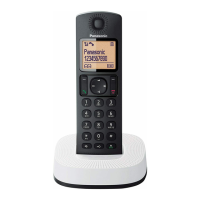
KX-TGC310E
KX-TGC312E
KX-TGC313E
Digital Cordless Answering System
Model No.
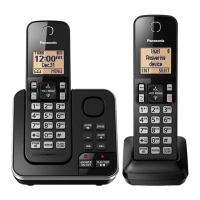
KX-TGC320E
KX-TGC322E
KX-TGC323E
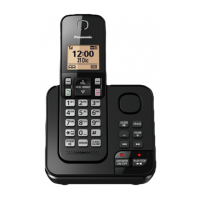
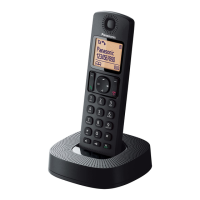
Model shown is KX-TGC310.
Before initial use, see “Getting Started”
on page 10.
Thank you for purchasing a Panasonic product.
Please read these operating instructions before using the unit and save them for
future reference.
TGC310_320E(en)_1222_ver002.pdf 1 2014/12/22 11:04:34
Question and Answer IconNeed help?

Do you have a question about the Panasonic KX-TGC310E and is the answer not in the manual?

Summary

Product Introduction

Model Composition

Details the base unit and handset models and quantities.

Important Safety and Usage Information

For Your Safety

Essential safety precautions to prevent injury and property damage during use.

Operating Safeguards

Guidelines for safe operation, including cleaning, disassembly, and liquid contact.

Key Usage Precautions

Important Safety Instructions

Key safety precautions for using the product to reduce risks like fire and shock.

Technical Product Specifications

Product Specifications

Technical specifications including standard, frequency range, power, and operating conditions.

Getting Started Guide

Setting Up Connections

Step-by-step guide to connect the base unit and charger.

Battery Installation

Instructions on how to correctly install rechargeable batteries in the handset.

Initial Setup Details

Battery Charging

Details on how to charge the handset batteries and indicators for charging status.

Device Controls Overview

Handset Controls

Identification and functions of buttons and keys on the handset.

Base Unit Controls

Identification and functions of buttons and indicators on the base unit.

Understanding the Display

Handset Display Icons

Explanation of various icons displayed on the handset screen.

Handset Soft Key Icons

Meanings and actions associated with the soft key icons on the handset.

Making and Answering Calls

Making Calls

Step-by-step guide to making phone calls from the handset.

Answering Calls

Instructions on how to answer incoming calls.

Advanced Call Handling

Phonebook Management

Adding Phonebook Entries

Steps to add new names and numbers to the phonebook.

Speed Dial Setup

Adding Speed Dial Numbers

Assigning phone numbers to speed dial keys for faster access.

Programming and Settings

Call Management Settings

Caller List Management

Caller List Management

Viewing, editing, and erasing caller list entries.

Alarm and Call Blocking

Caller ID Service Features

Answering System Setup and Operation

Answering System Operation

Turning the answering system on/off and managing memory capacity.

Answering System Message Handling

Message Playback and Listening

How to play greeting messages and listen to recorded caller messages.

Remote Answering System Access

Remote Access and Operation

Accessing and controlling the answering system from an external phone.

Error Message Troubleshooting

General Use Troubleshooting

Specific Feature Troubleshooting

Answering System and Other Issues

Handset Management

Product Guarantee Conditions

Summary

Product Introduction

Model Composition

Details the base unit and handset models and quantities.

Important Safety and Usage Information

For Your Safety

Essential safety precautions to prevent injury and property damage during use.

Operating Safeguards

Guidelines for safe operation, including cleaning, disassembly, and liquid contact.

Key Usage Precautions

Important Safety Instructions

Key safety precautions for using the product to reduce risks like fire and shock.

Technical Product Specifications

Product Specifications

Technical specifications including standard, frequency range, power, and operating conditions.

Getting Started Guide

Setting Up Connections

Step-by-step guide to connect the base unit and charger.

Battery Installation

Instructions on how to correctly install rechargeable batteries in the handset.

Initial Setup Details

Battery Charging

Details on how to charge the handset batteries and indicators for charging status.

Device Controls Overview

Handset Controls

Identification and functions of buttons and keys on the handset.

Base Unit Controls

Identification and functions of buttons and indicators on the base unit.

Understanding the Display

Handset Display Icons

Explanation of various icons displayed on the handset screen.

Handset Soft Key Icons

Meanings and actions associated with the soft key icons on the handset.

Making and Answering Calls

Making Calls

Step-by-step guide to making phone calls from the handset.

Answering Calls

Instructions on how to answer incoming calls.

Advanced Call Handling

Phonebook Management

Adding Phonebook Entries

Steps to add new names and numbers to the phonebook.

Speed Dial Setup

Adding Speed Dial Numbers

Assigning phone numbers to speed dial keys for faster access.

Programming and Settings

Call Management Settings

Caller List Management

Caller List Management

Viewing, editing, and erasing caller list entries.

Alarm and Call Blocking

Caller ID Service Features

Answering System Setup and Operation

Answering System Operation

Turning the answering system on/off and managing memory capacity.

Answering System Message Handling

Message Playback and Listening

How to play greeting messages and listen to recorded caller messages.

Remote Answering System Access

Remote Access and Operation

Accessing and controlling the answering system from an external phone.

Error Message Troubleshooting

General Use Troubleshooting

Specific Feature Troubleshooting

Answering System and Other Issues

Handset Management

Product Guarantee Conditions

Panasonic KX-TGC310E Specifications

General IconGeneral
BrandPanasonic
ModelKX-TGC310E
CategoryCordless Telephone
LanguageEnglish

Related product manuals