EasyManua.ls Logo

Panasonic KX-TGC310CX - User Manual

Panasonic KX-TGC310CX
36 pages
Print Icon
To Next Page IconTo Next Page
Loading...
Operating Instructions
Digital Cordless Phone
Model No.
KX-TGC310CX
KX-TGC312CX
KX-TGC313CX
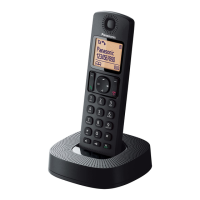
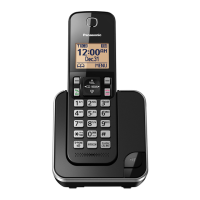
Model shown is KX-TGC310.
Before initial use, see “Getting Started”
on page 8.
Thank you for purchasing a Panasonic product.
Please read these operating instructions before using the unit and save them for
future reference.
TGC3xxCX(en)_0309_ver011.pdf 1 2015/03/09 9:58:39
Question and Answer IconNeed help?

Do you have a question about the Panasonic KX-TGC310CX and is the answer not in the manual?

Summary

Introduction

Model Composition

Details the different models and their included components.

Accessory Information

Lists supplied and optional accessories for the phone.

Important Information

For Your Safety

Crucial safety instructions to prevent injury and property damage.

Power Connection

Safety guidelines for connecting the power adapter and outlets.

Installation

Safety precautions for installing the phone and avoiding hazards.

Operating Safeguards

Guidelines for safe operation, cleaning, and product handling.

Installation and Location

Precautions for installing wiring and choosing a safe location.

Battery

Information about battery types, handling, and charging.

Important Safety Instructions

Basic safety precautions when using the product.

For Best Performance

Tips for optimal coverage and clear communication.

Base Unit Location;Avoiding Noise

Guidance on placing the base unit for best signal and performance.

Getting Started

Setting Up

Step-by-step guide for initial product setup.

Connections

Instructions for connecting the base unit, charger, and phone line.

Battery Installation

How to correctly install rechargeable batteries into the handset.

Battery Charging

Process for charging the handset batteries and indicators.

Making;Answering Calls

Phonebook

Speed Dial Setup

Assigning numbers to speed dial keys for quick access.

Programming

Caller ID Service

Using Caller ID Service

How to subscribe and utilize Caller ID features.

Useful Information

Error Messages

Common display messages and their solutions.

Troubleshooting

General advice for resolving product issues.

Liquid Damage and Drying

Instructions for handling liquid damage and drying the unit.

Handset Registration and Deregistration

Procedures for adding or removing handsets from the base unit.

Summary

Introduction

Model Composition

Details the different models and their included components.

Accessory Information

Lists supplied and optional accessories for the phone.

Important Information

For Your Safety

Crucial safety instructions to prevent injury and property damage.

Power Connection

Safety guidelines for connecting the power adapter and outlets.

Installation

Safety precautions for installing the phone and avoiding hazards.

Operating Safeguards

Guidelines for safe operation, cleaning, and product handling.

Installation and Location

Precautions for installing wiring and choosing a safe location.

Battery

Information about battery types, handling, and charging.

Important Safety Instructions

Basic safety precautions when using the product.

For Best Performance

Tips for optimal coverage and clear communication.

Base Unit Location;Avoiding Noise

Guidance on placing the base unit for best signal and performance.

Getting Started

Setting Up

Step-by-step guide for initial product setup.

Connections

Instructions for connecting the base unit, charger, and phone line.

Battery Installation

How to correctly install rechargeable batteries into the handset.

Battery Charging

Process for charging the handset batteries and indicators.

Making;Answering Calls

Phonebook

Speed Dial Setup

Assigning numbers to speed dial keys for quick access.

Programming

Caller ID Service

Using Caller ID Service

How to subscribe and utilize Caller ID features.

Useful Information

Error Messages

Common display messages and their solutions.

Troubleshooting

General advice for resolving product issues.

Liquid Damage and Drying

Instructions for handling liquid damage and drying the unit.

Handset Registration and Deregistration

Procedures for adding or removing handsets from the base unit.

Panasonic KX-TGC310CX Specifications

General IconGeneral
BrandPanasonic
ModelKX-TGC310CX
CategoryCordless Telephone
LanguageEnglish

Related product manuals