EasyManua.ls Logo

Panasonic KX-TGC360 - User Manual

Panasonic KX-TGC360
44 pages
Print Icon
To Next Page IconTo Next Page
Loading...
Operating Instructions
Cordless Telephone
Model No.
KX-TGC350
KX-TGC352
Cordless Telephone with
Digital Answering Machine
Model No.
KX-TGC360
KX-TGC362
KX-TGC364
KX-TG3620
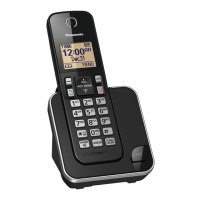
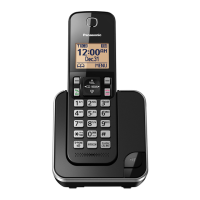
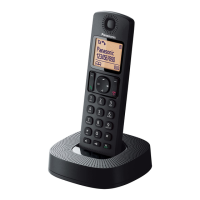
Model shown is KX-TGC350.
Before initial use, see “Getting Started”
on page 8.
Thank you for purchasing a Panasonic product.
Please read these operating instructions before using the unit and save them for
future reference.
Consulte “Guía Rápida Española”, página 36.
For assistance, visit our Web site: http://shop.panasonic.com/support for
customers in the U.S.A.
Please register your product: http://shop.panasonic.com/support
Question and Answer IconNeed help?

Do you have a question about the Panasonic KX-TGC360 and is the answer not in the manual?

Summary

Important Information

Safety and Operation Guidelines

Covers general safety, operating safeguards, medical considerations, and installation.

Important Safety Instructions

Lists fundamental safety precautions to reduce risks during product use.

Getting Started

Setup and Connections

Guides through the initial connection and setup process for the phone system.

Battery Installation and Charging

Explains battery installation and charging procedures.

Recording Greeting Message

Instructions on how to record a custom greeting message for the answering system.

Controls

Making;Answering Calls

Phonebook

Editing and Erasing Phonebook Entries

Steps to modify and delete existing entries in the phonebook.

Speed Dial

Speed Dial Setup

Assigns phone numbers to speed dial keys and allows editing.

Programming

Menu Navigation and Command Codes

Explains how to navigate the menu system and use direct command codes.

Date, Time, and Initial Settings

How to set date, time, alarm, and initial setup options.

Call Blocking Features

Storing unwanted callers, blocking no-number calls, and managing call block lists.

Handset Registration Management

Steps to register and deregister handsets from the base unit.

Caller ID Service

Caller List

Answering System

System Overview and On;Off

Overview of answering system functions and how to turn it on/off.

Greeting Message Recording

Instructions for recording a personal greeting for the answering system.

Answering System Settings

Remote Operation

Remote Access Code and Usage

Setting and using the remote access code for the answering system remotely.

Useful Information

Error Messages and Troubleshooting

Lists common error messages and troubleshooting for general use.

Call and Intercom Problems

Troubleshooting for issues related to making calls and intercom function.

Caller ID Issues

Troubleshooting for Caller ID display issues.

Answering System and Voicemail Problems

Troubleshooting for answering system and voicemail issues.

Liquid Damage Handling

Instructions for handling liquid damage to the handset or base unit.

Troubleshooting

General Use Problems

Provides solutions for common problems encountered during general use of the handset.

Wall Mounting (Charger Only)

Appendix

US Limited Warranty Coverage

Details the warranty coverage, terms, and exclusions for Panasonic products in the USA.

Warranty Limits and Exclusions

Specifies what is covered and not covered by the product warranty.

Summary

Important Information

Safety and Operation Guidelines

Covers general safety, operating safeguards, medical considerations, and installation.

Important Safety Instructions

Lists fundamental safety precautions to reduce risks during product use.

Getting Started

Setup and Connections

Guides through the initial connection and setup process for the phone system.

Battery Installation and Charging

Explains battery installation and charging procedures.

Recording Greeting Message

Instructions on how to record a custom greeting message for the answering system.

Controls

Making;Answering Calls

Phonebook

Editing and Erasing Phonebook Entries

Steps to modify and delete existing entries in the phonebook.

Speed Dial

Speed Dial Setup

Assigns phone numbers to speed dial keys and allows editing.

Programming

Menu Navigation and Command Codes

Explains how to navigate the menu system and use direct command codes.

Date, Time, and Initial Settings

How to set date, time, alarm, and initial setup options.

Call Blocking Features

Storing unwanted callers, blocking no-number calls, and managing call block lists.

Handset Registration Management

Steps to register and deregister handsets from the base unit.

Caller ID Service

Caller List

Answering System

System Overview and On;Off

Overview of answering system functions and how to turn it on/off.

Greeting Message Recording

Instructions for recording a personal greeting for the answering system.

Answering System Settings

Remote Operation

Remote Access Code and Usage

Setting and using the remote access code for the answering system remotely.

Useful Information

Error Messages and Troubleshooting

Lists common error messages and troubleshooting for general use.

Call and Intercom Problems

Troubleshooting for issues related to making calls and intercom function.

Caller ID Issues

Troubleshooting for Caller ID display issues.

Answering System and Voicemail Problems

Troubleshooting for answering system and voicemail issues.

Liquid Damage Handling

Instructions for handling liquid damage to the handset or base unit.

Troubleshooting

General Use Problems

Provides solutions for common problems encountered during general use of the handset.

Wall Mounting (Charger Only)

Appendix

US Limited Warranty Coverage

Details the warranty coverage, terms, and exclusions for Panasonic products in the USA.

Warranty Limits and Exclusions

Specifies what is covered and not covered by the product warranty.

Panasonic KX-TGC360 Specifications

General IconGeneral
TypeCordless Telephone
Frequency1.9 GHz
DECTYes
Number of Handsets Included1
Answering SystemYes
Answering System Recording TimeUp to 18 minutes
Caller IDYes
Call WaitingYes
Phonebook Entries50
Display TypeLCD
SpeakerphoneYes
IntercomYes
Ringer Volume ControlYes
Battery TypeNi-MH
Talk TimeUp to 10 hours
Wall MountableYes
Expandable HandsetsYes, up to 6
Color OptionsBlack
RangeUp to 1000 feet (outdoor)

Related product manuals