EasyManua.ls Logo

Panasonic KX-TGF380AZ - User Manual

Panasonic KX-TGF380AZ
80 pages
Print Icon
To Next Page IconTo Next Page
Loading...
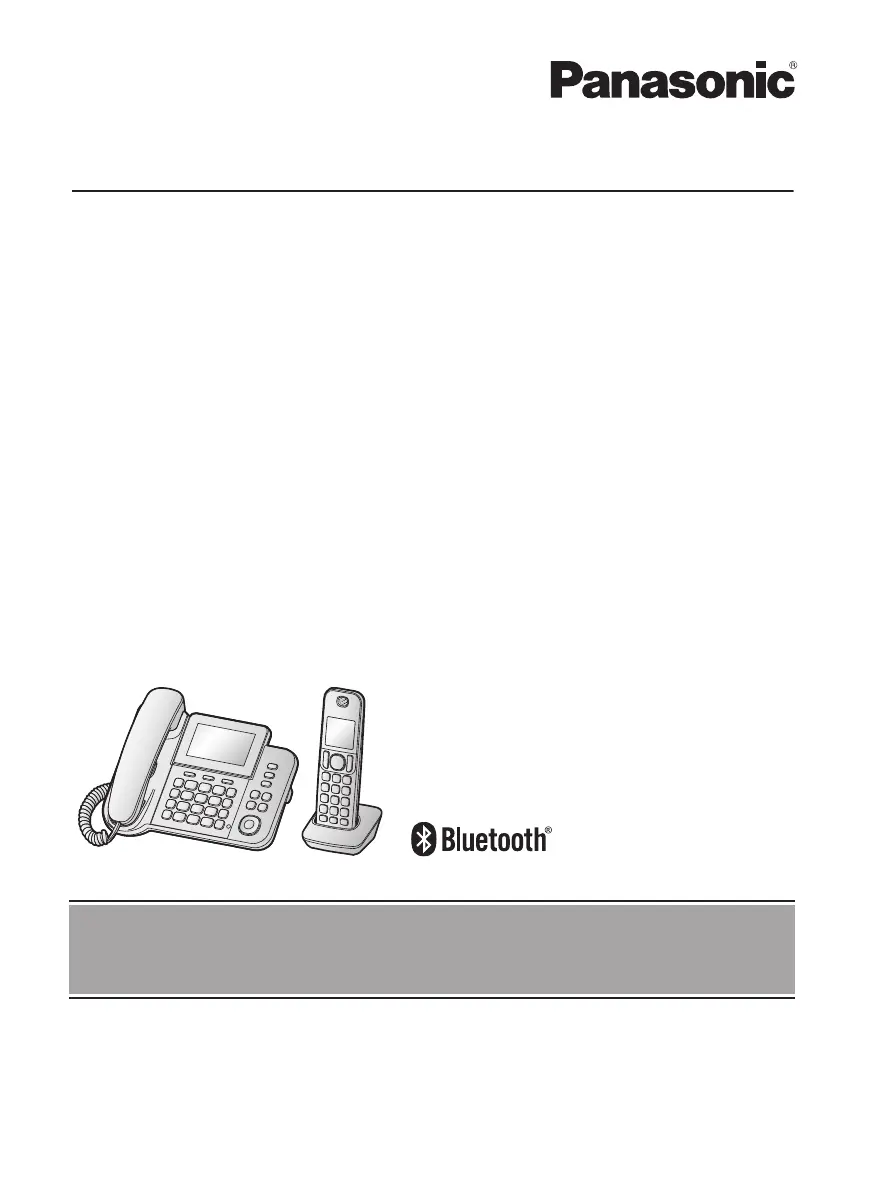
Operating Instructions
Digital Corded/Cordless Phone with Link-to-Mobile
Model No.
KX-TGF380AZ
KX-TGF382AZ
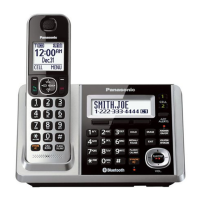
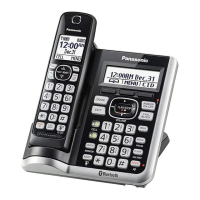
Model shown is KX-TGF380.
Before initial use, see “Getting Started” on
page 9.
Thank you for purchasing a Panasonic product.
Please read these operating instructions before using the unit and save them for future
reference.
To use this unit in your country, first change the unit’s region setting to match your
country (page 47).
TGF38xAZ(en)_0319_ver001.pdf 1 2015/03/19 21:57:14

Table of Contents

Questions and Answers

  • A
    Anne SmithSep 13, 2025
    I cannot remember the PIN on my Panasonic KX-TGF380AZ. What should I do?
    • K
      Kelly SchmidtSep 13, 2025
      Change the PIN using the following method. Handset/Base unit: 1 MMENUN#619 2 *7000 3 Enter the new 4-digit PIN. a MOKN 4 Enter the new 4-digit PIN again. a MSAVEN a MOFFN/MEXITN
  • R
    Russell GilbertAug 25, 2025
    Why can't I hear a dial tone on my Panasonic KX-TGF380AZ?
    • K
      Kimberly SolisAug 25, 2025
      Make sure that the MOBILE indicator lights up. The base unit’s AC adaptor or telephone line cord may not be connected. Check the connections. Disconnect the base unit from the telephone line and connect the line to a known working telephone. If the working telephone operates properly, contact our service personnel to have the unit repaired. If the working telephone does not operate properly, contact your phone service provider.
  • A
    Alex MaldonadoAug 25, 2025
    Why my Panasonic KX-TGF380AZ doesn't work?
    • N
      Natalie WilliamsAug 26, 2025
      Make sure the batteries are installed correctly. Fully charge the batteries. Check the connections. Unplug the base unit’s AC adaptor to reset the unit. Reconnect the adaptor and try again. The handset has not been registered to the base unit. Register the handset.
  • M
    millerelizabethSep 13, 2025
    What to do if liquid entered Panasonic Cordless Telephone handset/base unit?
    • M
      Michael WoodSep 14, 2025
      Disconnect the AC adaptor and telephone line cord from the base unit. Remove the batteries from the handset and leave to dry for at least 3 days. After the handset/base unit are completely dry, reconnect the AC adaptor and telephone line cord. Insert the batteries and charge fully before use. If the unit does not work properly, contact an authorised service centre.
  • M
    Michael JohnsonSep 23, 2025
    Why Panasonic Cordless Telephone caller information is displayed late?
    • J
      Justin BeckSep 23, 2025
      If caller information is displayed or announced late on your Panasonic Cordless Telephone, the unit may display the caller’s information at the 2nd ring or later, depending on your phone service provider. Also, try moving closer to the base unit.
  • T
    Teresa HunterSep 7, 2025
    Why can't I make local calls with my Panasonic KX-TGF380AZ Cordless Telephone using a mobile line?
    • M
      Mr. Ricardo RodriguezSep 7, 2025
      You may need to add your area code when making mobile calls. Store your area code in order to automatically add it to the beginning of the 8-digit (for Australia)/7-digit (for New Zealand) phone number when making mobile calls.
  • G
    Gary WilsonSep 7, 2025
    Why is my Panasonic KX-TGF380AZ not recording new messages?
    • B
      Belinda BarrSep 7, 2025
      The answering system may be turned off. Turn it on. The message memory may be full. Erase unnecessary messages. The recording time may be set to “Greeting only”. Change the setting. Your phone service provider’s voicemail service may be answering your calls before the unit’s answering system can answer your calls. Change the unit’s number of rings setting to a lower value, or contact your phone service provider. The answering system will not answer incoming calls while the other devices such as headset or handsets are engaged in a call. The answering system does not answer or record calls from mobile lines.
  • A
    angela17Sep 23, 2025
    What to do if Panasonic KX-TGF380AZ handset does not turn on?
    • S
      Seth GarciaSep 23, 2025
      If your Panasonic Cordless Telephone handset does not turn on even after installing charged batteries, place the handset on the charger to turn it on.
  • K
    Kimberly PowellAug 30, 2025
    Why doesn't my Panasonic KX-TGF380AZ emit the specified number of rings?
    • M
      Mr. Travis SteeleAug 30, 2025
      If the ring once setting is turned off, the number of rings decreases by 1 from the specified number of rings.
  • A
    Amanda MillerAug 31, 2025
    Why has the time shifted on my Panasonic KX-TGF380AZ?
    • W
      williamyoungAug 31, 2025
      Incorrect time information from incoming Caller ID changes the time. Set the time adjustment to “Manual” (off).

Summary

Operating Instructions

Important Information

For your safety

Crucial safety precautions to prevent injury and property damage.

Important safety instructions

Additional safety guidelines for using the product.

Specifications

Technical specifications of the phone system.

Getting Started

Setting up

Initial setup instructions including connections, charger, and handset battery installation.

Handset battery charging

Instructions for charging the handset batteries.

Display icons;Indicators

Explanation of icons and indicators on the handset display.

Base unit battery installation (for power backup)

Installing batteries in the base unit for power backup.

Link to Mobile

Link to mobile feature

Overview of connecting to mobile phones via Bluetooth.

Pairing a mobile phone

Step-by-step guide for pairing a mobile phone with the base unit.

Changing the Bluetooth PIN (Personal Identification Number)

Instructions for changing the Bluetooth pairing PIN.

Making;Answering Calls Using the Handset

Making;Answering Calls Using the Base Unit

Making mobile calls

Steps to make calls using a paired mobile phone from the base unit.

Answering calls

How to answer incoming calls on the base unit.

Transferring calls, conference calls

Procedures for transferring calls and setting up conference calls on base unit.

Making landline calls

Steps to make calls using the landline from the base unit.

Answering a 2 nd call

Handling a second incoming call on the base unit.

Intercom

Making an intercom call

Steps to initiate an intercom call between units.

Call Block

Using the (CALL BLOCK) button

Using the button to block incoming calls.

Storing a range of number

Blocking calls based on number prefixes or patterns.

Storing unwanted callers

Methods to block specific numbers or ranges of callers.

Adding call blocked numbers from the caller list

Blocking numbers directly from the caller list.

Phonebook

One-touch dial buttons

Storing numbers for quick dialing using one-touch buttons.

Adding phonebook entries

Steps to add new contacts to the phonebook.

Adding phone numbers for outside calls

Programming one-touch dial buttons for external numbers.

Adding phone numbers to speed dial keys

Assigning numbers to speed dial keys.

Programming

Menu list

Overview of accessing features via menus and direct codes.

Link to mobile

Settings for connecting and managing mobile phones via Bluetooth.

Nuisance call block

Blocking unwanted calls based on number or type.

Alarm

Setting alarm times, snooze function, and text memos.

New message alert

Configuring alerts for new messages.

SMS alert

Configuring alerts for incoming SMS messages.

Night mode

Defining periods to suppress ringing for calls.

Speed dial

Setting up and using speed dial entries.

Pair

Pairing Bluetooth devices like mobile phones or headsets.

Baby monitor

Setting up and using the baby monitor feature.

Caller ID Service

Using Caller ID service

Overview of the Caller ID service and its requirements.

Using Bluetooth Devices

Copying phonebook from a mobile phone (phonebook transfer)

Transferring contacts from a mobile phone to the unit's phonebook.

Link to Cell app

Integrating an Android phone with the DECT phone using an app.

Pairing a headset to the base unit

Steps to connect a Bluetooth headset to the base unit.

Answering System for Landline

Answering system for landline

Overview of the answering system's functions and capabilities.

Recording your greeting message

Steps to record a personalized greeting message.

New message alert by a call

Setting up the unit to call a number to notify of new messages.

Activating;inactivating the remote access code to play messages

Setting a code to access messages remotely.

Storing a phone number to which the unit makes an alert call

Entering a phone number for new message alerts.

Turning the answering system on;off

Instructions for enabling or disabling the answering system.

Listening to messages

How to access and play recorded messages.

Remote operation

Accessing the answering system remotely via phone.

Remote access code

Setting a 3-digit code for remote access.

Useful Information

Error messages

Explanation of common error messages and their solutions.

Troubleshooting

Solutions for common problems encountered with the unit.

Making;answering calls, intercom

Troubleshooting issues with making/answering calls and intercom.

Using Bluetooth devices

Troubleshooting common problems with Bluetooth connectivity.

Answering system

Troubleshooting issues with the answering system.

Storing the voicemail (VM) access number

Saving the phone provider's voicemail access number.

Listening to voicemail messages

How to access and listen to voicemail messages.

Panasonic KX-TGF380AZ Specifications

General IconGeneral
BrandPanasonic
ModelKX-TGF380AZ
CategoryCordless Telephone
LanguageEnglish

Related product manuals