EasyManua.ls Logo

Panasonic KX-TGF570 Series - User Manual

Panasonic KX-TGF570 Series
104 pages
Print Icon
To Next Page IconTo Next Page
Loading...
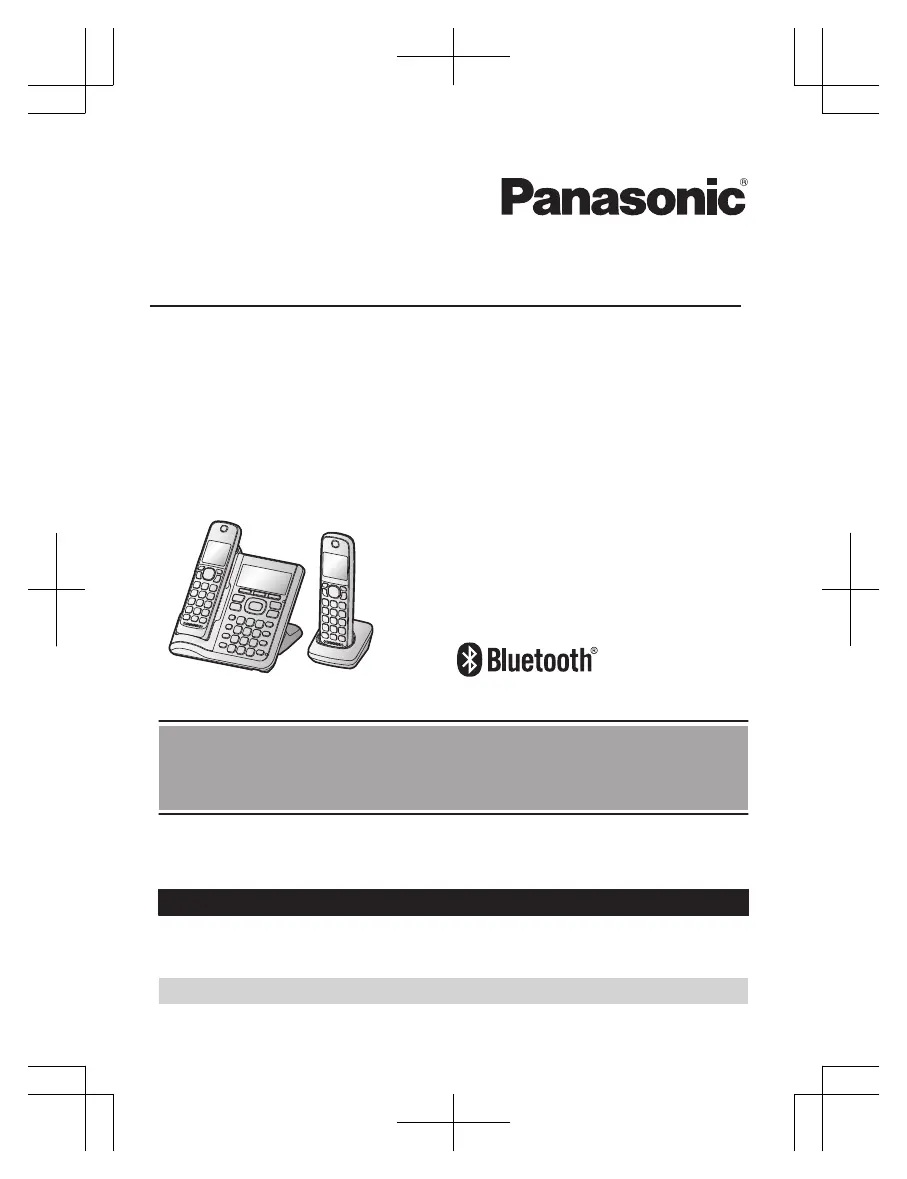
Operating Instructions
Link2Cell Cordless Telephone with
Digital Answering Machine
Model No.
KX-TGF572
KX-TGF573
KX-TGF574
KX-TGF575
KX-TG785SK
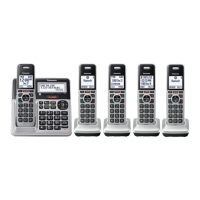
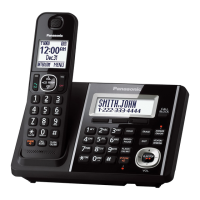
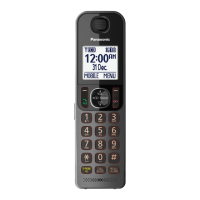
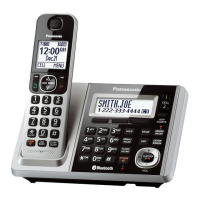
Model shown is KX-TGF572.
Before initial use, see “Getting Started”
on page 12.
Thank you for purchasing a Panasonic product.
Please read these operating instructions before using the unit and save them for
future reference.
Consulte “Guía Rápida Española”, página 87.
For assistance, visit our Web site: http://shop.panasonic.com/support for
customers in the U.S.A.
Please register your product: http://shop.panasonic.com/support

Table of Contents

Questions and Answers

  • A
    Angela DavisAug 16, 2025
    What to do if my Panasonic KX-TGF570 unit does not work?
    • J
      James ParkerAug 16, 2025
      There are several reasons why your Panasonic Cordless Telephone unit might not be working. First, ensure the batteries are correctly installed. Second, fully charge the batteries. Third, check all connections to ensure they are secure. Fourth, try resetting the unit by unplugging the base unit’s AC adaptor, then reconnecting it. Finally, the handset may not be registered to the base unit; in this case, you should register the handset.
  • S
    Sharon DonaldsonAug 22, 2025
    What to do if my Panasonic KX-TGF570 Cordless Telephone does not work?
    • J
      Jeffrey FrankAug 22, 2025
      If your Panasonic Cordless Telephone is not working, ensure the batteries are correctly installed and fully charged. Check all connections. Try resetting the unit by unplugging the base unit’s AC adapter, then reconnecting it. Also, ensure the handset is registered to the base unit.
  • K
    Kaitlyn RiosAug 25, 2025
    Why I cannot hear a dial tone on my Panasonic KX-TGF570?
    • N
      nancy18Aug 26, 2025
      If you cannot hear a dial tone on your Panasonic Cordless Telephone, check that the base unit’s AC adapter and telephone line cord are properly connected. If the connections are correct, disconnect the base unit from the telephone line and connect the line to a known working telephone. If the working telephone operates properly, contact service personnel to have the unit repaired. If the working telephone does not operate properly, contact your phone service provider.
  • T
    tyler52Aug 28, 2025
    How to turn on Panasonic KX-TGF570 handset?
    • W
      williamwillisAug 28, 2025
      If your Panasonic Cordless Telephone handset does not turn on even after installing charged batteries, place the handset on the base unit or charger to turn it on.
  • A
    Amanda HoAug 31, 2025
    Why does my Panasonic KX-TGF570 handset beep and/or flash?
    • S
      Stephanie SimmonsAug 31, 2025
      If your Panasonic Cordless Telephone handset is beeping and/or flashing, it indicates that the battery charge is low. Fully charge the batteries.
  • C
    Christopher RodriguezSep 3, 2025
    Why does my Panasonic Cordless Telephone base unit beep?
    • D
      David Wagner DDSSep 3, 2025
      If your Panasonic Cordless Telephone base unit is beeping, it indicates that new messages have been recorded. Listen to the new messages.
  • K
    Kathleen GonzalezSep 6, 2025
    Why I cannot register a handset to a Panasonic KX-TGF570 base unit?
    • A
      Ashley MckinneySep 6, 2025
      If you cannot register a handset to the Panasonic Cordless Telephone base unit, it may be because the maximum number of handsets (6) is already registered to the base unit. Cancel unused handset registrations from the base unit.
  • S
    Susan VaughnSep 9, 2025
    What to do if my Panasonic KX-TGF570 Cordless Telephone batteries still flash after fully charging?
    • L
      levi46Sep 9, 2025
      If your Panasonic Cordless Telephone batteries still flash, the display shows a battery symbol, or the operating time seems shorter after a full charge, clean the battery ends and the charge contacts with a dry cloth and charge again. If the problem persists, it may be time to replace the batteries.
  • O
    orrangelaSep 10, 2025
    Why can't I pair my phone to my Panasonic Cordless Telephone?
    • M
      Melissa HaleSep 12, 2025
      If you're having trouble pairing your cellular phone to the Panasonic Cordless Telephone base unit, there could be several reasons: * First, confirm that your cellular phone supports the hands-free profile (HFP) specification, as compatibility issues may arise. * Second, ensure that the Bluetooth feature on your cellular phone is turned on. * Third, if the Bluetooth technology on your cellular phone is not functioning correctly, try turning your cellular phone off and then on again. * Fourth, if your cellular phone is already connected to another Bluetooth device, such as a Bluetooth headset, disconnect it. * Fifth, some cellular phones may require you to enter the Bluetooth PIN for pairing; confirm that you have entered the correct PIN.
  • C
    Christian HoffmanSep 12, 2025
    What to do if Panasonic KX-TGF570 handset does not turn on?
    • A
      Angela LeeSep 12, 2025
      If the Panasonic Cordless Telephone handset does not turn on even after installing charged batteries, place the handset on the base unit or charger to turn it on.

Panasonic KX-TGF570 Series Specifications

General IconGeneral
TypeCordless Telephone
DECT 6.0 TechnologyYes
Frequency Range1.9 GHz
Number of Channels60
Answering SystemYes
Answering System Recording TimeUp to 18 minutes
Call BlockYes
Talking Caller IDYes
Caller IDYes
Call WaitingYes
SpeakerphoneYes
Keypad on Base UnitYes
Power Back-Up OperationYes
Battery TypeNi-MH
Battery SizeAAA
Battery Life (Talk)Up to 10 hours
Wall MountableYes
Display TypeLCD
Ringer Volume ControlYes
Handset LocatorYes
Power SourceAC Adapter
ColorBlack
Headset Jack2.5mm
Display1.8 inches
RangeUp to 1000 feet
WeightHandset: 0.3 lbs
Battery Life (Standby)Up to 7 days (168 hours)

Related product manuals