EasyManua.ls Logo

Panasonic KX-TGF382AZ - User Manual

Panasonic KX-TGF382AZ
80 pages
Print Icon
To Next Page IconTo Next Page
Loading...
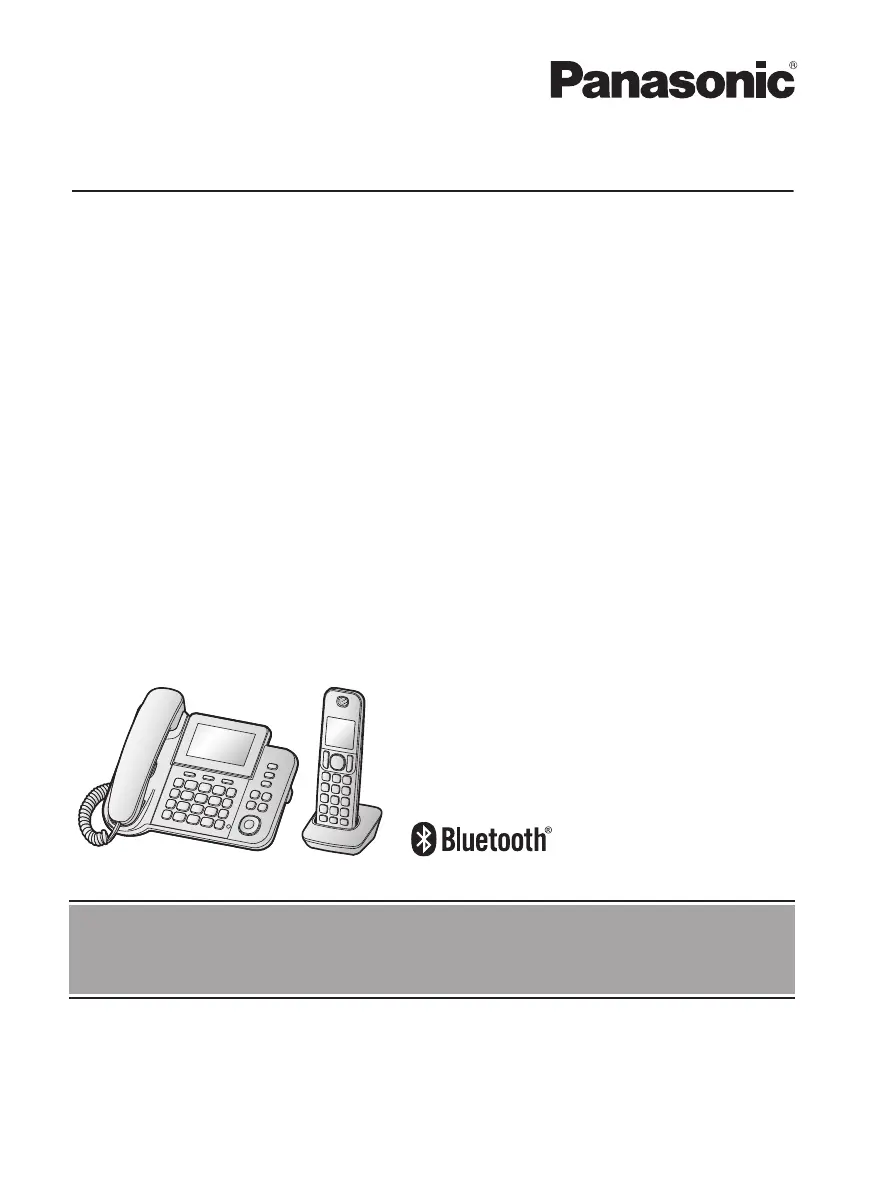
Operating Instructions
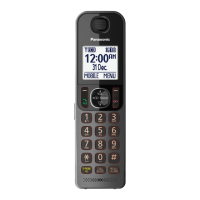
Digital Corded/Cordless Phone with Link-to-Mobile
Model No.
KX-TGF380AZ
KX-TGF382AZ
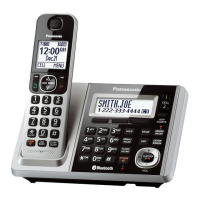
Model shown is KX-TGF380.
Before initial use, see “Getting Started” on
page 9.
Thank you for purchasing a Panasonic product.
Please read these operating instructions before using the unit and save them for future
reference.
To use this unit in your country, first change the unit’s region setting to match your
country (page 47).
TGF38xAZ(en)_0319_ver001.pdf 1 2015/03/19 21:57:14

Table of Contents

Questions and Answers

  • T
    thomasandrewSep 13, 2025
    I cannot remember the PIN on my Panasonic Cordless Telephone. What should I do?
    • B
      Brandon WhitakerSep 13, 2025
      Change the PIN using the following method. Handset/Base unit: 1 MMENUN#619 2 *7000 3 Enter the new 4-digit PIN. a MOKN 4 Enter the new 4-digit PIN again. a MSAVEN a MOFFN/MEXITN
  • C
    Christopher ColeAug 25, 2025
    Why can't I hear a dial tone on my Panasonic KX-TGF382AZ?
    • J
      Joseph GloverAug 25, 2025
      Make sure that the MOBILE indicator lights up. The base unit’s AC adaptor or telephone line cord may not be connected. Check the connections. Disconnect the base unit from the telephone line and connect the line to a known working telephone. If the working telephone operates properly, contact our service personnel to have the unit repaired. If the working telephone does not operate properly, contact your phone service provider.
  • S
    sandra48Aug 25, 2025
    Why my Panasonic Cordless Telephone doesn't work?
    • K
      Kevin LeeAug 26, 2025
      Make sure the batteries are installed correctly. Fully charge the batteries. Check the connections. Unplug the base unit’s AC adaptor to reset the unit. Reconnect the adaptor and try again. The handset has not been registered to the base unit. Register the handset.
  • A
    Amy YoungSep 14, 2025
    What to do if liquid entered Panasonic KX-TGF382AZ handset/base unit?
    • R
      rjohnsonSep 14, 2025
      Disconnect the AC adaptor and telephone line cord from the base unit. Remove the batteries from the handset and leave to dry for at least 3 days. After the handset/base unit are completely dry, reconnect the AC adaptor and telephone line cord. Insert the batteries and charge fully before use. If the unit does not work properly, contact an authorised service centre.
  • M
    Michelle WrightSep 23, 2025
    Why Panasonic KX-TGF382AZ Cordless Telephone caller information is displayed late?
    • T
      Timothy ClarkSep 23, 2025
      If caller information is displayed or announced late on your Panasonic Cordless Telephone, the unit may display the caller’s information at the 2nd ring or later, depending on your phone service provider. Also, try moving closer to the base unit.
  • M
    Michael GreenSep 6, 2025
    Why can't I make local calls with my Panasonic Cordless Telephone using a mobile line?
    • D
      Denise HillSep 7, 2025
      You may need to add your area code when making mobile calls. Store your area code in order to automatically add it to the beginning of the 8-digit (for Australia)/7-digit (for New Zealand) phone number when making mobile calls.
  • K
    Kimberly HenrySep 7, 2025
    Why is my Panasonic KX-TGF382AZ not recording new messages?
    • J
      jeffery36Sep 7, 2025
      The answering system may be turned off. Turn it on. The message memory may be full. Erase unnecessary messages. The recording time may be set to “Greeting only”. Change the setting. Your phone service provider’s voicemail service may be answering your calls before the unit’s answering system can answer your calls. Change the unit’s number of rings setting to a lower value, or contact your phone service provider. The answering system will not answer incoming calls while the other devices such as headset or handsets are engaged in a call. The answering system does not answer or record calls from mobile lines.
  • F
    Fernando CaseSep 23, 2025
    What to do if Panasonic KX-TGF382AZ Cordless Telephone handset does not turn on?
    • W
      Wendy HarrisSep 23, 2025
      If your Panasonic Cordless Telephone handset does not turn on even after installing charged batteries, place the handset on the charger to turn it on.
  • J
    James SmithAug 30, 2025
    Why doesn't my Panasonic KX-TGF382AZ Cordless Telephone emit the specified number of rings?
    • D
      Denise HolmesAug 30, 2025
      If the ring once setting is turned off, the number of rings decreases by 1 from the specified number of rings.
  • A
    Andrew WilliamsAug 31, 2025
    Why has the time shifted on my Panasonic KX-TGF382AZ?
    • K
      Kimberly TaylorAug 31, 2025
      Incorrect time information from incoming Caller ID changes the time. Set the time adjustment to “Manual” (off).

Panasonic KX-TGF382AZ Specifications

General IconGeneral
TypeCordless Telephone
Number of Handsets2
Answering MachineYes
Call BlockYes
DisplayLCD
Frequency1.9 GHz
TechnologyDECT 6.0
SpeakerphoneYes
Caller IDYes
Keypad on BaseYes
RangeUp to 1000 feet
Call WaitingYes
Answering Machine TypeDigital
Standby TimeUp to 7 days
IntercomYes
Power SourceAC Adapter
ColorBlack
Battery TypeNiMH
Display TypeBacklit LCD
ExpandableUp to 6 handsets

Related product manuals