Preparation
For assistance, please visit http://www.panasonic.com/consumersupport 7
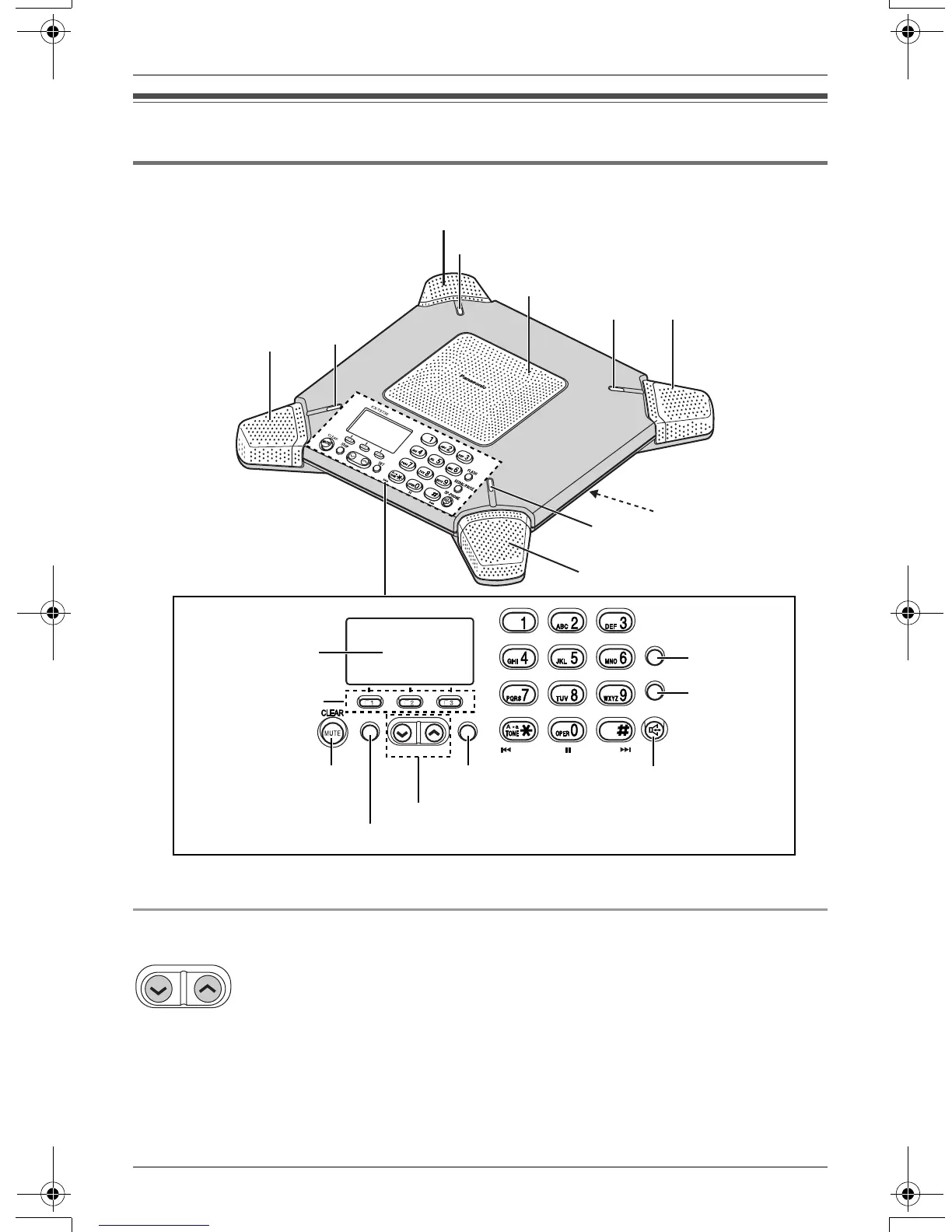
Controls and displays
Controls
Using the {<} and {>} keys
L The keys work as the speaker volume keys (page 9).
L Pressing the keys allows you to scroll through function menu (page 18).
L Pressing the keys allows you to enter the caller list (page 14).
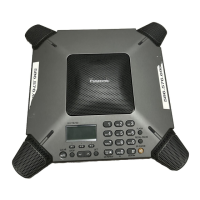
A Microphone B Speaker C IN USE Indicator
SE T
FL ASH
REDIAL /PAUSE
SP-PHONE
STOP
SKIP
REPE AT
SKIP
REPEAT
K X
-
TS730
A
C
{FLASH}
{REDIAL}
{PAUSE}
{s} (SP-PHONE)
Display
{F1}, {F2}, {F3}
{MUTE} {CLEAR}
{<} {>}
{SET}
B
A
C
A
C
A
C
AUDIO OUT
(page 21)
{STOP}
TS730S.book 7 ページ 2005年7月19日 火曜日 午後1時59分






 To Next Page