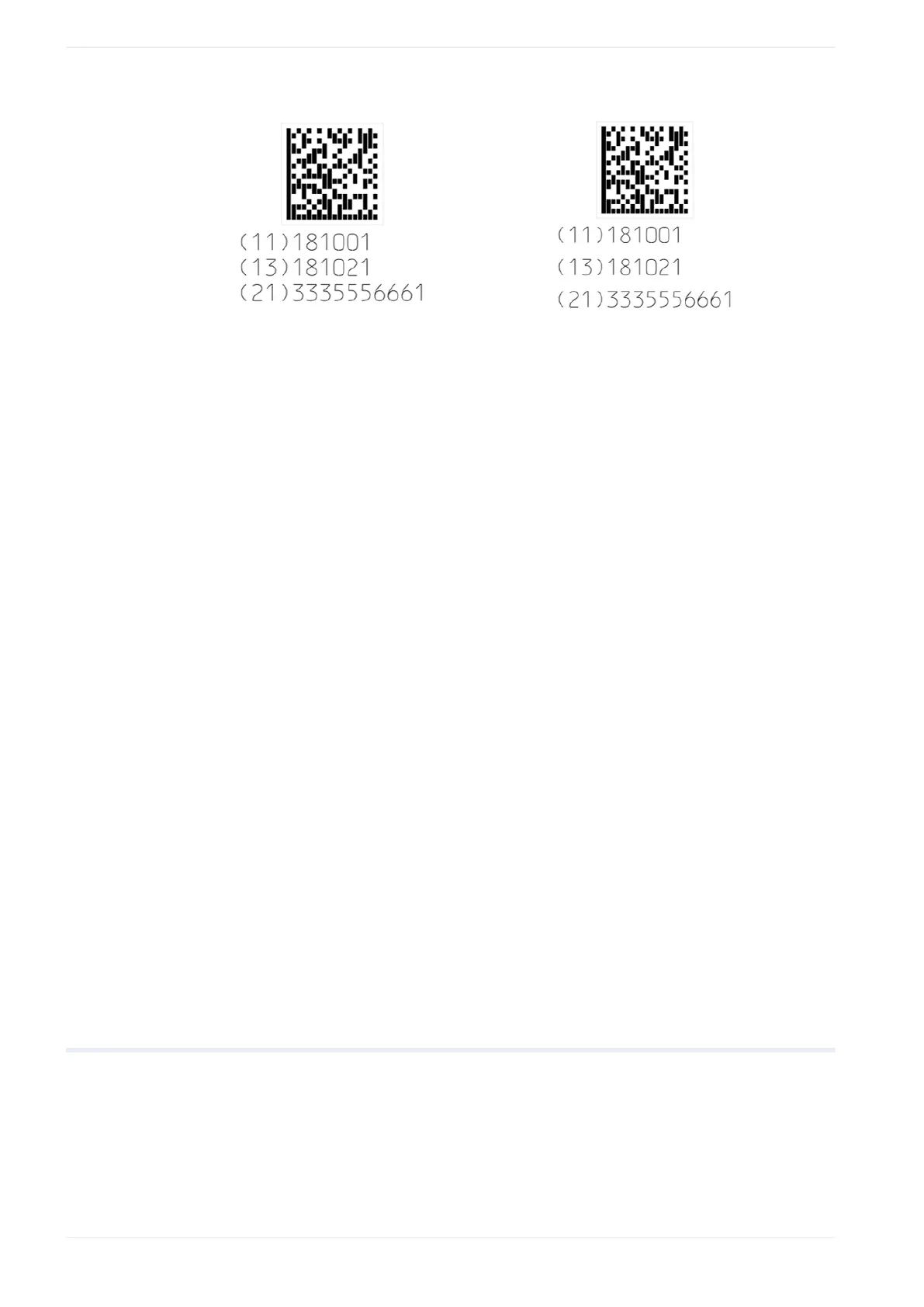
16 Human readable text parameters
(1) (2)
(1) “Linefeed spacing [mm]”: 1.5mm (“Character height [mm]”: 1.0mm)
(2) “Linefeed spacing [mm]”: 2.0mm (“Character height [mm]”: 1.0mm)
Remarks
• Control characters are not shown in the human readable text.
• CODE39, NW-7: The start and stop characters are included in the human readable text.
For CODE39 the start/stop character is an asterisk (*).
• EAN/UPC/JAN, CODE39, ITF, NW-7: The check character or check digit is included in
the human readable text.
• If Application Identifier “01” is used, the check digit is included in the human readable text.
This applies to the following codes:
GS1 DataMatrix, GS1-128 (UCC/EAN-128), GS1 DataBar Limited, GS1 DataBar Limited
CC-A, GS1 DataBar Stacked, GS1 DataBar Stacked CC-A
Related topics
Automatically optimize GS1 DataBar parameters (page 153)
About font files (page 68)
About Application Identifiers (page 188)
AI prefix codes (page 189)
Set laser correction parameters for the human readable text (page 186)
Specify the East Asian character set (page 224)
Configure advanced system settings (page 261)
16.2 Set laser correction parameters for the human readable text
Specify laser correction parameters for the human readable text of a bar code or 2D code
object.
• To edit the parameters of the bar code or 2D code object, select the object in the object
list or in the marking image editor.
186 ME-NAVIS2-OP-1





 To Next Page