- 18 - VQT3T39
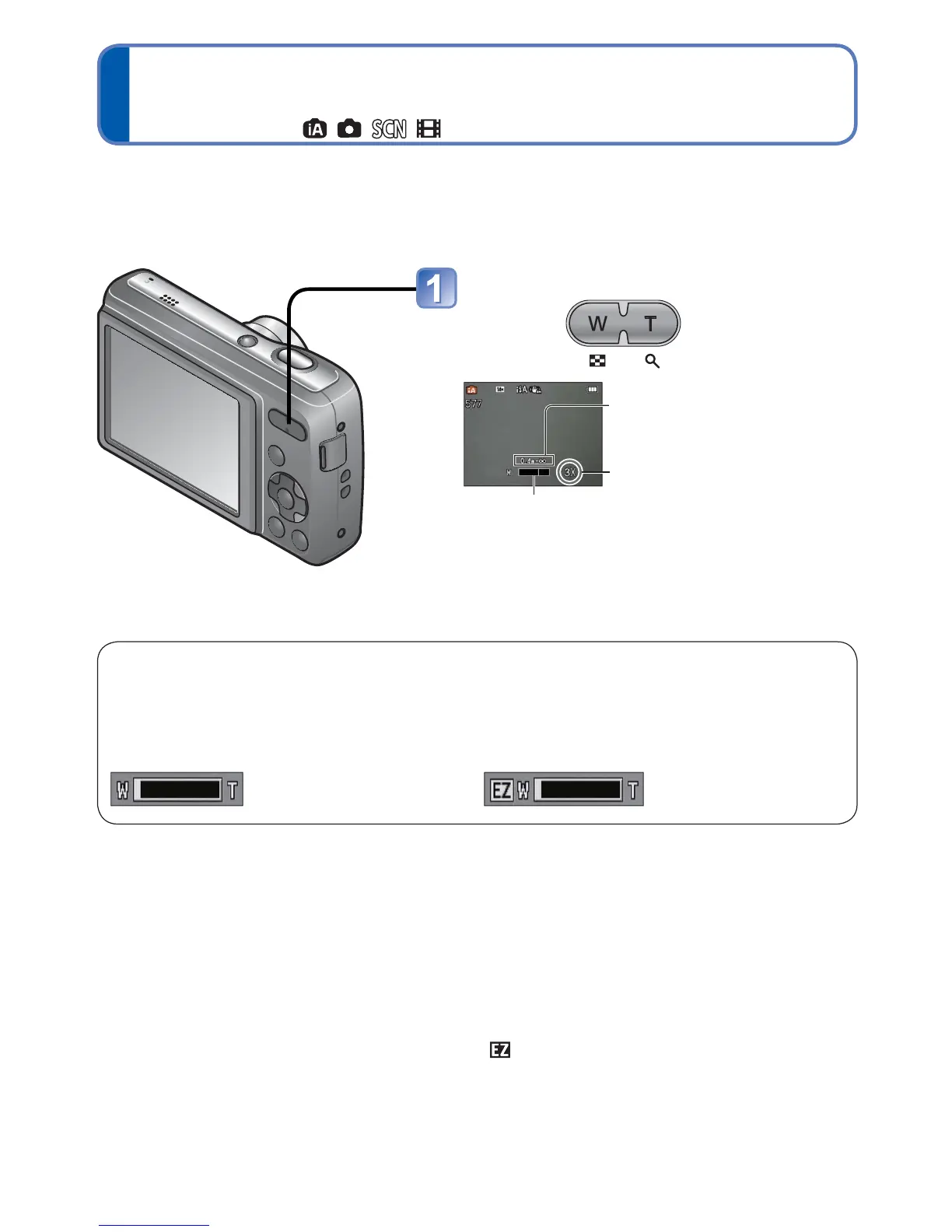
Using zoom
Recording Mode:
“Optical Zoom” offers 5 x magnification. You can zoom in even closer without the loss of
picture quality by lowering the picture size and using “Extra Optical Zoom.”
For zooming in even closer, “Digital Zoom” (→46) is available.
●
Extra Optical Zoom system
When the recording pixel level is set to [3 M ] (corresponding to 3 million pixels),
3 million pixels of the available pixel level in the centre of the CCD are used in
recording, enabling higher magnification.
●
The zoom ratio and the zoom bar displayed on the screen are estimates.
●
Extra Optical Zoom cannot be used in the following cases:
Motion Picture, [High Sens.] in Scene Mode
Zoom In/Out
Capture a
wider area
(wide-angle)
Enlarge
the subject
(telephoto)
Focus range
Zoom ratio (approx.)
Zoom bar
●
Focus after adjusting the zoom.
Optical Zoom and Extra Optical Zoom (EZ)
Automatically switches to “Optical Zoom” when using maximum Picture Size (→42), and
to “Extra Optical Zoom” (for further zooming) otherwise. (EZ is short for “Extra Optical
Zoom.”)
• Optical Zoom • Extra Optical Zoom


 To Next Page
 Loading...