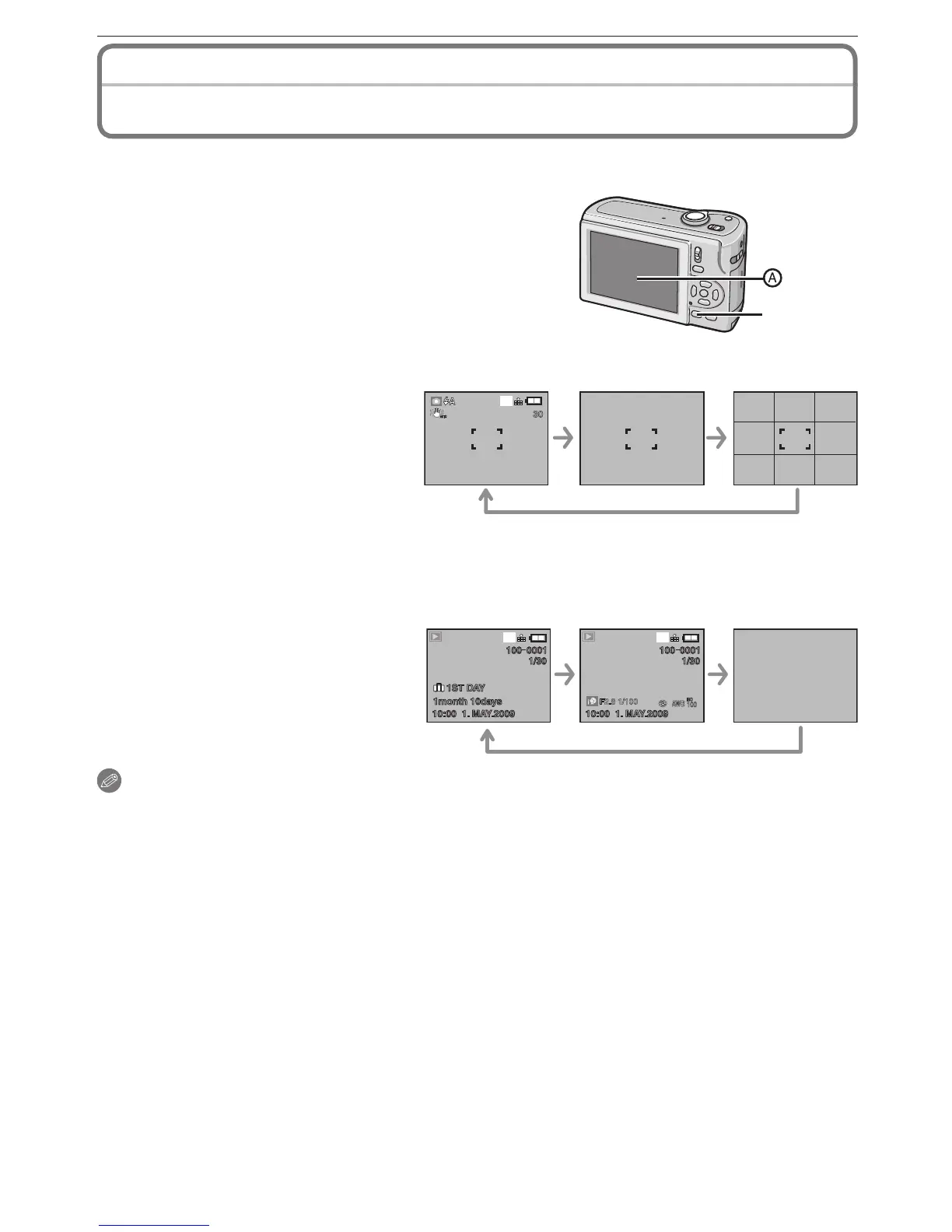
Press [DISPLAY] to switch the screen to be used.
A
LCD monitor
• When the menu screen appears, the [DISPLAY]
button is not activated.
• During playback zoom, while playing back motion
pictures and during a slide show, you can only select
“Normal display” or “No display”
In Recording Mode
B C D
B
Normal display
C
No display
D
Guideline display
When recording, you can refer to
the guideline for composing.
In Playback Mode
10:00 1. MAY.2009
1 ST DAY
1month 10days
100 0001
1/30
10:00 1. MAY.2009
100 0001
1/30
8
M
8
M
F2.8 1/100
100
ISO
A WB
E F G
E
Normal display
F
Display with recording information
G
No display
Note
• In [NIGHT PORTRAIT], [NIGHT SCENERY], [STARRY SKY] and [FIREWORKS] in
Scene Mode, the guideline is grey.
About the LCD Monitor



 To Next Page
 Loading...