EasyManua.ls Logo

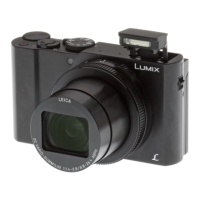
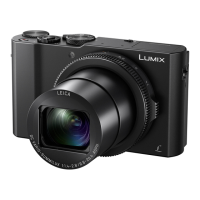
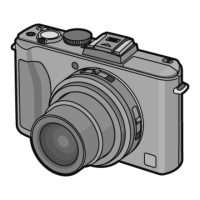
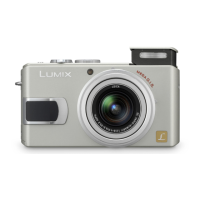
Panasonic Lumix DMC-LX1 - User Manual

Panasonic Lumix DMC-LX1
136 pages
Print Icon
To Next Page IconTo Next Page
Loading...
VQT0S19
For USA assistance, please call: 1-800-272-7033 or send e-mail to : digitalstillcam@panasonic.com
For Canadian assistance, please call: 1-800-561-5505 or visit us at www.panasonic.ca
Operating Instructions
Digital Camera
Model No.DMC-LX1PP
Before connecting, operating or
adjusting this product, please read
the instructions completely.

Table of Contents

Questions and Answers

  • J
    Jennifer SullivanAug 17, 2025
    Why does my Panasonic Lumix DMC-LX1 Digital Camera turn off immediately after turning on?
    • C
      Christina CobbAug 17, 2025
      If your Panasonic Digital Camera turns off shortly after being turned on, it's likely due to the battery being out of power. Try recharging the battery or using one that has sufficient charge.
  • O
    odeckerAug 19, 2025
    Why is the picture not displayed on my Panasonic Lumix DMC-LX1 Digital Camera LCD monitor?
    • R
      robert92Sep 12, 2025
      If the picture is not displayed on the LCD monitor of your Panasonic Digital Camera, it could be because the power save mode is activated. Press the shutter button halfway to deactivate this mode. Alternatively, the battery charge may be insufficient to operate the camera. Use a battery that has been sufficiently charged.
  • C
    Christopher WilliamsAug 22, 2025
    Why does shooting motion pictures stop unexpectedly on my Panasonic Lumix DMC-LX1?
    • A
      anthony91Aug 22, 2025
      If shooting motion pictures stops unexpectedly on your Panasonic Digital Camera, it could be due to several reasons: * This camera is not compatible with motion picture recording on MultiMediaCards. * If you set the [PICT.MODE] to [30fpsVGA] or [30fps16:9], use cards that have a speed of 10 MB/second or better for best results. * Shooting may stop unexpectedly with some types of card or if you use a card whose memory has been fragmented by repeated shooting and erasure.
  • D
    Dr. Noah GordonAug 25, 2025
    What to do if my Panasonic Digital Camera picture cannot be recorded?
    • J
      jon54Aug 26, 2025
      If your Panasonic Digital Camera isn't recording pictures, the issue might be due to several reasons: * Check if the card is inserted. * Verify that the mode dial is correctly set. * Ensure there's available memory on the card. If it's full, delete some pictures before trying to record again.
  • K
    kevin50Aug 27, 2025
    Why is my Panasonic Lumix DMC-LX1 Digital Camera picture blurred?
    • D
      David AdamsAug 27, 2025
      If the recorded picture from your Panasonic Digital Camera is blurred, especially when taking a picture in shaded areas or indoors, it is recommended to hold the camera with both hands firmly.
  • T
    Teresa OrtizAug 30, 2025
    How to fix grainy or noisy images on Panasonic Digital Camera?
    • I
      ian57Aug 30, 2025
      If images from your Panasonic Digital Camera appear grainy or noisy: * Check that ISO sensitivity isn’t too high or that shutter speed isn’t too slow. * Improve the ambient light.
  • C
    Chad LeonardSep 2, 2025
    Why is the flash not activated on my Panasonic Digital Camera?
    • A
      Angela WardSep 2, 2025
      If the flash is not activated on your Panasonic Digital Camera, make sure the flash is open by sliding the [< OPEN] switch.
  • S
    Sean JonesSep 5, 2025
    Why are my Panasonic Digital Camera recorded pictures pale?
    • T
      tapiabreannaSep 5, 2025
      If the recorded pictures from your Panasonic Digital Camera are pale, it might be due to dirt on the lens. If the surface of the lens is dirty, turn on the camera and clean it with a soft cloth.
  • C
    Cheryl RobertsSep 7, 2025
    How to play Panasonic Lumix DMC-LX1 motion pictures on a television?
    • J
      Jesse GonzalezSep 8, 2025
      You cannot play motion pictures if you have inserted the card into a card slot on a television. Connect the camera to the television with the included AV cable and play the pictures on this unit.
  • L
    Lucas CraigSep 10, 2025
    Why the pictures cannot be printed with printers from Panasonic Lumix DMC-LX1?
    • J
      Jennifer WashingtonSep 12, 2025
      You cannot print pictures from your Panasonic Digital Camera with printers which do not support PictBridge.

Summary

Before Use

Safety Information

Essential safety warnings for proper camera operation.

Before First Use

Initial setup and precautions before operating the device.

FCC Compliance and Precautions

Regulatory information and cautions related to FCC standards.

Camera Care and Handling

Guidelines for cleaning, storing, and protecting the camera.

Lens and Condensation Advice

Tips for lens care and managing condensation.

Operating Instructions Guide

How to interpret manual illustrations and conventions.

Camera Preparation

Standard Accessories

List of items included with the camera.

Component Identification

Identifying and locating camera parts.

Quick Start Guide

Essential steps for initial camera setup and shooting.

Battery Charging and Management

Procedures for charging and handling the camera battery.

Battery and Memory Card Handling

Inserting and removing the battery and memory card.

Memory Card Information

Information on memory card types and usage.

Setting Date and Time

How to set the camera's clock.

Setup Menu Options

Configuring camera settings via the setup menu.

LCD Monitor Display Options

Understanding the LCD screen's display modes.

Basic Shooting Guide

Mode Dial Functions

Overview of shooting modes like Program AE and Auto.

Program AE Mode

Using Program AE for automatic exposure.

Auto Mode Operation

Simplified shooting for beginners.

Reviewing and Deleting Pictures

Checking, zooming, and deleting photos.

Optical Zoom Usage

Using the camera's zoom capabilities.

Built-in Flash Operation

Instructions for using the camera's flash.

Self-timer Shooting

Using the self-timer for delayed shots.

Exposure Compensation

Adjusting image brightness.

Auto Bracket Function

Capturing multiple exposures for bracketed shots.

Optical Image Stabilizer

Reducing camera shake blur.

Burst Mode Shooting

Capturing rapid sequences of images.

Basic Picture Playback

Viewing and Navigating Images

Browsing and zooming through photos.

Multi-Picture Display

Viewing multiple images simultaneously.

Deleting Photos

Removing unwanted pictures.

Advanced Shooting Modes

Aperture-priority AE Mode

Control aperture for depth of field.

Shutter-priority AE Mode

Control shutter speed for motion effects.

Manual Exposure Mode

Full manual control over exposure.

Motion Picture Recording

Recording videos with audio.

Scene Modes Overview

Using specialized modes for various scenarios.

Customizing Recording Settings

Adjusting White Balance, ISO, Quality, AF, etc.

ISO Sensitivity and Picture Size

Settings for light sensitivity and image resolution.

Autofocus Modes

Selecting and using different autofocus systems.

Zoom Capabilities

Using digital and extended optical zoom.

Advanced Playback Features

Audio and Motion Picture Playback

Viewing videos and audio clips.

Using the Play Mode Menu

Accessing playback and editing functions.

Slide Shows and Favorites

Creating slideshows and managing favorite images.

Picture Rotation and DPOF

Adjusting image orientation and print orders.

Resizing and Trimming Images

Modifying image dimensions and cropping.

Card Maintenance

Cleaning and formatting memory cards.

Connecting to External Devices

Linking the camera to TVs, PCs, and printers.

Troubleshooting and Specifications

Screen Display Guide

Understanding screen icons and indicators.

Safety Cautions

Important warnings for safe camera operation.

Problem Solving

Solutions for common camera issues.

Technical Specifications

Detailed technical data of the camera.

Warranty and Support

Information on warranty coverage and customer service.

Spanish Quick Guide

Basic camera operation instructions in Spanish.

Panasonic Lumix DMC-LX1 Specifications

General IconGeneral
Megapixel8.4 MP
Sensor typeCCD
FilterPrimary Color Filter
Digital zoom22.5 x
Optical zoom4 x
Focal length range6.3 - 25.2 mm
Built-in flashYes
Dimensions (WxDxH)105.7 x 25.6 x 55.8 mm
Camera shutter speed60 - 1/2000 s
Focal length (35mm film equivalent)28 - 112 mm
Internal memory32 MB
Compatible memory cardsmmc, sd
Motion JPEG frame rate30 fps
Maximum video resolution848 x 480 pixels
Display diagonal2.5 \
Display resolution (numeric)207000 pixels
I/O portsA/V Output (NTSC / PAL), USB.
Bundled softwareLUMIX Simple Viewer, Photo Fun Studio, ArcSoft PhotoBase, ArcSoft PhotoImpression, ArcSoft Panorama Maker, USB Driver
Battery type3.7 V, 1150 mAh
Product colorBlack, Silver
Focus adjustmentAuto
Weight and Dimensions IconWeight and Dimensions
Depth25.6 mm
Width105.7 mm
Height55.8 mm
Weight185 g

Related product manuals