EasyManua.ls Logo

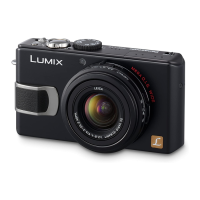
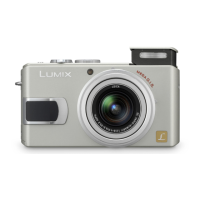
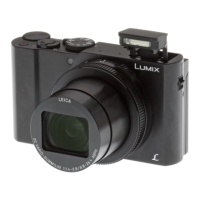
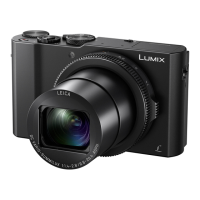
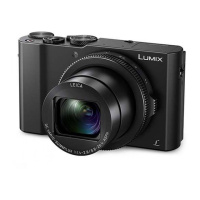
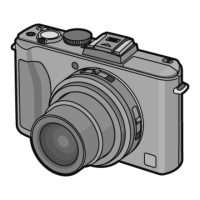
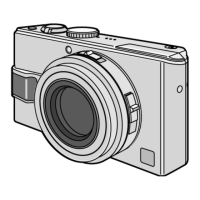
Panasonic LUMIX DMC-LX2 - User Manual

Panasonic LUMIX DMC-LX2
144 pages
Print Icon
To Next Page IconTo Next Page
Loading...
VQT0Y44-2
For USA assistance, please call: 1-800-272-7033 or send e-mail to : digitalstillcam@us.panasonic.com
For Canadian assistance, please call: 1-800-561-5505 or visit us at www.panasonic.ca
PP
Operating Instructions
Digital Camera
Model No.DMC-LX2
Before connecting, operating or
adjusting this product, please read the
instructions completely.

Table of Contents

Questions and Answers

  • K
    Kenneth StaffordSep 7, 2025
    Why does my Panasonic LUMIX DMC-LX2 Digital Camera show dashes for file numbers?
    • N
      Nicholas CostaSep 7, 2025
      If folder or file number appears as [–] and the display goes black on your Panasonic Digital Camera, the picture may have been changed on a computer or taken on a different manufacturer’s camera. You will need to reformat the card to delete this type of picture.
  • M
    Morgan PhelpsAug 25, 2025
    Why Panasonic Digital Camera turns off soon after turning it on?
    • A
      Angela HuntAug 25, 2025
      If your Panasonic Digital Camera turns off shortly after being turned on, the battery charge may be insufficient. Try using a sufficiently charged battery. You can also conserve power by frequently using the power save mode or economy mode.
  • E
    edward67Aug 25, 2025
    Why are my Panasonic LUMIX DMC-LX2 pictures pale?
    • J
      Jason RodriguezAug 26, 2025
      If the recorded pictures from your Panasonic Digital Camera appear pale, the lens may be dirty. To resolve this, gently clean the lens with a soft, dry cloth.
  • R
    ryanmooreSep 16, 2025
    How to fit Panasonic Digital Camera picture to TV screen?
    • L
      Lauren MeyerSep 16, 2025
      If the picture size does not fit the TV screen with your Panasonic Digital Camera, check the [TV ASPECT] setting on this unit.
  • P
    pearsonmarkSep 23, 2025
    How to fix recorded picture that is too bright or dark on Panasonic LUMIX DMC-LX2 Digital Camera?
    • R
      Ryan MeyerSep 23, 2025
      If the recorded picture from your Panasonic Digital Camera is too bright or dark, check that the exposure is correctly compensated.
  • K
    Kimberly MejiaSep 12, 2025
    Why are my Panasonic LUMIX DMC-LX2 Digital Camera file numbers ascending?
    • D
      Dustin WilsonSep 12, 2025
      If the file numbers are recorded in ascending order on your Panasonic Digital Camera, if the battery is inserted or removed when the camera is not turned off, the recorded folder numbers are lost.
  • A
    Amanda MoodySep 2, 2025
    Why won't my computer recognize my Panasonic LUMIX DMC-LX2 Digital Camera card?
    • I
      ianfischerSep 2, 2025
      If the computer does not recognize the card in your Panasonic Digital Camera, disconnect the USB connection cable, then insert the card and reconnect the cable.
  • A
    Anna ColeSep 3, 2025
    Why does my Panasonic Digital Camera stop recording videos?
    • A
      austin97Sep 3, 2025
      If shooting of motion pictures stops unexpectedly on your Panasonic Digital Camera, this camera is not compatible with motion picture recording on MultiMediaCards. When you set the [PICT.MODE] to [30fpsVGA], [30fps16:9L] or [15fps16:9H], we recommend using cards that offer 10 MB/second or higher speeds for best results. Depending on the type of SD Memory Card, recording may stop in the middle.
  • A
    Amy CopelandSep 23, 2025
    Why Panasonic LUMIX DMC-LX2 shooting of motion pictures stops unexpectedly?
    • R
      ryan81Sep 23, 2025
      If your Panasonic Digital Camera stops recording motion pictures unexpectedly, be aware that this camera is not compatible with motion picture recording on MultiMediaCards. Also, when you set the [PICT.MODE] to [30fpsVGA], [30fps16:9L] or [15fps16:9H], use cards that offer 10 MB/second or higher speeds for best results.
  • J
    jenniferbanksAug 29, 2025
    Why does my Panasonic LUMIX DMC-LX2 take multiple pictures at once?
    • D
      Daniel SuttonAug 29, 2025
      If your Panasonic Digital Camera is taking two or three pictures with a single press of the shutter button, the camera might be set in auto bracket or burst mode.

Summary

Before Use

Information for Your Safety

General safety warnings and precautions for using the camera.

FCC Note: (U.S. only)

Care for the camera

About the LCD monitor

Information on the camera's LCD screen, including care and potential issues.

About the Lens

When not using the camera for a long period of time

Recommendations for storing the camera when unused for extended periods.

About The Mode dial

Preparation

Standard Accessories

List of items included with the camera.

Names of the Components

Quick Guide

Charging the Battery with the Charger

Inserting;Removing the Battery

Inserting;Removing the Card (Optional)

About the Built-in Memory;the Card

About SD Memory Card (optional), SDHC Memory Card (optional) and MultiMediaCard (optional)

About handling a card

Precautions and guidelines for handling memory cards.

Attaching the Lens Cap;Strap

Setting Date;Time (Clock Set)

Setup Menu

About menu operations using the joystick

Instructions on using the joystick for menu navigation.

POWER SAVE

ECONOMY

MF ASSIST

Basic

Taking Pictures

General instructions for taking photos using the camera.

Focusing

Exposure

Information on camera exposure settings and adjustments.

Taking Pictures in Auto Mode

Taking Pictures with the Zoom

Checking the Recorded Picture (Review)

Deleting Pictures

Advanced

About the LCD Monitor

Details on the camera's LCD monitor and its display options.

Taking Pictures using the Built-in Flash

Taking Pictures with the Self-timer

Compensating the Exposure

Taking Pictures using Auto Bracket

Optical Image Stabilizer [STABILIZER]

Taking Pictures using Burst Mode

Taking pictures by setting the aperture;shutter speed manually

Taking pictures by setting the exposure manually

Taking Pictures with Manual Focus

Taking Close-up pictures

Setting the aspect ratio

AF;AE Lock (AF: Auto focus;AE: Auto exposure)

Scene mode

Portrait mode

Shooting mode for portraits with blurred backgrounds.

Soft skin mode

Shooting mode for smoother skin appearance in portraits.

Scenery mode

Shooting mode optimized for capturing wide landscapes.

Sports mode

Shooting mode for capturing fast-moving subjects.

Night portrait mode

Shooting mode for portraits in low light with flash.

Night scenery mode

Shooting mode for vivid nightscapes using slow shutter.

Self portrait mode

Shooting mode for taking self-portraits.

Food mode

Shooting mode for capturing food with natural colors.

Party mode

Shooting mode for indoor parties with flash and slow shutter.

Candle light mode

Shooting mode for capturing candlelight ambiance.

Fireworks mode

Shooting mode for capturing fireworks with slow shutter.

Starry sky mode

Shooting mode for capturing night sky with very slow shutter.

Beach mode

Shooting mode to prevent underexposure in bright sunlight.

Aerial photo mode

Shooting mode optimized for aerial photography.

Snow mode

Shooting mode to enhance white colors in snowy scenes.

High Sensitivity mode

Shooting mode for high ISO sensitivity in low light.

Baby mode 1

Shooting mode to capture baby's skin tone and age.

Baby mode 2

Shooting mode for capturing baby's skin tone and age.

Motion picture mode

Changing the picture quality setting

Selecting video resolution and frame rate for motion pictures.

Displaying Multiple Screens (Multi Playback)

Displaying pictures by recording date (Calendar playback)

Using the Playback Zoom

Playing Back Pictures with Audio;Motion pictures

Menu Settings

Using the [REC] mode menu

Accessing and using the camera's recording menu options.

Using the Quick setting

Auto White Balance

[WB ADJUST.] Finely Adjusting the White Balance

[SENSITIVITY] Setting the light sensitivity

Adjusting ISO sensitivity for different lighting conditions.

[PICT.SIZE];[QUALITY] Setting a picture size and quality that matches your use of the pictures

[AUDIO REC.] Recording still pictures with audio

[METERING MODE] Deciding the method to measure brightness

[AF MODE] Setting the focus method

Selecting the camera's autofocus method.

About AF area selection

[CONT.AF] Continuously focusing on a subject

[AF ASSIST LAMP] Focusing in low light conditions becomes easier

Using the AF assist lamp to improve focus in low light.

[COL.EFFECT] Setting color effects for the recorded pictures

[PICT.ADJ.] Adjusting the picture quality for the recorded pictures

Fine-tuning picture quality parameters like contrast and sharpness.

[FLIP ANIM.] Connecting images to create a motion picture file

[CLOCK SET] Setting the date, time and display

Using the [PLAY] mode menu

[SLIDE SHOW] Playing back pictures in order for a fixed duration

[FAVORITE] Setting your favorite pictures

[ROTATE DISP.];[ROTATE] To display the picture rotated

[DPOF PRINT] Setting the Picture to be Printed and the Number of Prints

[PROTECT] Preventing Accidental Erasure of the Picture

[AUDIO DUB.] Adding Audio to Recorded Pictures

[RESIZE] Making the picture smaller

[TRIMMING] Enlarging a picture and trimming it

[ASPECT CONV.] Changing the aspect ratio of a 16:9 picture

[COPY] Copying the picture data

[FORMAT] Initializing the built-in memory or a card

Connecting to other equipment

Connecting to a PC

Instructions for connecting the camera to a personal computer.

Folder Composition

Connecting to a PictBridge-compliant Printer

Printing the selected picture (making a single print)

Selecting multiple pictures for printing

Steps for selecting multiple images for printing.

Playing Back Pictures with a TV Screen

Others

Screen Display

Information on various icons and indicators displayed on the camera screen.

Cautions for Use

Optimal Use of the Camera

Important warnings and guidelines for safe camera operation.

Card

Battery

Precautions and guidelines for handling the camera battery.

Message Display

Troubleshooting

Battery and power supply

Troubleshooting common issues related to power and battery.

Shooting

Troubleshooting common problems during picture taking.

LCD

Troubleshooting common issues with the camera's LCD monitor.

Flash

Troubleshooting common issues related to the camera's flash.

Playback

Troubleshooting common issues during picture playback.

Connecting to a TV, computer or printer

Troubleshooting connection issues with external devices.

Others

Troubleshooting miscellaneous issues not covered elsewhere.

Number of recordable pictures

Available recording time (In Motion picture mode)

Specifications

Digital Camera

Technical specifications for the digital camera.

Digital Camera Accessory System

Request for Service Notice (For USA Only)

Limited Warranty (For USA Only)

Customer Services Directory (For USA Only)

Index

Panasonic LUMIX DMC-LX2 Specifications

General IconGeneral
Megapixel10.2 MP
Camera typeCompact camera
Sensor typeCCD
Image stabilizerYes
Supported aspect ratios4:3, 16:9
Digital zoom4 x
Focal length range6.3 - 25.2 mm
Digital SLRNo
Camera shutter speed1/4 - 1/2000 s
Normal focusing range0.5 - ∞ m
Auto focusing (AF) modesContinuous Auto Focus
Macro focusing range (wide)1 - ∞ m
Motion JPEG frame rate30 fps
Maximum video resolution640 x 480 pixels
Display diagonal2.8 \
Display resolution (numeric)207000 pixels
USB version2.0
Scene modesbeach, Candlelight, Children, Close-up (macro), Fireworks, Night, Night landscape, Night portrait, Portrait, self-portrait, Sports, Sunset, Landscape (scenery)
Image editingresizing, rotating, trimming
White balanceauto, Cloudy, daylight, flash, Shade
Camera playbackmovie, single image, slide show, thumbnails
Self-timer delay2 s
Product colorBlack
Battery capacity1150 mAh
Bundled softwareLUMIX Simple Viewer, PhotofunStudio SILKPIX DEVELOPER STUDIO ArcSoft Camera Suite (ArcSoft PhotoImpression, ArcSoft PanoramaMaker), Adobe Reader, Quick Time
Flash modesauto, Flash off, Red-eye reduction, Slow synchronization
Compatible memory cardsmmc, sd
Light meteringSpot
Light exposure modesaperture priority AE, auto, manual, shutter priority AE
Weight and Dimensions IconWeight and Dimensions
Depth26.3 mm
Width105.7 mm
Height55.8 mm
Weight217 g

Related product manuals