Menu Settings
101
VQT0Y44
Press [ ] to display the [PLAY] mode menu and select the item to set. (P94)
n Single setting
1
Press w/q to select the picture
and then press r to set/cancel.
2
Press [MENU/SET] twice to close
the menu.
n Multi setting/To cancel all settings
Perform the same operation as in [[DPOF
PRINT] Setting the Picture to be Printed
and the Number of Prints]. (P99 and 100)
• The protect setting may not be effective in
other equipment.
• If you want to delete protected pictures,
cancel the protect setting first.
•
While this feature protects the pictures from
accidental erasure, formatting the card will
permanently delete all data. (P106)
• Sliding the Write-Protect switch A of the
SD Memory Card or the SDHC Memory
Card to [LOCK] prevents pictures from
deletion even if protection is not set.
• The following functions cannot be used
with protected pictures.
–[ROTATE]
–[AUDIO DUB.]
• You can also use the joystick for these
operations.
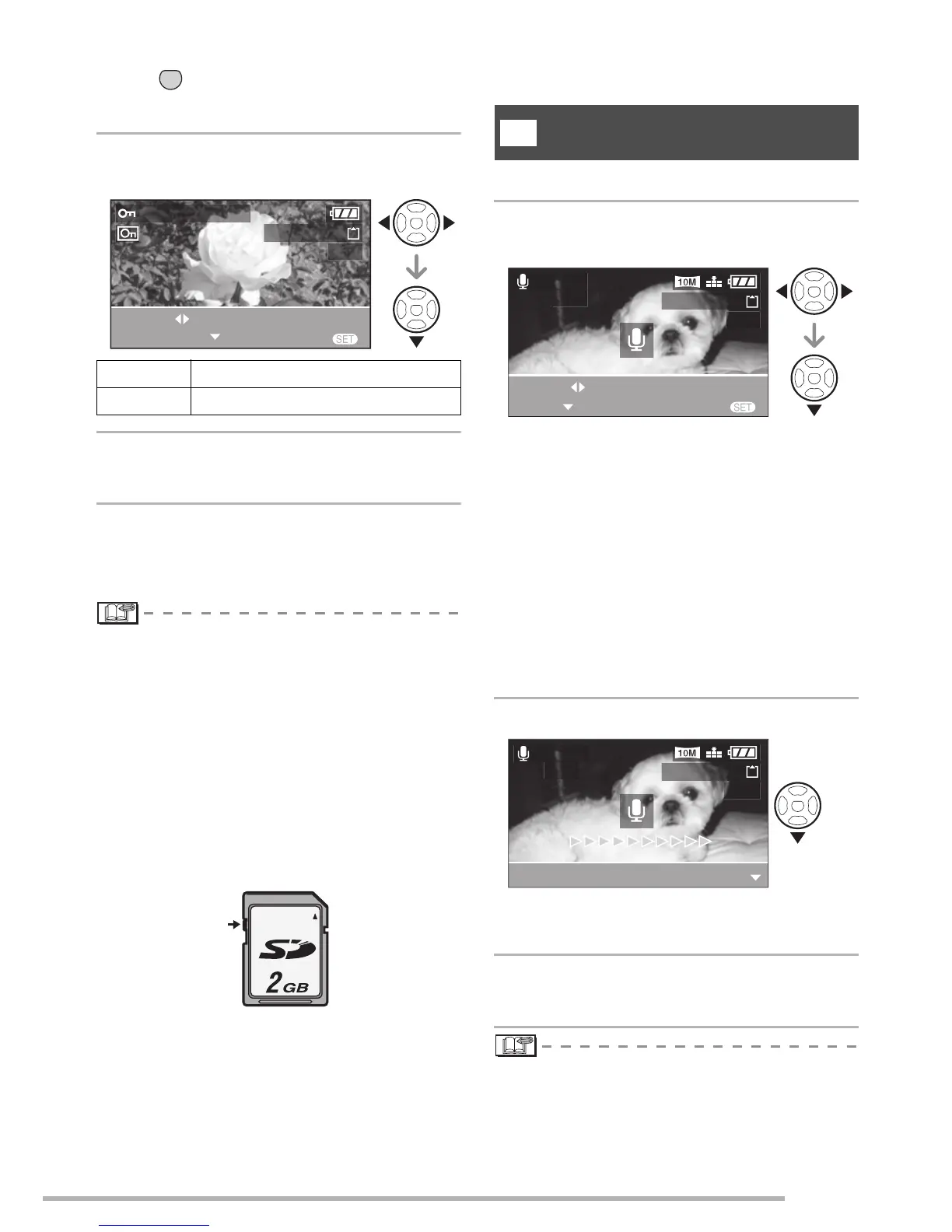
You can record the audio after taking a picture.
1
Press
w
/
q
to select the picture and
then press
r
to start audio recording.
•
The message [OVERWRITE AUDIO DATA?]
screen appears when audio has already
been recorded. Press
e
to select [YES], and
then press [MENU/SET] to start audio
recording. (The original audio is overwritten.)
• Audio dubbing cannot be used with the
following pictures.
–Motion pictures
–Protected pictures
–Pictures recorded after setting the
quality to [RAW]
2
Press r to stop recording.
•
Even if you do not press
r
, after about 10
seconds the audio recording stops automatically.
3
Press [MENU/SET] twice to close
the menu.
• You may not be able to record audio on
images shot on other equipment.
• You can also use the joystick for these
operations.
MENU
SET
SET
The protect icon [
c
] appears.
CANCEL
The protect icon [
c
] disappears.
100-0001
1/19
MENU
SET/CANCEL
EXIT
PROTECT THIS
SELECT
A
[AUDIO DUB.]
Adding Audio to Recorded Pictures
R
100-0001
1/19
MENU
AUDIO
DUB.
START
EXIT
SELECT
100-0001
1/19
AUDIO
DUB.
STOP

 To Next Page
 Loading...