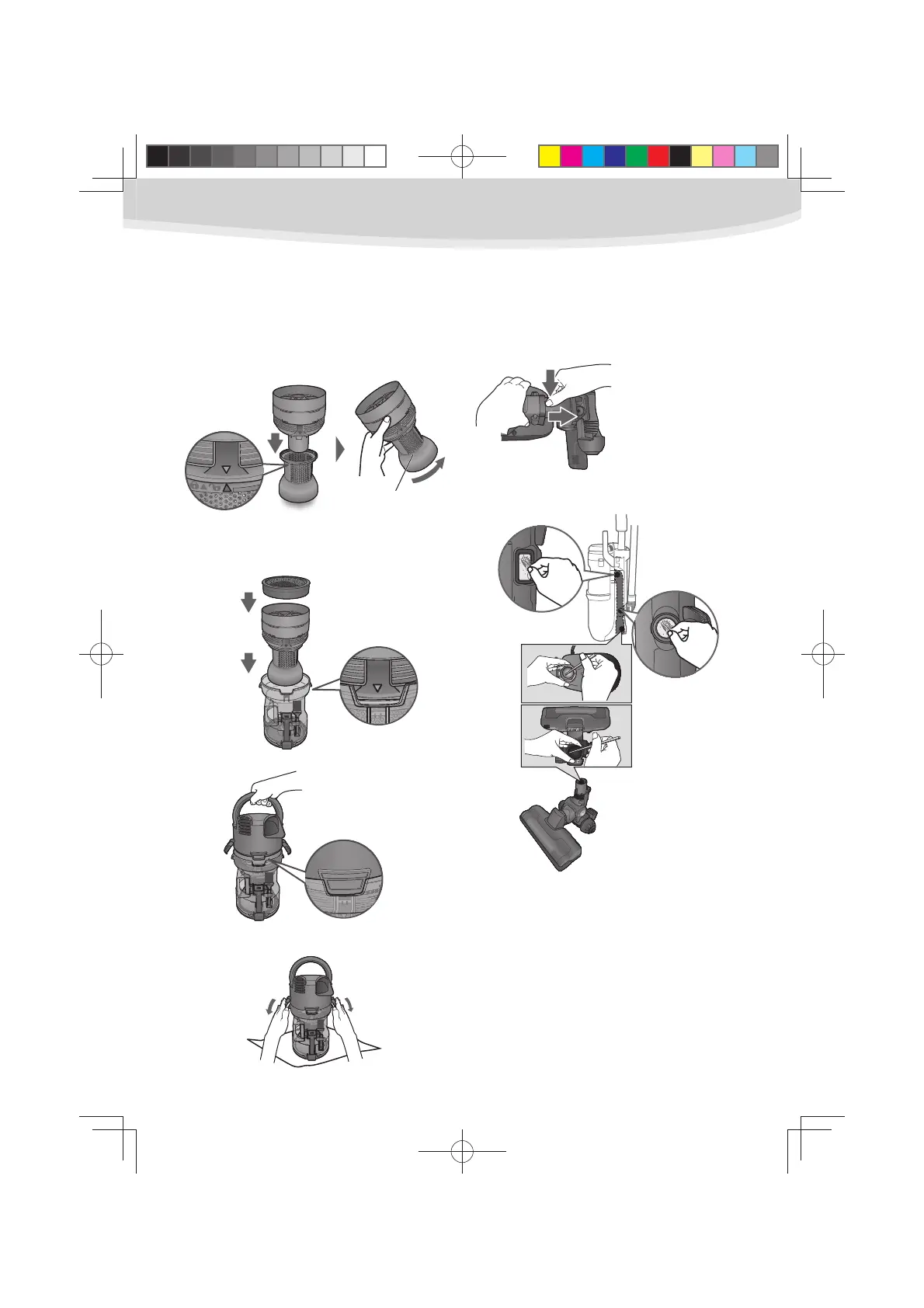
Assembly
Assemble the dust bin unit in reverse order
of disassembly.
Align the marks and turn the mesh
1
filter as shown.
Put the mesh filter into the dust bin 2
while aligning the mark and 2 ribs
location. It won’t fit unless it is set
correctly.
Put the filter back to its original 3
position.
Buckle them as shown. 4
Removing clogs
When you feel the suction power is not
adequate,check if the dust bin is full of dust
or if the filters are clogged.
Pull out the nozzle
while pushing the
button.
Mesh filter
11
UL710.indd11UL710.indd11 2012/02/239:21:392012/02/239:21:39



 To Next Page