Maintenance
WARNING
Remove the plug from the socket -
outlet before cleaning or maintaining
the appliance.
CAUTION
Do not use detergent or any other -
cleaning liquids.
Cleaning the outside of the
appliance
Clean the outside of the appliance with a
soft cloth.
Replacing the exhaust filter
Replace the exhaust filter once a year.
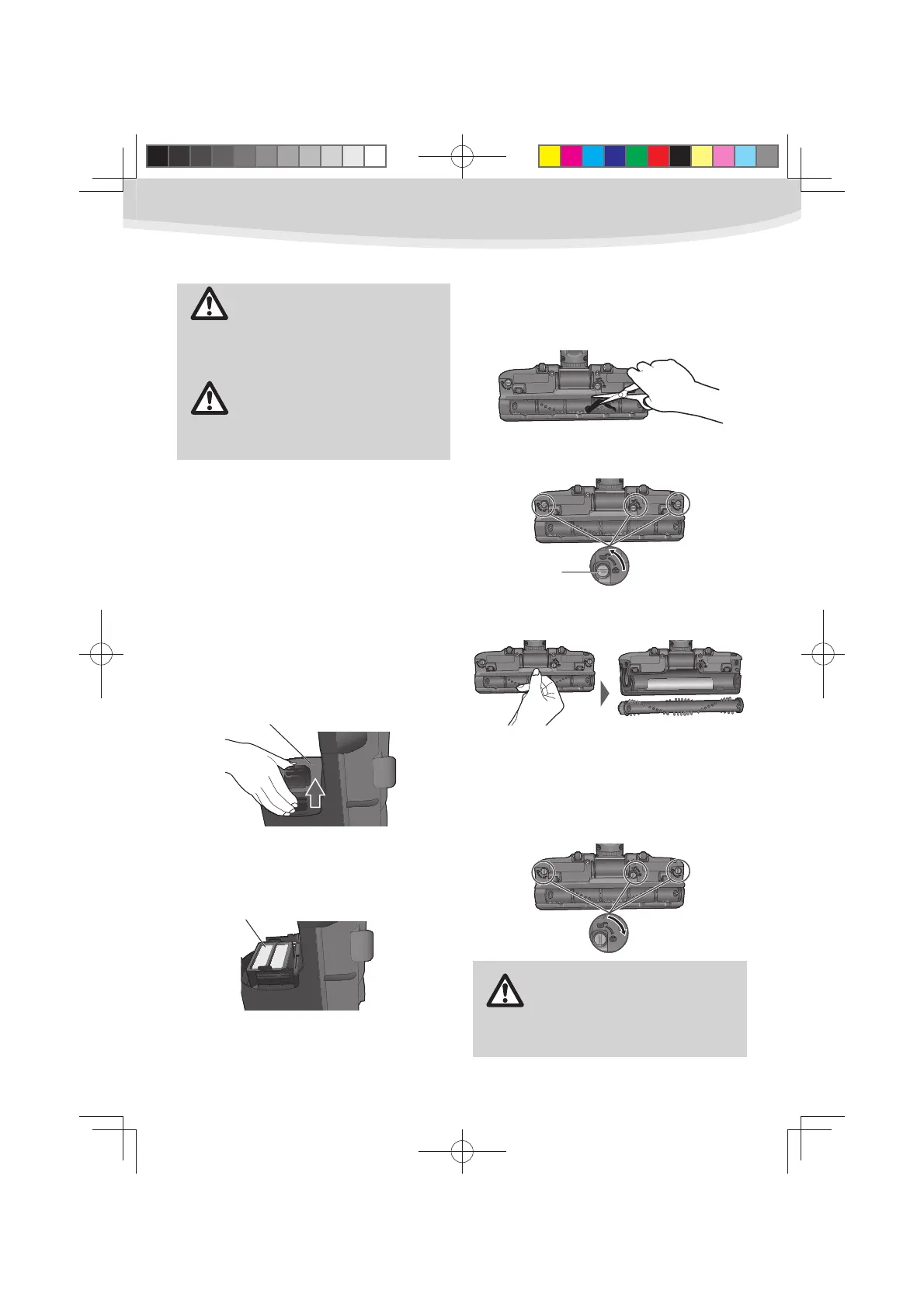
Pull out the exhaust filter and insert a
new exhaust filter to the main body.
Hold the filter cover as shown, and
1
pull it out.
To install a new exhaust filter or 2
replace the current one, put it into its
original position.
Place the filter cover to the body as 3
shown and press into its original
location.
Cleaning the floor nozzle
Cut off any carpet pile and lint 1
entangled around the beater bar for
the floor nozzle with a pair of scissors.
Release the lower plate by rotating 2
the lower plate latches to the UNLOCK
position.
Remove the lower plate and remove 3
any residue that may exist in belt area.
Reinstall lower plate by hooking front 4
end of lower plate into slots on front
of nozzle.
Press lower plate onto nozzle and
5
secure by rotating the lower plate
latches to the LOCK position.
CAUTION
Do not wash the floor nozzle with
water.
Filter cover
Exhaust filter
(HEPA exhaust filter)
Latch
9
UL710.indd9UL710.indd9 2012/02/239:21:282012/02/239:21:28



 To Next Page