Using the Appliance
Operating the appliance
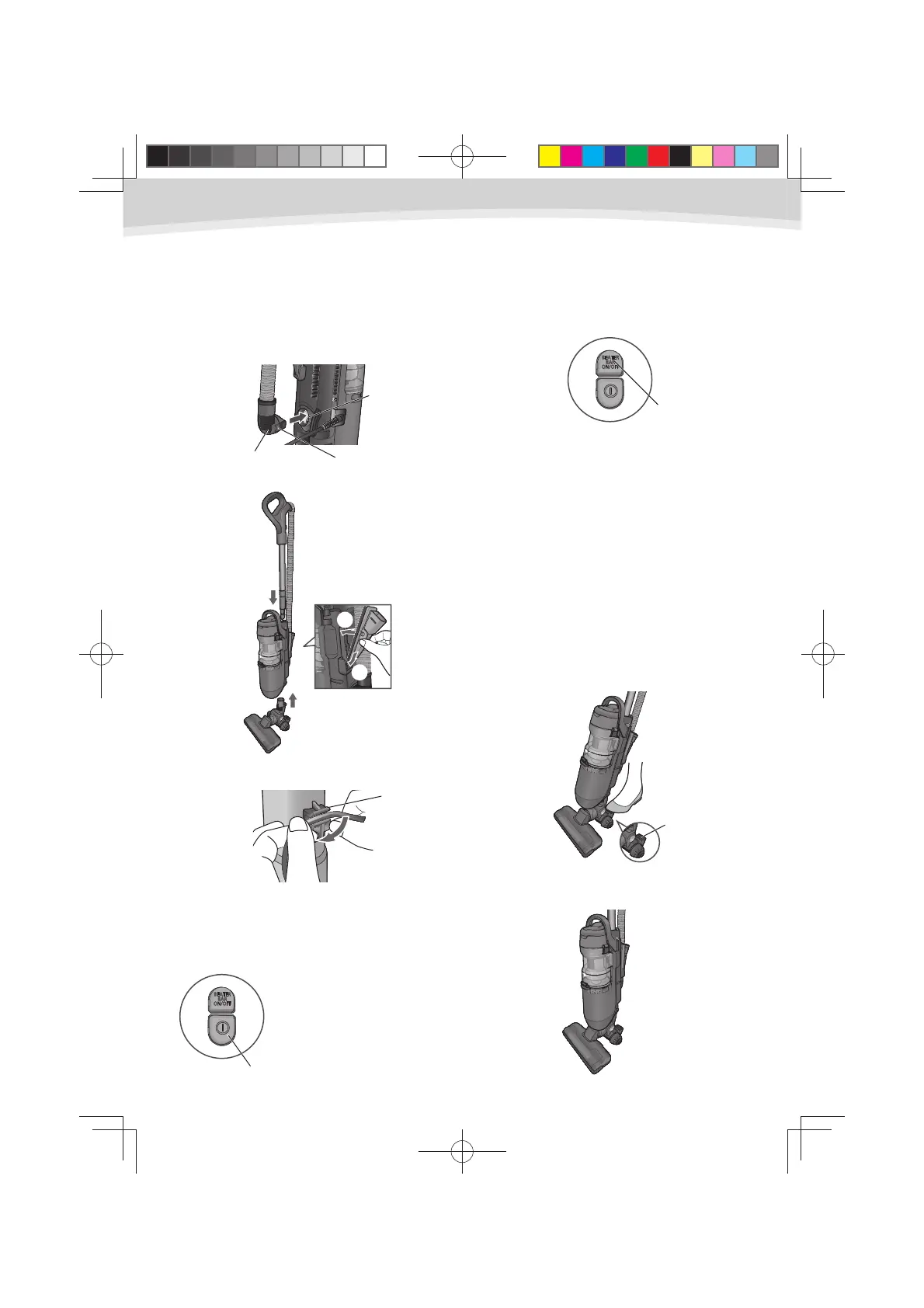
Insert the connection pipe to suction 1
inlet. Ensure that the 2 hooks of the
connection pipe are completely fitted
into the suction inlet.
Insert the parts into each location as 2
shown.
①
②
Fix the mains lead into the cord clip to 3
help secure it during use.
Plug the mains lead into the socket 4
outlet.
Press the ON/OFF switch to turn
5
on the appliance. Main motor is
operating.
Press the beater bar switch to run the
6
beater bar anytime you need.
Press the beater bar switch when the
appliance is in an upright position, and
the beater bar will automatically stop
rotating.
Even if pressing the beater bar switch
when the appliance is in an upright
position, beater bar won’t rotate. Please
use this switch in operating position.
This appliance can not be used as a Full
Flat. Please pay attention for the lower
cord storage hook not to hit the floor, or a
nozzle will separate from a floor.
To unlock the handle of the appliance,
7
step on the foot pedal and the handle
angle can be changed freely. To return
into the upright position, simply put
the handle back until it clicks.
Upright position
The handle have to be in an upright
position while being in storage or cleaning
of parts.
Cord clip
ON/OFF switch
Beater bar switch
Conection pipe
Suction inlet
Hook
Foot pedal
NOTE:
When operating the unit in
upright position,
whooshing sound is made,
but it is not malfunction.
6
UL710.indd6UL710.indd6 2012/02/239:21:132012/02/239:21:13



 To Next Page