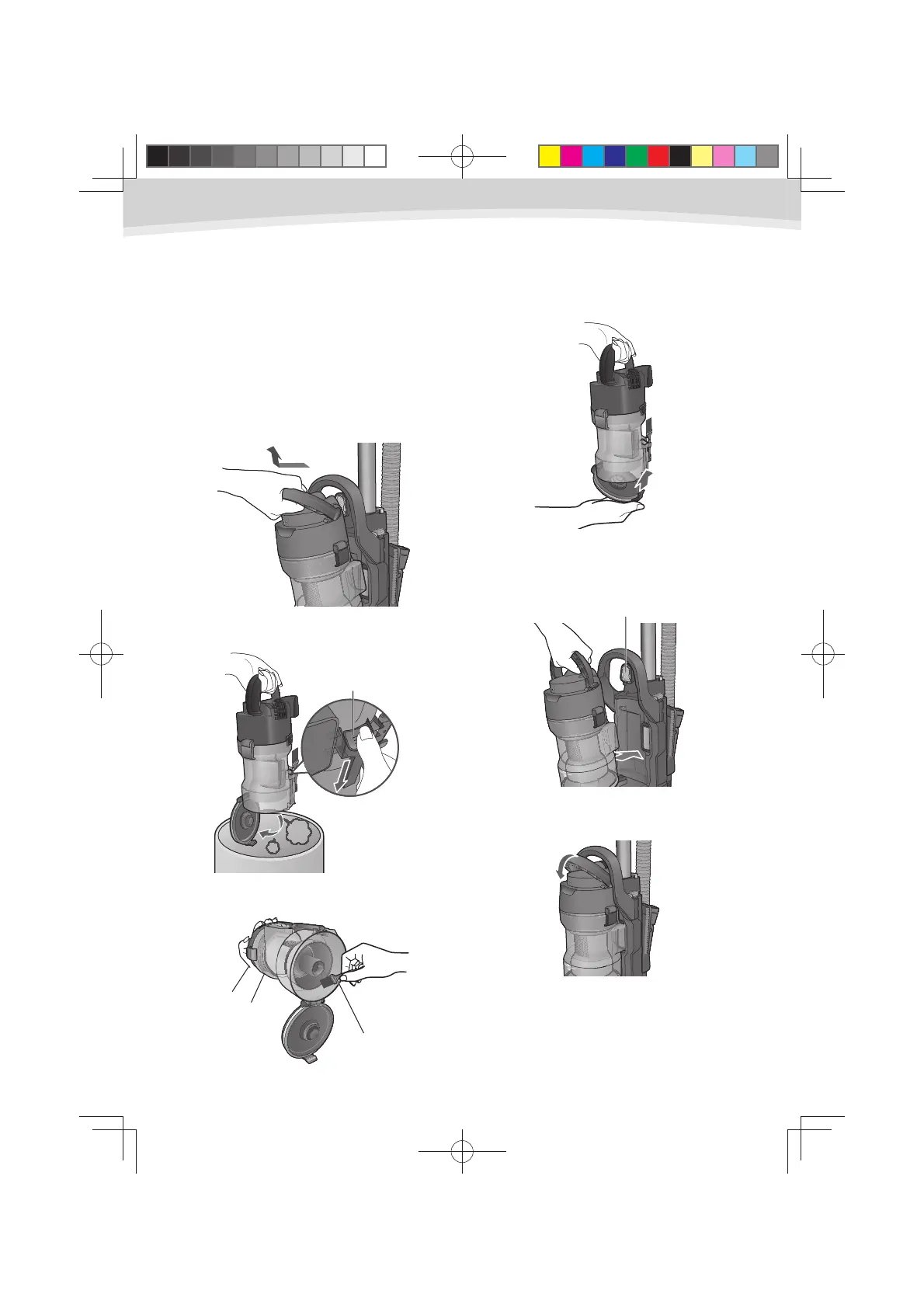
How to empty the dust bin
Empty the dust bin in the following cases:
When dust level reached the “MAX” -
line.
When suction power has dropped. -
Grasp the dust bin handle on the
1
top of the dust bin. Lift up and out to
remove dust bin from the appliance.
Press the latch and the dust bin plate 2
will open and the dust will fall out.
Remove rubbish and dust with the 3
cleaning brush.
Close the dust bin plate until it clicks.4
Put the dust bin back into the 5
appliance in the condition where the
dust bin handle has stood.
Press down the dust bin handle until it 6
click into place.
Latch
Cleaning brush
Pre-motor filter
8
UL710.indd8UL710.indd8 2012/02/239:21:242012/02/239:21:24



 To Next Page